Using the Printer Driver
6
Windows 2000
Using the Printer Driver
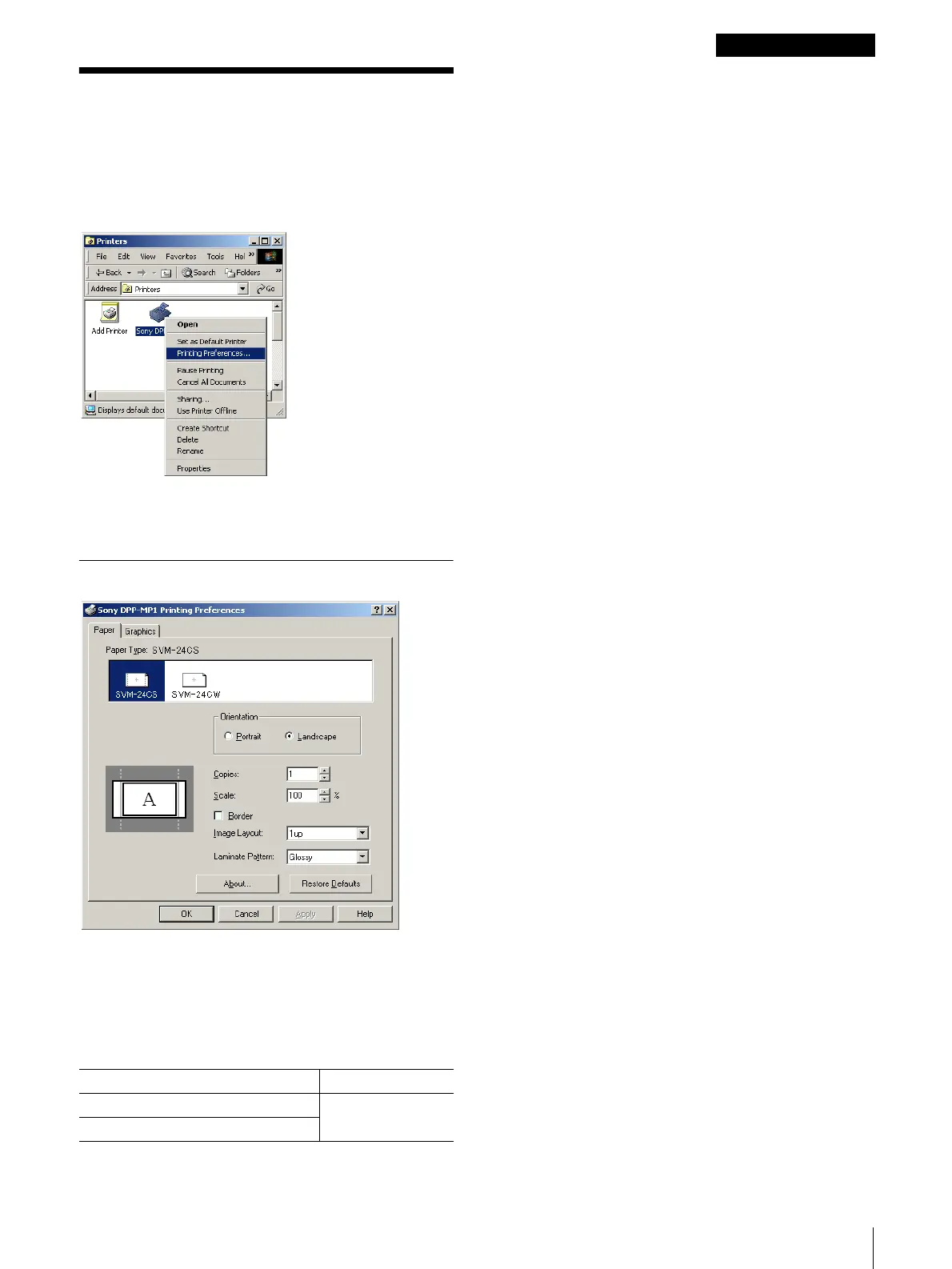
You can use the printer driver [Printing Preferences] to
set the default settings for the paper size, orientation,
and other important settings. Open the [Printers] folder
in the [Control Panel], right-click the [Sony DPP-MP1]
icon, and then select [Printing Preferences].
The [Sony DPP-MP1 Printing Preferences] sheet opens
and presents the following tabs and items for setting.
[Paper] Tab
[Paper Type]
Select the type of paper loaded for printing. Types of
printer packs that can be loaded and maximum image
size settings are as follows,
[Orientation]
Select [Portrait] or [Landscape] for the print direction.
[Copies]
Set the number of copies to print. You can select from 1
to 24 for the number of copies.
[Scale]
Select the rate of enlargement or reduction. You an
select a setting within the range of 10% to 400%.
[Border]
Select this check box to print a border in the margins.
[Image Layout]
Select the number of images to print on one sheet: 1up,
2up, 4up, or 8 up.
[Laminate Pattern]
Select a laminate pattern for the surface of the print from
the three available options:
• [Glossy] The image is printed with a glossy, slick
finish.
• [Texture] The image is printed with a silk screen
finish.
• [Matte] The image is printed with a matte finish.
Print Pack Max. Image Size
SVM-24CS 1010 × 628 pixels
SVM-24CW


 To Next Page
 Loading...







