EasyManua.ls Logo

Sony FH-B500 - Remote Commander; Battery Installation

Sony FH-B500
23 pages
Print Icon
To Next Page IconTo Next Page
To Previous Page IconTo Previous Page
Loading...
Remote
commander
(0
SLEEP
button
(20)
[2]
FUNCTION
button
[3}
Deck
A
operating
buttons
®:
Play
button
>:
Fast
forward
button
<¢¢:
Rewind
button
:
Stop
button
[4]
CD
operating
buttons
®:
Play
button
14<4/>P
1:
AMS’
buttons
fi:
pause
button
@:
Stop
button
[5)
SYSTEM
POWER
button
Tuner
operating
buttons
BAND
button
(13)
PRESET
buton
(14)
PRESET
+
button
(14)
Deck
B
operating
buttons
&:
Play
button
>>:
Fast
forward
button
<<:
Rewind
button
(tt:
pause
button
@:
Stop
button
@REC:
Record
button
VOL
(volume)
+/--
buttons
(8)
*
AMS
is
the
abbreviation
of
Automatic
Music
Sensor.
Preparations
Battery
Installation
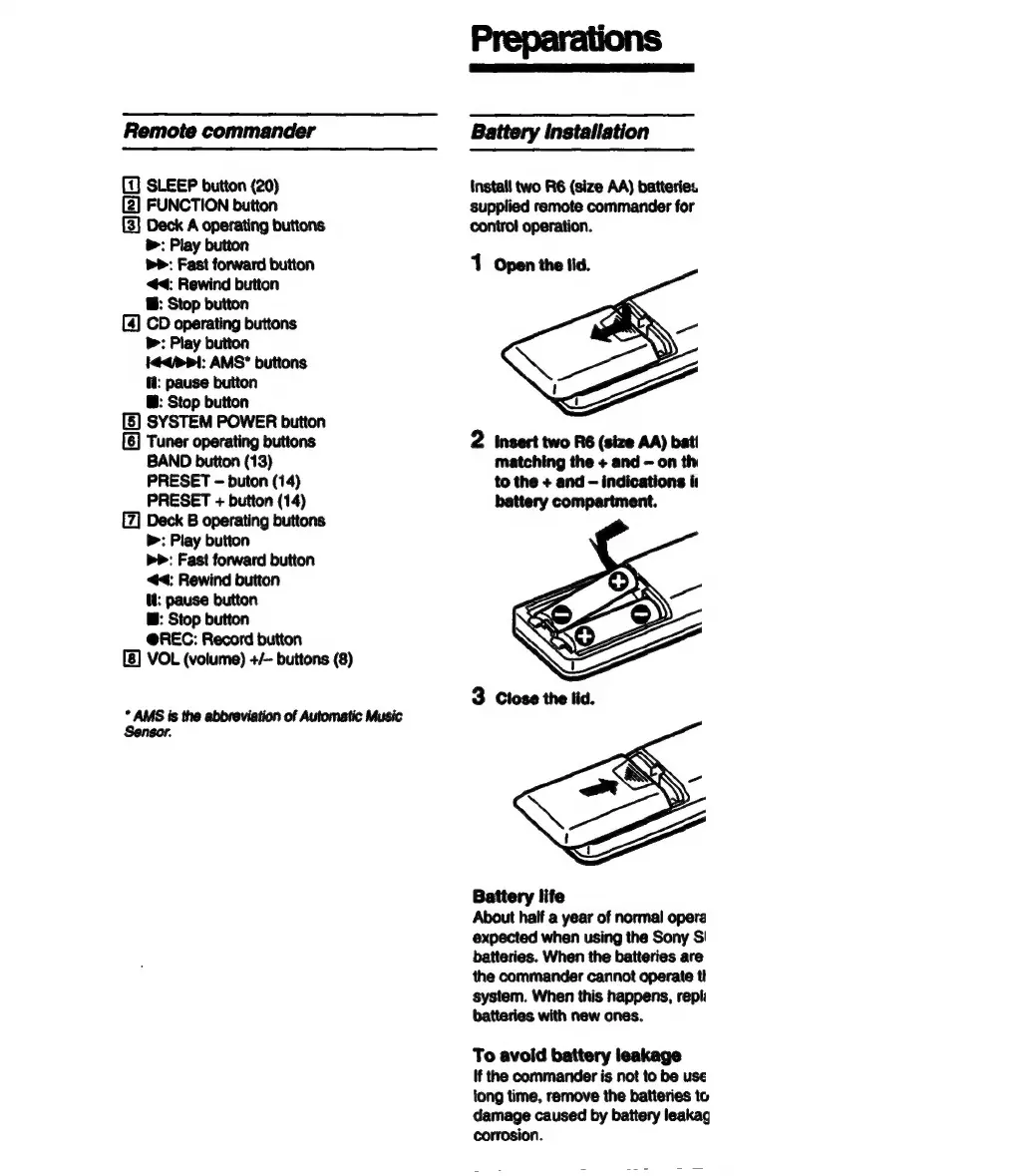
Install
two
R6
(size
AA)
batteries
supplied
remote
commander
for
control
operation.
2
insert
two
R6
(size
AA)
bat!
matching
the
+
and
on
th
to
the
+
and
-
indications
i
battery
compartment.
Battery
life
About
half
a
year
of
norma!
opera
expected
when
using
the
Sony
S!
batteries.
When
the
batteries
are
the
commander
cannot
operate
t!
system.
When
this
happens,
repli
batteries
with
new
ones.
To
avoid
battery
leakage
If
the
commander
is
not
to
be
use
tong
time,
remove
the
batteries
to
damage
caused
by
battery
leakag
corrosion.

Related product manuals