EasyManua.ls Logo

Sony FH-B500 - How to Use this Manual; Getting Started

Sony FH-B500
23 pages
Print Icon
To Next Page IconTo Next Page
To Previous Page IconTo Previous Page
Loading...
As
the
colours
of
the
wires
in
the
mains
lead
of
this
apparatus
may
not
correspond
with
the
coloured
markings
identifying
the
terminals
in
your
plug,
proceed
as
follows:
The
wire
which
is
coloured
blue
must
be
connected
to
the
terminal
which
is
marked
with
letter
N
or
coloured
black.
The
wire
which
is
coloured
brown
must
be
connected
to
the
terminal
which
is
marked
with
the
letter
L
or
coloured
red.
Do
not
connect
either
wire
to
the
earth
terminal
in
the
plug
which
is
marked
by
the
tetter
E
or
by
the
safety
earth
symbol
&
or
coloured
green
or
green-and-
yellow.
WARNING
To
prevent
shock
hazard,
do
not
insert
the
plug
cut
off
from
the
mains
lead
into
a
socket
outlet.
This
plug
cannot
be
used
and
should
be
destroyed.
How
to
Use
This
Manual
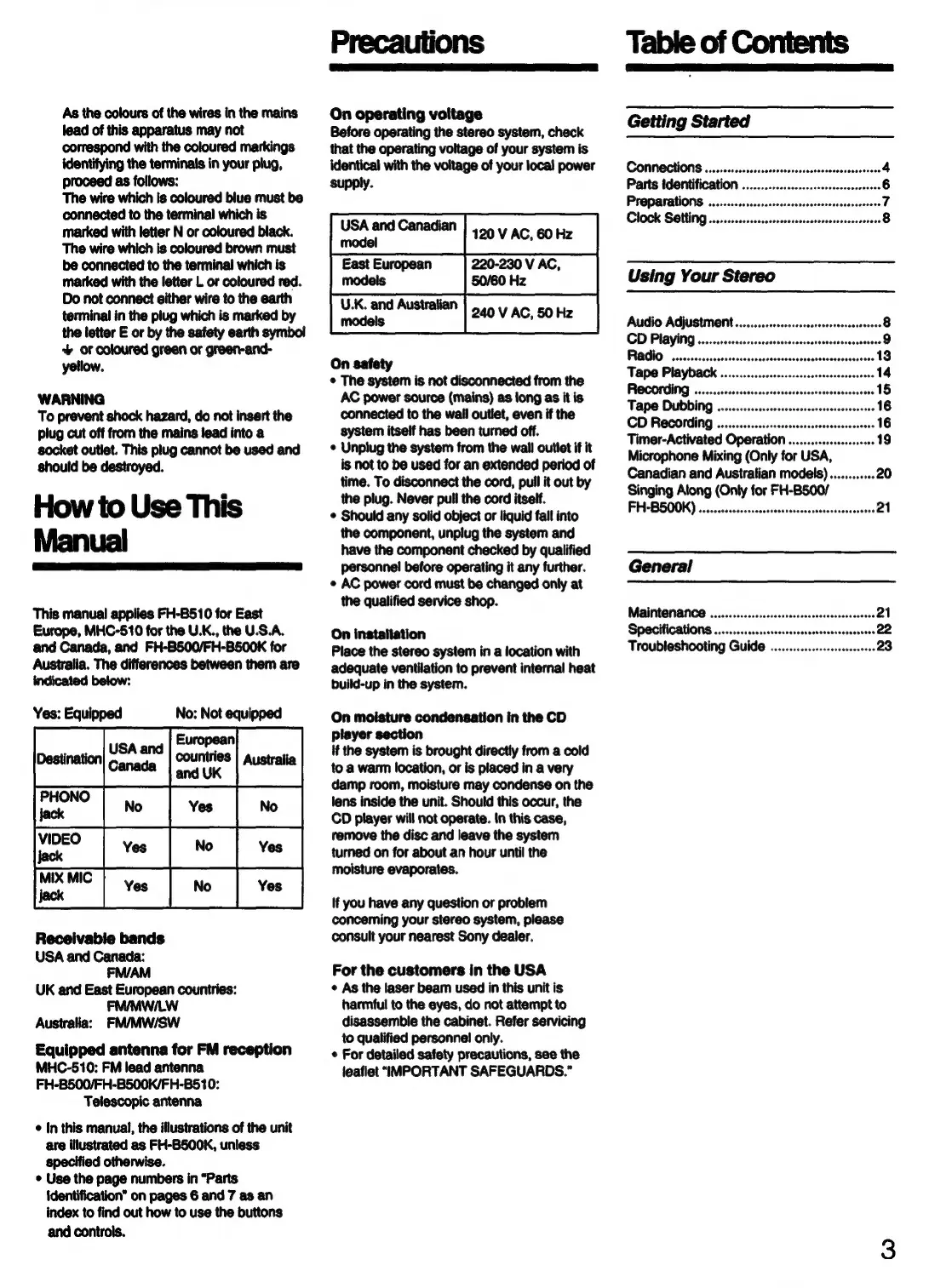
This
manual
applies
FH-B510
for
East
Europe,
MHC-510
for
the
U.K.,
the
U.S.A.
and
Canada,
and
FH-BS00/FH-BS500K
for
Australia.
The
differences
between
them
are
indicated
below:
Yes:
Equipped
No:
Not
equipped
European
USA
and
:
Destination
countries
|
Australia
pena
Sa
and
UK
ete
PHONO
Yes
jack
VIDEO
Ye
el
a
Receivable
bands
UK
and
East
European
countries:
FM/MWI/LW
Australia:
FM/MW/SW
Equipped
antenna
for
FM
reception
MHC-510:
FM
lead
antenna
FH-B500/FH-B500K/FH-B510:
Telescopic
antenna
¢
In
this
manual,
the
illustrations
of
the
unit
are
illustrated
as
FH-B500K,
unless
specified
otherwise.
¢
Use
the
page
numbers
in
“Parts
identification”
on
pages
6
and
7
as
an
index
to
find
out
how
to
use
the
buttons
and
controls.
On
operating
voitage
Before
operating
the
stereo
system,
check
that
the
operating
voltage
of
your
system
is
identical
with
the
voltage
of
your
local
power
supply.
On
safety
¢
The
system
is
not
disconnected
from
the
AC
power
source
(mains)
as
long
as
it
is
connected
to
the
wail
outlet,
even
if
the
system
itself
has
been
turned
off.
¢
Unplug
the
system
from
the
wall
outlet
if
it
is
not
to
be
used
for
an
extended
period
of
time.
To
disconnect
the
cord,
pull
it
out
by
the
plug.
Never
pull
the
cord
itself.
¢
Should
any
solid
object
or
liquid
fall
into
the
component,
unplug
the
system
and
have
the
component
checked
by
qualified
personnel
before
operating
it
any
further.
©
AC
power
cord must
be
changed
only
at
the
qualified
service
shop.
On
installation
Place
the
stereo
system
in
a
location
with
adequate
ventilation
to
prevent
internal
heat
build-up
in
the
system.
On
moisture
condensation
in
the
CD
player
section
if
the
system
is
brought
directly
from
a
cold
to
a
warm
location,
or is
placed
in
a
very
damp
room,
moisture
may
condense
on
the
lens
inside
the
unit.
Should
this
occur,
the
CD
player
will
not
operate.
In
this
case,
remove
the
disc
and
leave
the
system
turned
on
for
about
an
hour
until
the
moisture
evaporates.
If
you
have
any
question
or
problem
concerning
your
stereo
system,
please
consult
your
nearest
Sony
dealer.
For
the
customers
in
the
USA
¢
As
the
laser
beam
used
in
this
unit
is
harmful
to
the
eyes,
do
not
attempt
to
disassemble
the
cabinet.
Refer
servicing
to
qualified
personnel
only.
¢
For
detailed
safety
precautions,
see
the
leaflet
“IMPORTANT
SAFEGUARDS.”
Table
of
Contents
Getting
Started
Parts
identification
.
Preparations
..........
ase
Clock
Setting
............ccscrsrerssscsseresssssosereeers
CD
Recording
Timer-Activated
Operation
...............s00000
19
Microphone
Mixing
(Only
for
USA,
Canadian
and
Australian
models).............
20
Singing
Along
(Only
for
FH-B500/
FH-BS500K)
.......cccccsscorssesesesecesssesesssonssesnes
21
General

Related product manuals