19
GB
NAS-E35HD.GB.3-292-247-11(1)
Connect brown side
or
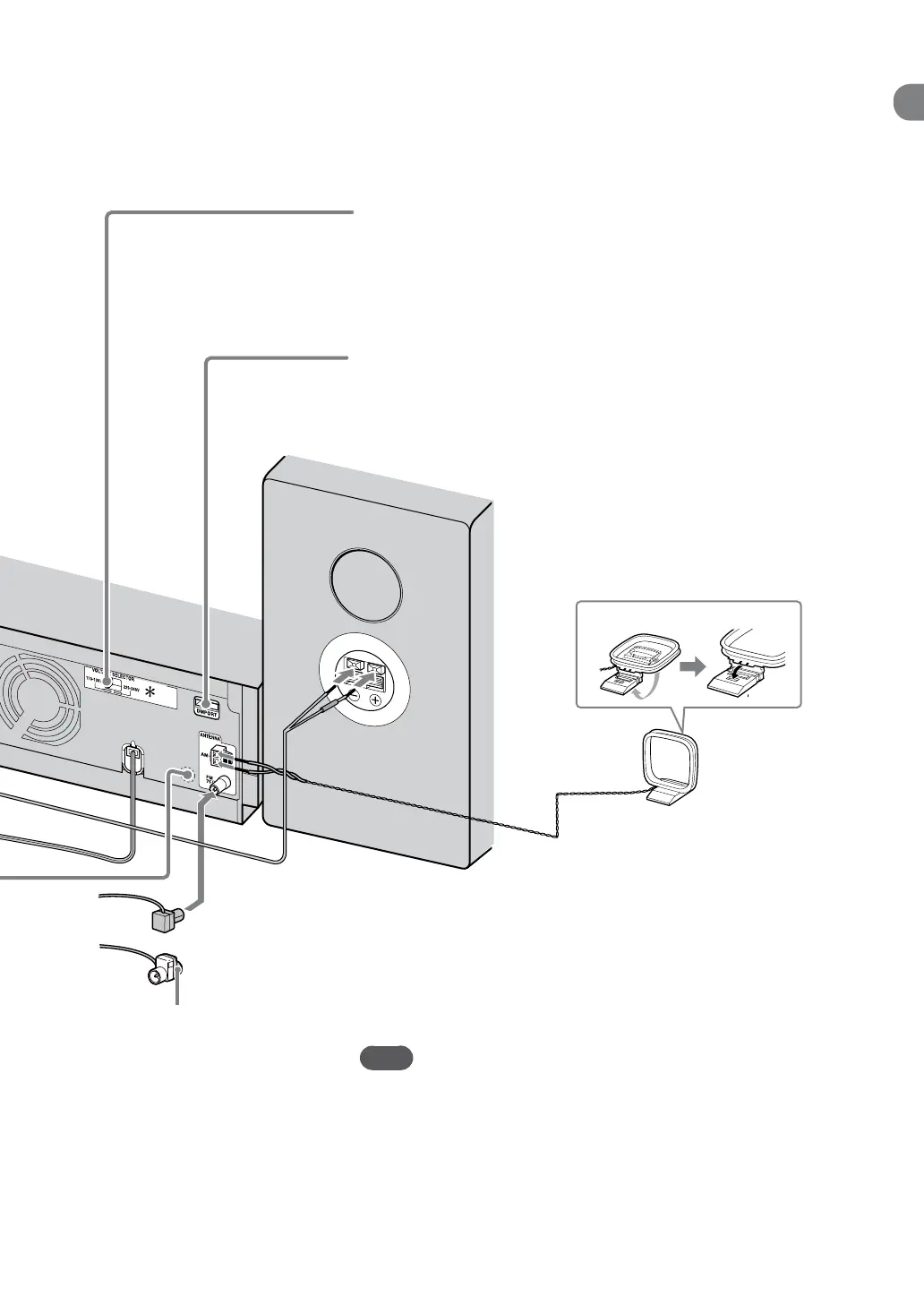
VOLTAGE SELECTOR
For models with a voltage selector, set VOLTAGE SELECTOR to the
local power line voltage.
* Brazilian model: 127 V or 220 V
DMPORT (DIGITAL MEDIA PORT)
Use to connect the DIGITAL MEDIA PORT adapter to listen to the
playback of a digital audio player (optional) (page 37).
AM loop antenna
Find a location and an orientation that
provide good reception, and then set up the
antenna.
FM lead antenna
Find a location and an orientation that provide good
reception, and then set up the antenna.
e model shown in the illustration may dier from the model for your region.
Note
Keep the FM and AM antennas away from the speaker cords, the power
cord and a USB cable to avoid picking up noise.



 To Next Page