49
GB
NAS-E35HD.GB.3-292-247-11(1)
Entering text
You can enter text using the supplied remote
control, as you would with your mobile phone.
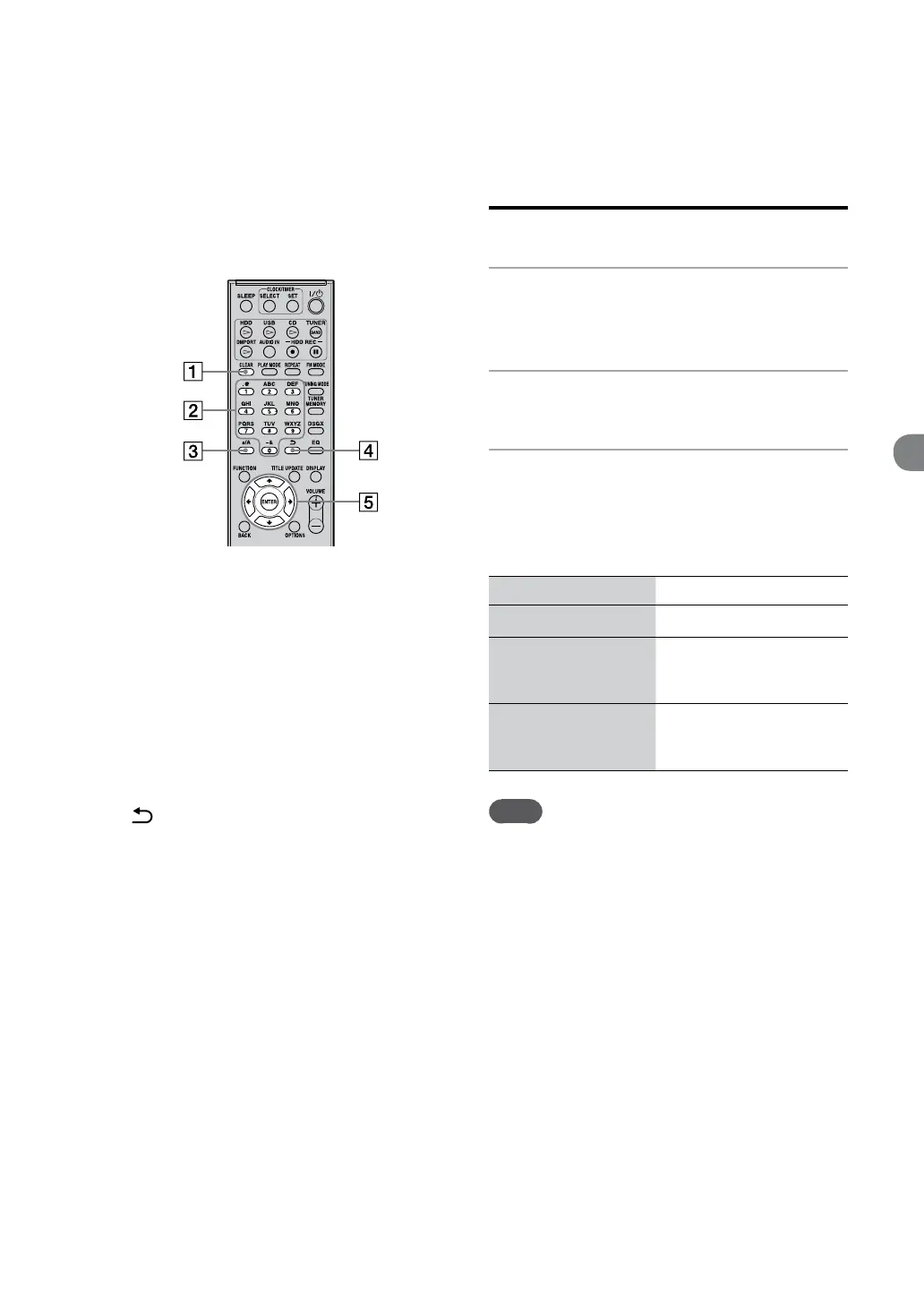
CLEAR button
Press this button to erase a letter that was just
entered.
Numeric/text buttons
Press the button with the desired letter (ABC,
DEF, etc.). Press repeatedly until the desired
letter appears.
a/A button
Press this button to switch between lowercase
and uppercase letters.
button
Press this button to go to the previous
character.
/
/
/
buttons
/
buttons
Press the button to move the cursor to
the beginning of the text string and then the
button to move the cursor to the end of
the text string.
/
buttons
Use these buttons to move the cursor.
Entering text
1
Press the corresponding numeric/
text buttons to enter the desired
characters.
2
Press
to move the cursor to the
next letter.
3
Repeat steps 1 and 2 to input the
text string.
Other operations
To Do the following
Move the cursor
Press /.
Enter uppercase/
lowercase letters
(“A” or “a”)
Press a/A, or press the
corresponding numeric/text
button repeatedly.
Switch the characters
(uppercase letters and
lowercase letters)
Press a/A.
Note
On the unit, an underscore (“_”) will replace a space
or a period (“ . ”) at the beginning of a track title, artist
name, or album title, and a space or a period (“ . ”) at
the end of an artist name or album title.



 To Next Page