32
GB
NAS-E35HD.GB.3-292-247-11(1)
You can tune in radio stations or DAB services
either manually or automatically. Pre-setting
stations or services in advance allows you to recall
them up by number.
DAB services can be received with the UK model
only.
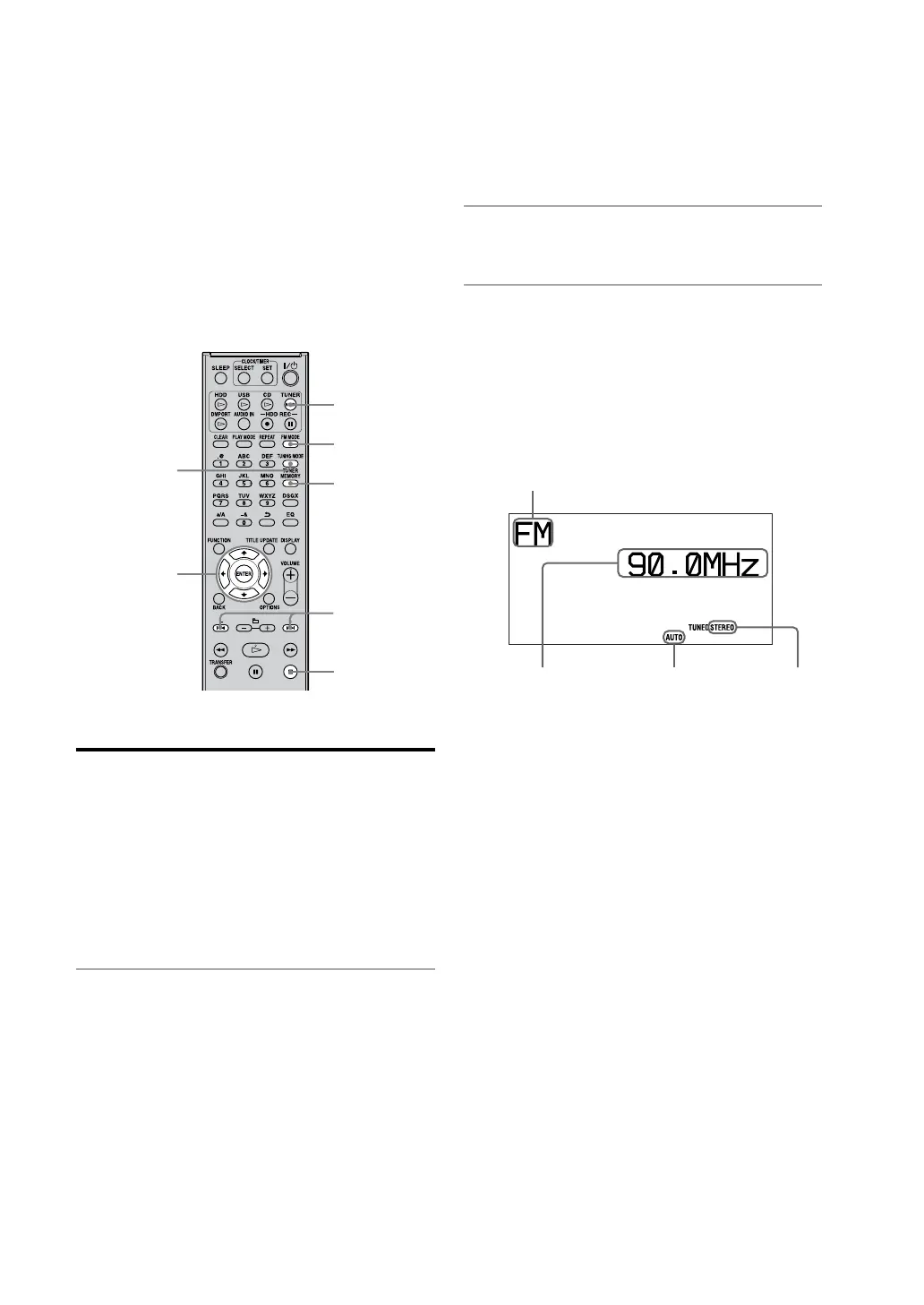
TUNER/BAND
ENTER
FM MODE
+/–
TUNING MODE
TUNER
MEMORY
Selecting a radio station or a
DAB service*
Before you can receive DAB services, the
broadcast components (service components)
must rst be registered by conducting a DAB
Automatic Scan (see “To run the DAB Automatic
Scan” on page 20).*
* For the UK model only
1
Press TUNER/BAND repeatedly to
select “DAB”, “FM”, or “AM”.
2
Press TUNING MODE repeatedly
until “AUTO” appears in the display.
3
Tune in the desired station or
service.
Press +/– (TUNE +/– on the main unit).
Scanning stops automatically when a station
is turned in, and then “TUNED” and
“STEREO” (for stereo program only) appear
in the display. To cancel scanning, press .
Frequency Tuning mode
FM mode
Function
When you tune in an FM station or a DAB
service that provides RDS (Radio Data
System) services, the station name or service
name appears in the display (on European
models only).
To tune in a station with a weak
signal (FM or AM reception only)
If “TUNED” does not appear and scanning does
not stop, press TUNING MODE repeatedly until
“AUTO” or “PRESET” disappears, and then press
+/– (TUNE +/– on the main unit) repeatedly to
tune in the desired station.
Listening to the radio or DAB services



 To Next Page