36
GB
NAS-E35HD.GB.3-292-247-11(1)
You can listen to or record playback sound from
an external component (such as a cassette deck)
connected to the AUDIO IN jack on the front of
the unit.
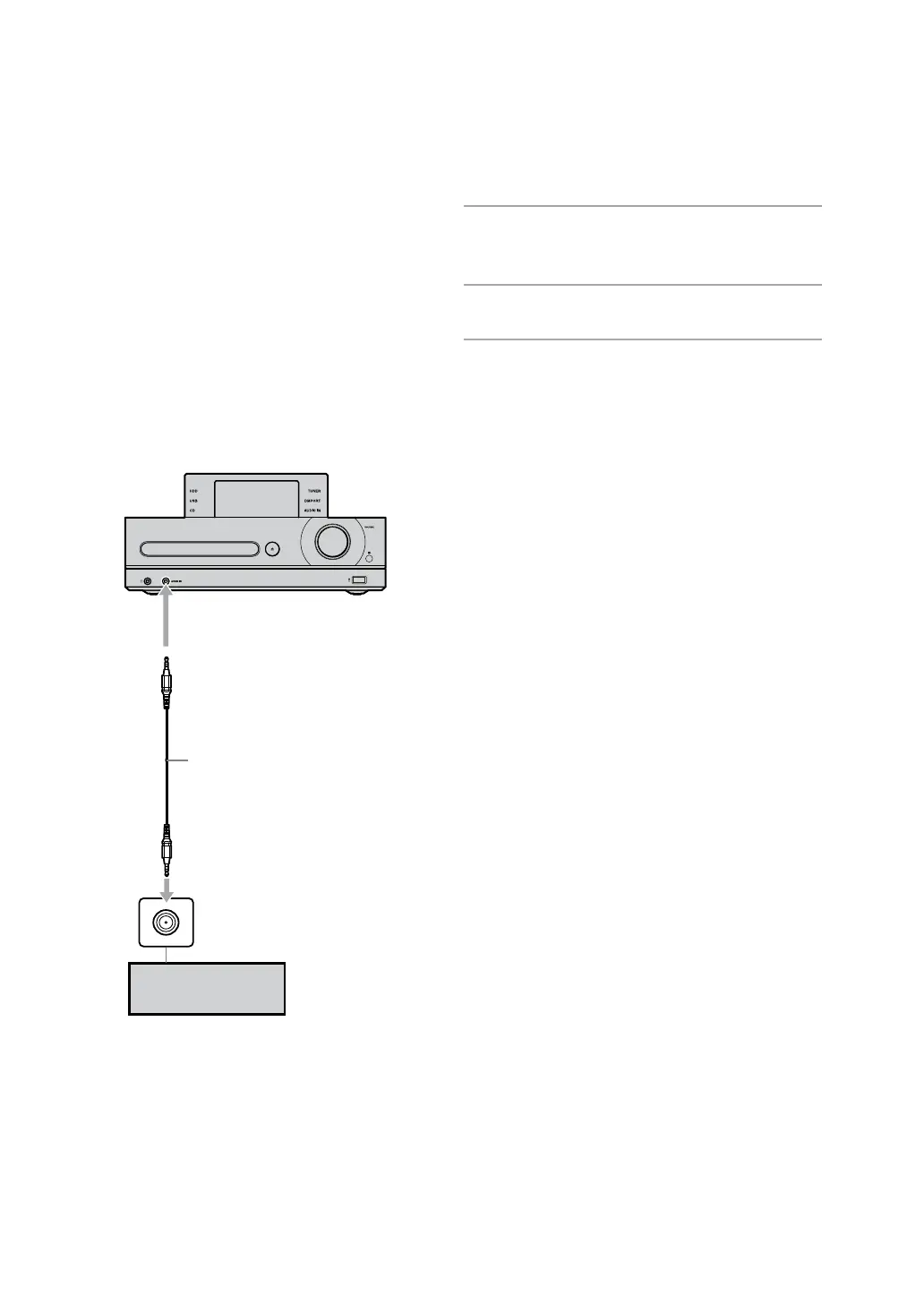
Use an audio connecting cable (optional) to
connect the AUDIO IN jack on the unit to the
audio out jack on the external component.
Make sure the audio connecting cord is rmly
inserted into both jacks. If not, noise may be
generated in the sound output.
To the AUDIO IN jack
Audio connecting cable (optional)
with stereo mini plug on each end
Audio out jack on the optional
component
External component
(portable device)
1
Connect an external component to
the AUDIO IN jack on the unit.
2
Press AUDIO IN.
3
Play the connected component.
e playback is output from the speakers of
the unit.
Refer to the operating manual of the
connected component.
Connecting an external component (AUDIO IN)



 To Next Page