44
GB
NAS-E35HD.GB.3-292-247-11(1)
4
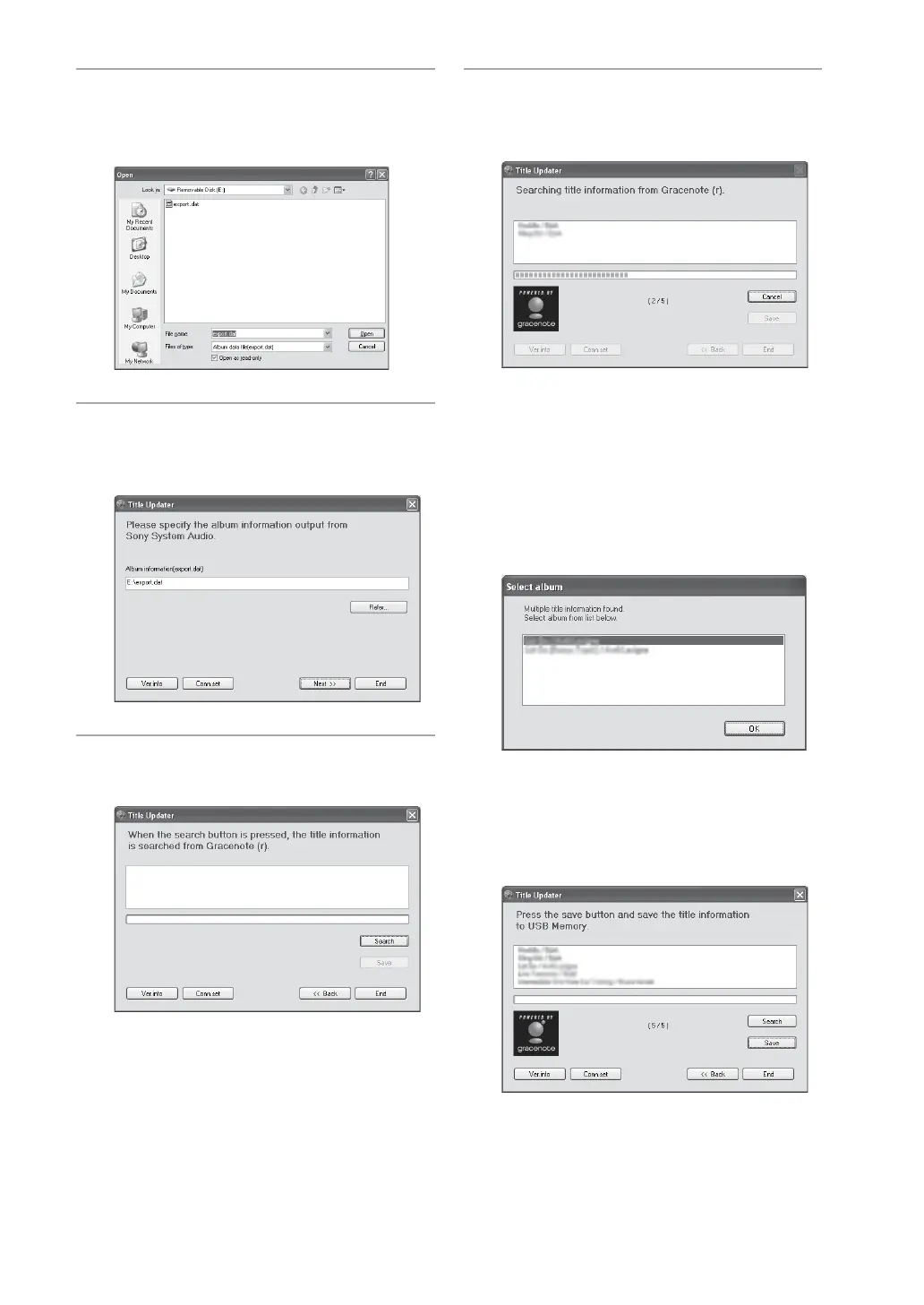
Open the root folder of the
connected USB storage device and
select [export.dat] le.
5
Click [Open].
e selected le appears in the album
information selection window.
6
Click [Next >>].
A search window appears.
7
Click [Search].
e computer automatically starts searching
for title information.
e search results for albums and artists
appear in the order in which the match is
made.
To cancel the search, click [Cancel].
When album selection window appears
If multiple matches are found for an album,
an album selection window appears. Select
one of the items from the search results.
When the search completes, a list of albums
for which matches were made appears and
the information is automatically stored to
the USB storage device.



 To Next Page