46
GB
NAS-E35HD.GB.3-292-247-11(1)
To set up a network connection on
your computer
1
Double-click [TitleUpdater.exe] in the root
directory of the USB storage device.
Title Updater starts.
2
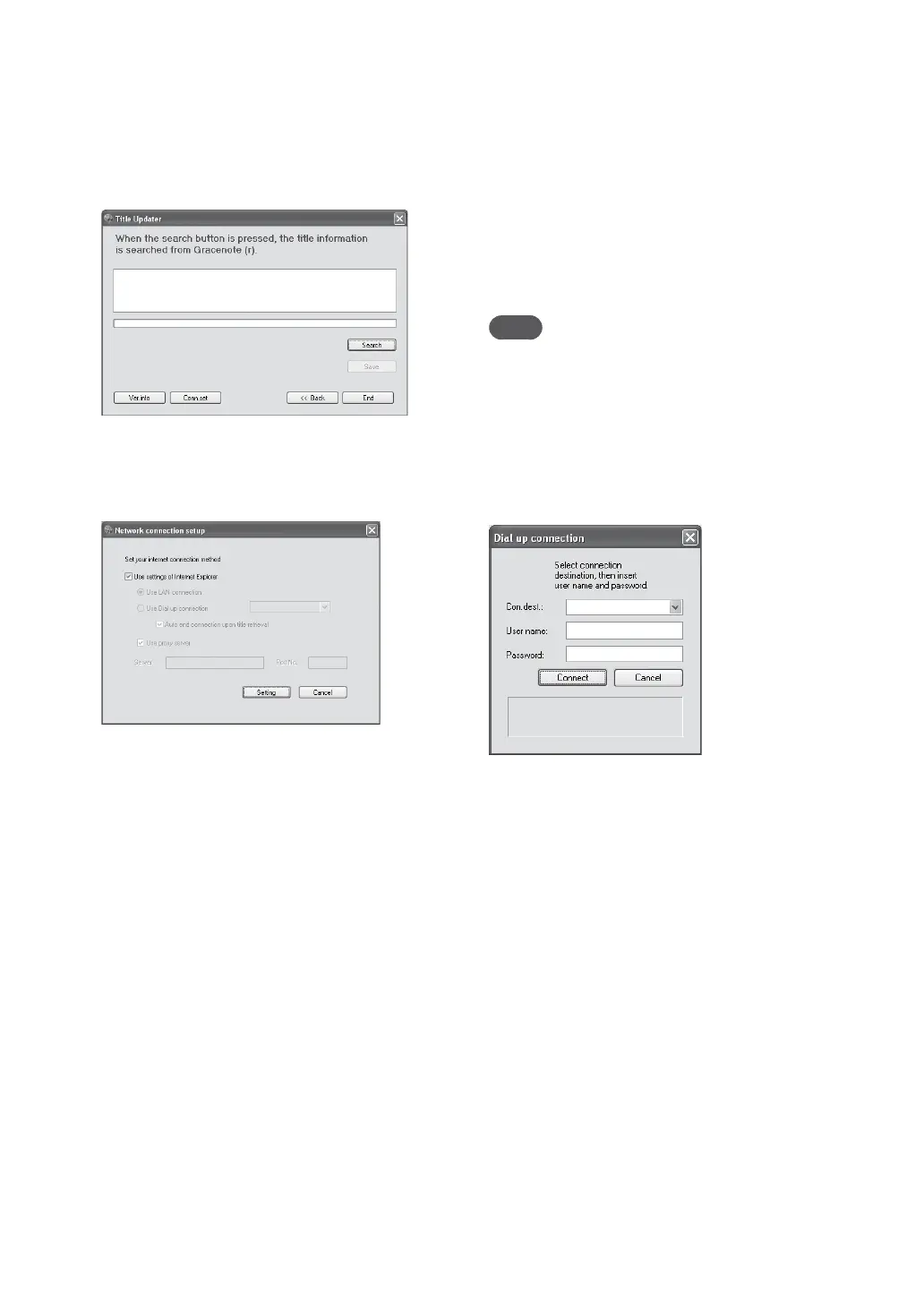
Click [Conn.set].
e network connection setup display
appears.
When using Internet Explorer
Check [Use settings of Internet Explorer] and
click [Setting].
Title Updater connects to the Internet using
the Internet Explorer settings. (ere is no
need to make any further settings.)
When using another browser
Uncheck [Use settings of Internet Explorer]
and do the following.
To select the connection method
You can select either a LAN ([Use LAN
connection]) or dial-up ([Use Dial up
connection]) connection to search online
for title information.
For a dial-up connection, select the access
point (Internet service provider node) in the
combo box.
If you check [Auto end connection
upon title retrieval], the connection is
automatically ended aer title information
is obtained from the Web.
When using a proxy server
Check [Use proxy server] and make the
settings below.
— [Server]
Enter the proxy server address.
(e.g., 190.225.254.22)
— [Port No.]
Enter the port number of the proxy
server.
(e.g., 8080)
Note
If you make any changes to the proxy server
settings, restart Title Updater.
When using a dial-up connection
When you select [Use Dial up connection]
and start the online search, a dial up
connection setting window appears. Make the
following settings.
[Con.dest.]
Select the destination remote host (Internet
service provider node) from the combo box.
[User name]
Enter the user name for connecting to the
remote host.
[Password]
Enter the password for connecting to the
remote host.
Click [Connect] to make the dial-up
connection.



 To Next Page