23
Recording/Playback
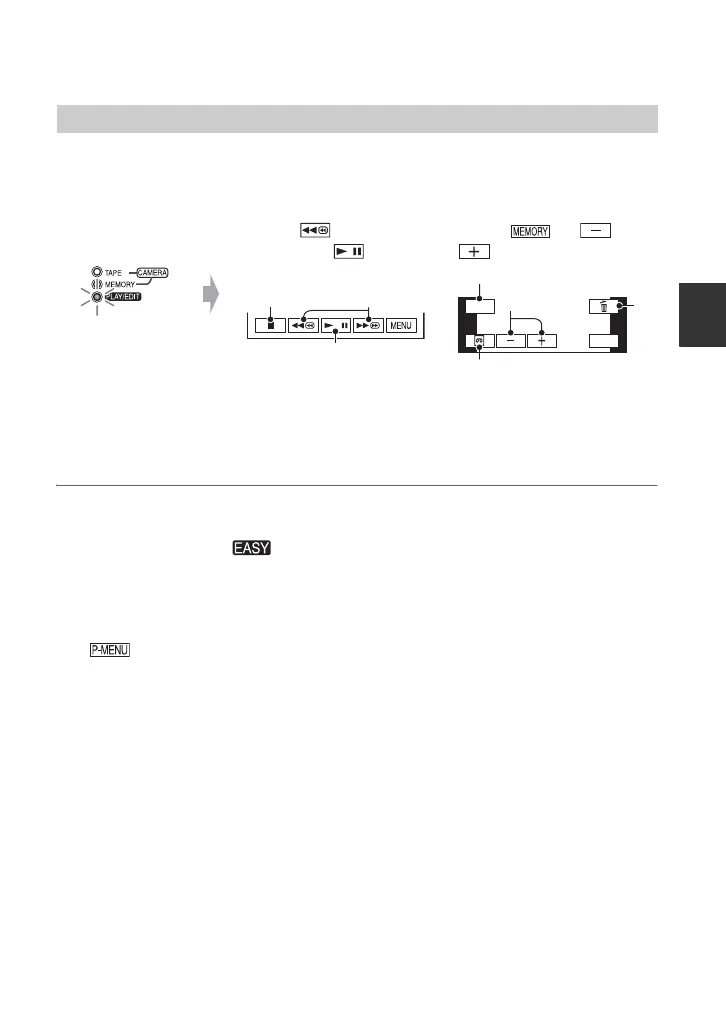
Slide the POWER switch E to turn on the PLAY/EDIT lamp. Touch the buttons
on the touch panel A as follows.
x To cancel Easy Handycam operation
Press EASY C again. disappears from the screen.
x Adjustable menu settings during Easy Handycam operation
Touch [MENU] to display adjustable menu settings. See page 40 for details on settings.
• Almost all the settings return to their default settings automatically (p. 41).
• is not displayed during Easy Handycam operation.
• Cancel Easy Handycam operation if you want to add any effects or settings to the images.
x Unavailable buttons during Easy Handycam
During Easy Handycam operation, the following buttons/dial are unavailable. [Invalid
during Easy Handycam operation] may appear if operations not available during Easy
Handycam are attempted.
• BACK LIGHT button (p. 28)
• Pressing and holding DISPLAY/BATT INFO button (p. 19)
• For HDR-HC7:
CAM CTRL dial (p. 27)
• For HDR-HC7:
MANUAL button (p. 27)
Playing back movies/still images
A
C
MENU
GUIDE
A
B
C
D
Movies
Touch to rewind,
then touch to start
playback.
till images
Touch t /
to select a picture.
A Stop
B Play/Pause toggles
C Rewind/Fast forward
A GUIDE (p. 32)
B Tape playback
C Previous/Next
D Delete (p. 70)


 To Next Page