34
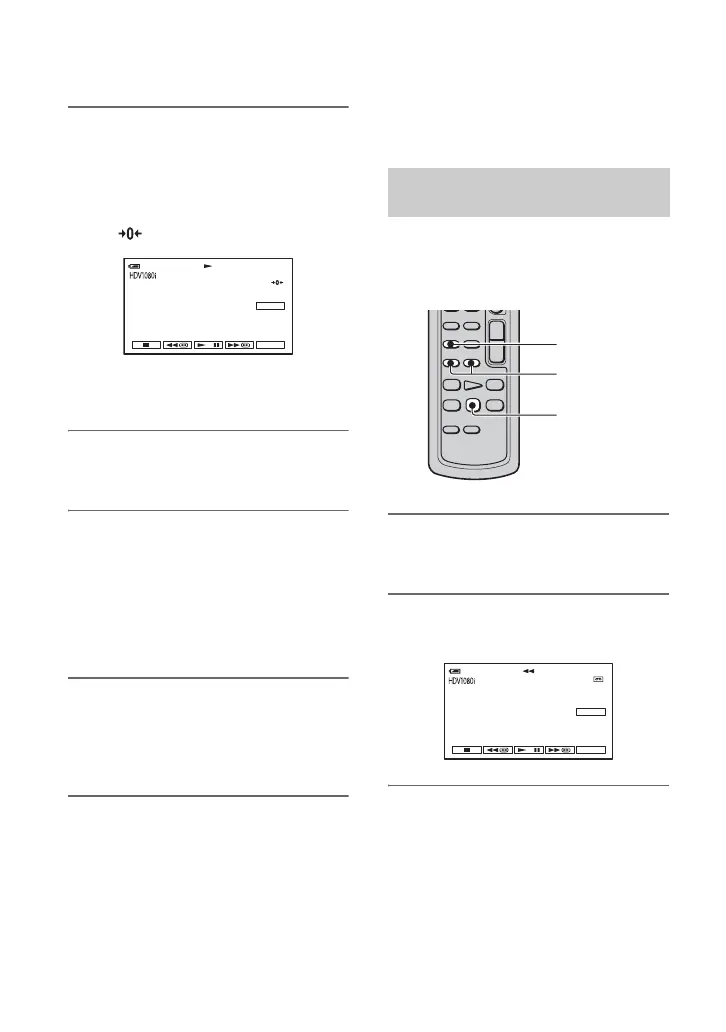
1 During playback, press ZERO
SET MEMORY on the Remote
Commander at a point you want
to locate later on.
The tape counter is reset to “0:00:00”
and appears on the screen.
If the tape counter is not displayed,
press DISPLAY.
2 Press STOP when you want to
stop playback.
3 Press mREW.
The tape stops automatically when the
tape counter reaches “0:00:00.”
The tape counter returns to the time
code display, and the zero set memory
display disappears.
4 Press PLAY.
Playback starts from the point
designated “0:00:00” on the tape
counter.
To cancel the operation
Press ZERO SET MEMORY again before
rewinding.
b Notes
• There may be a discrepancy of several seconds
between the time code and the tape counter.
• Zero set memory will not function correctly if
there is a blank section between recorded
sections on the tape.
Slide the POWER switch repeatedly to turn
on the PLAY/EDIT lamp.
You can locate the point where the
recording date changes.
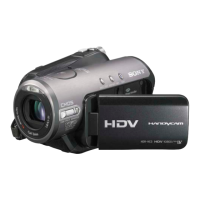
1 Press SEARCH M. on the Remote
Commander.
2 Press .(Previous)/>(Next) to
select a recording date.
To cancel the operation
Press STOP.
b Notes
• The Date search will not function correctly
when there is a blank section between recorded
sections on the tape.
0:00:0060min
P-MENU
GUIDE
Searching for a scene by date of
recording (Date search)
SEARCH M.
./>
STOP
P-MENU
60
min
DATE -01
SEARCH
60
min
0:00:00:00
GUIDE
Searching for the starting point (Continued)


 To Next Page