30
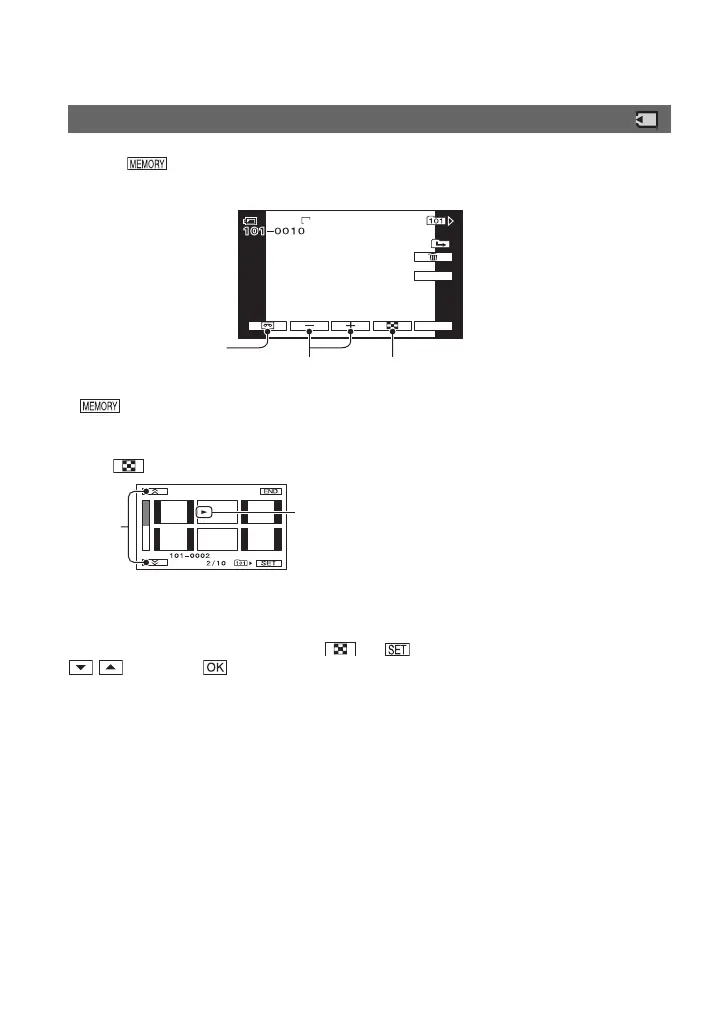
Touch .
The most recently recorded image is displayed.
* is displayed on the tape playback screen.
To display pictures on a “Memory Stick Duo” on the Index screen
Touch . Touch one of the pictures to back to the single display mode.
A Previous/Next 6 pictures
B The picture displayed before switching to the index screen
To view pictures in other folders, touch t t [PB FOLDER], select a folder with
/ , then touch (p. 52).
Viewing still images
P-MENU
GUIDE
60
min
6.1M
60min 10/10
MEMORY PLAY
MEMORY PLAY
Previous/Next
Switches the
playback media*
Go to the index screen display
A
B
Playback (Continued)


 To Next Page