33
Recording/Playback
Searching for the starting point
END SEARCH will not work once you
eject the cassette after you have recorded on
the tape.
Make sure that the CAMERA-TAPE lamp
lights up (p. 24).
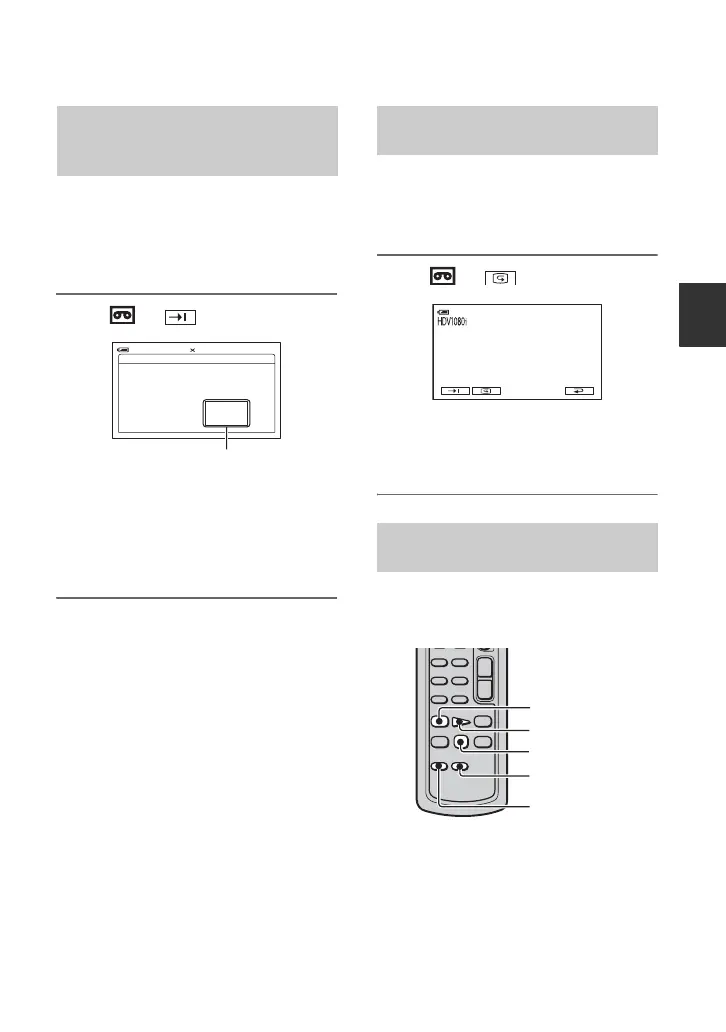
Touch t .
The last scene of the most recent
recording is played back for about 5
seconds, and the camcorder enters the
standby mode at the point where the last
recording has finished.
b Notes
• END SEARCH will not work correctly when
there is a blank section between recorded
sections on the tape.
z Tips
• You can also select [END SEARCH] from the
menu. When the PLAY/EDIT lamp lights up,
select the [END SEARCH] short-cut in Personal
Menu (p. 40).
You can view about 2 seconds of the scene
recorded just before you stopped the tape.
Make sure that the CAMERA-TAPE lamp
lights up (p. 24).
Touch t .
The last 2 seconds (approx.) of the most
recently recorded scene are played back.
Then, your camcorder is set to standby.
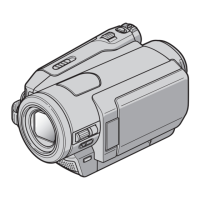
Slide the POWER switch repeatedly to turn
on the PLAY/EDIT lamp, then operate the
Remote Commander.
Searching for the last scene of
the most recent recording (END
SEARCH)
END SEARCH
EXECUTING
CANCEL
0:00:00160min
Touch here to cancel the operation.
Reviewing the most recently
recorded scenes (Rec review)
Searching quickly for a desired
scene (Zero set memory)
0:00:00STBY60min
mREW
PLAY
STOP
DISPLAY
ZERO SET
MEMORY
Continued ,


 To Next Page