55
Using the Menu
You can add special effects to a picture
during recording or playback. appears.
B OFF
Does not use [PICT.EFFECT] setting.
SKINTONE*
Makes skin texture look more smoother
and more appealing.
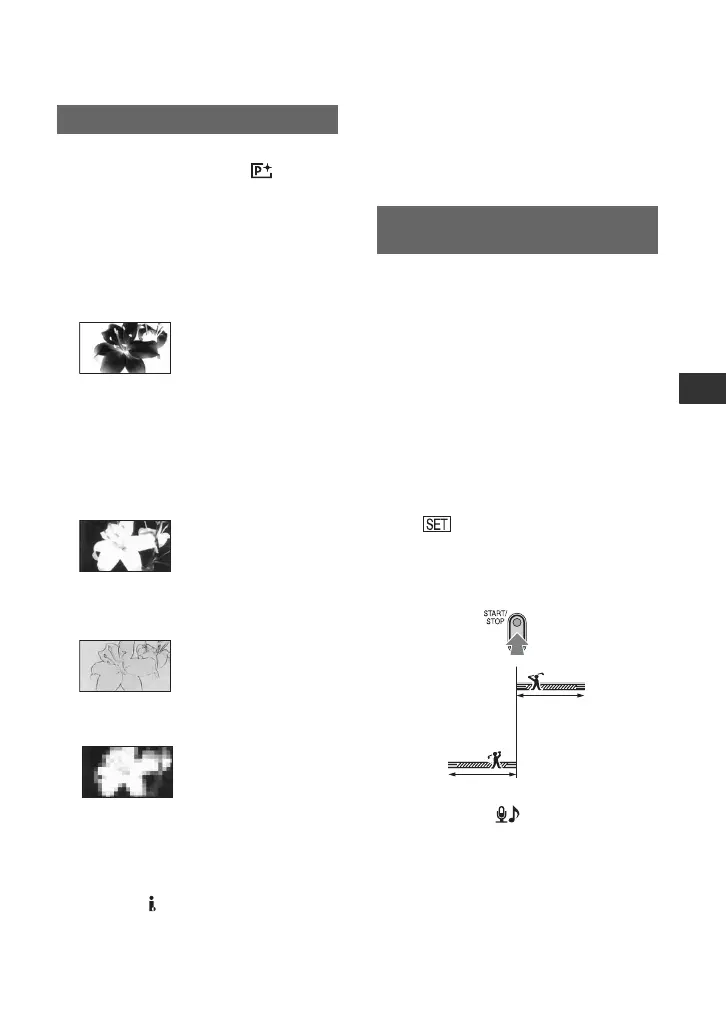
NEG.ART
The color and brightness are reversed.
SEPIA
Pictures appear in sepia.
B&W (Black and white)
Pictures appear in black and white.
SOLARIZE
Pictures appear as an illustration with
strong contrast.
PASTEL*
Pictures appear as a pale pastel drawing.
MOSAIC*
Pictures appear mosaic-patterned.
b Notes
• Effects added to the playback pictures are not
output via the HDV/DV Interface (i.LINK).
Only the original pictures can be output.
z Tips
• You can save pictures edited using special
effects on a “Memory Stick Duo” (p. 70) or
record them on VCR or DVD/HDD recorders
(p. 65).
Fast moving subjects and actions, which
cannot be captured under general shooting
conditions, can be shot in smooth moving
slow-motion for about 3 seconds.
This is useful to shoot fast actions such as a
golf or tennis swing.
Press START/STOP on the [SMTH SLW
REC] screen.
A 3 second-movie (approx.) is recorded as a
12 second slow-motion movie.
[Recording···] disappears, when recording
is finished.
Touch to set the following.
– [TIMING]
Select the recording start point from the time
START/STOP is pressed (The default setting is
[3sec AFTER]).
– [RECORD SOUND]
If you set to [ON] ( ), you can record
additional dialog, etc. to the slow-motion movie
(The default setting is [OFF]).
Sounds are recorded while [Recording···] is
displayed.
b Notes
• Sounds cannot be recorded while shooting a 3
second-movie (approx.).
PICT.EFFECT (Picture effect)
* Available during tape recording only.
SMTH SLW REC (Smooth slow
recording)
[3sec AFTER]
[3sec BEFORE]
Continued ,


 To Next Page