EasyManua.ls Logo

Sony HCD-541 - Designating the Total Playing Time - Time Edit

Sony HCD-541
32 pages
Print Icon
To Next Page IconTo Next Page
To Previous Page IconTo Previous Page
Loading...
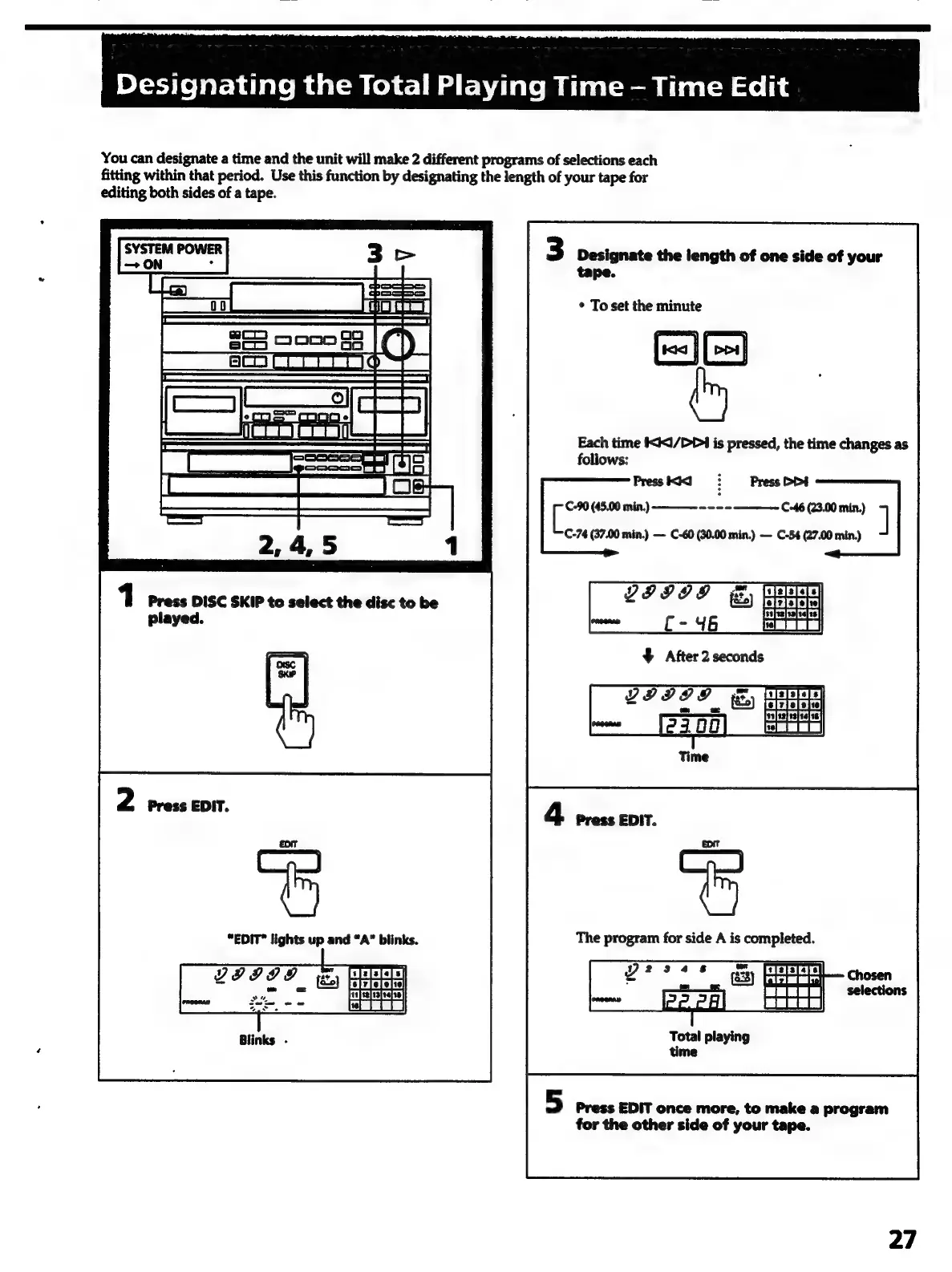
You
can
designate
a
time
and
the
unit
will
make
2
different
programs
of
selections
each
fitting
within
that
period.
Use
this
function
by
designating
the
length
of
your
tape
for
editing
both
sides
of
a
tape.
SYSTEM
POWER
ON
:
tS
wo
S65
coon
8
aICh.
seg
eee
1
Press
DISC
SKIP
to
select
the
disc
to
be
played.
“EDIT®
lights
up
and
“A”
blinks.
3
Designate
the
length
of
one
side
of
your
tape.
*
To
set
the
minute
7
>
¢
~
ti
|
|
Dos
|
j
i
}
}
Each
time
1/4
is
pressed,
the
time
changes
as
follows:
i
(45.00
min.)
——--
---
C-46
(23.00
min.)
]
C-74
(37.00
min.)
C-60
(30.00
min.)
C-54
(27.00
min)
&
After
2
seconds
The
program
for
side
A
is
completed.
Total
playing
time
5
Press
EDIT
once
more,
to
make
a
program
for
the
other
side
of
your
tape.
27

Related product manuals