EasyManua.ls Logo

Sony HCD-541 - Page 32

Sony HCD-541
32 pages
Print Icon
To Previous Page IconTo Previous Page

Loading...
sigeleleli=-ialeleraiate
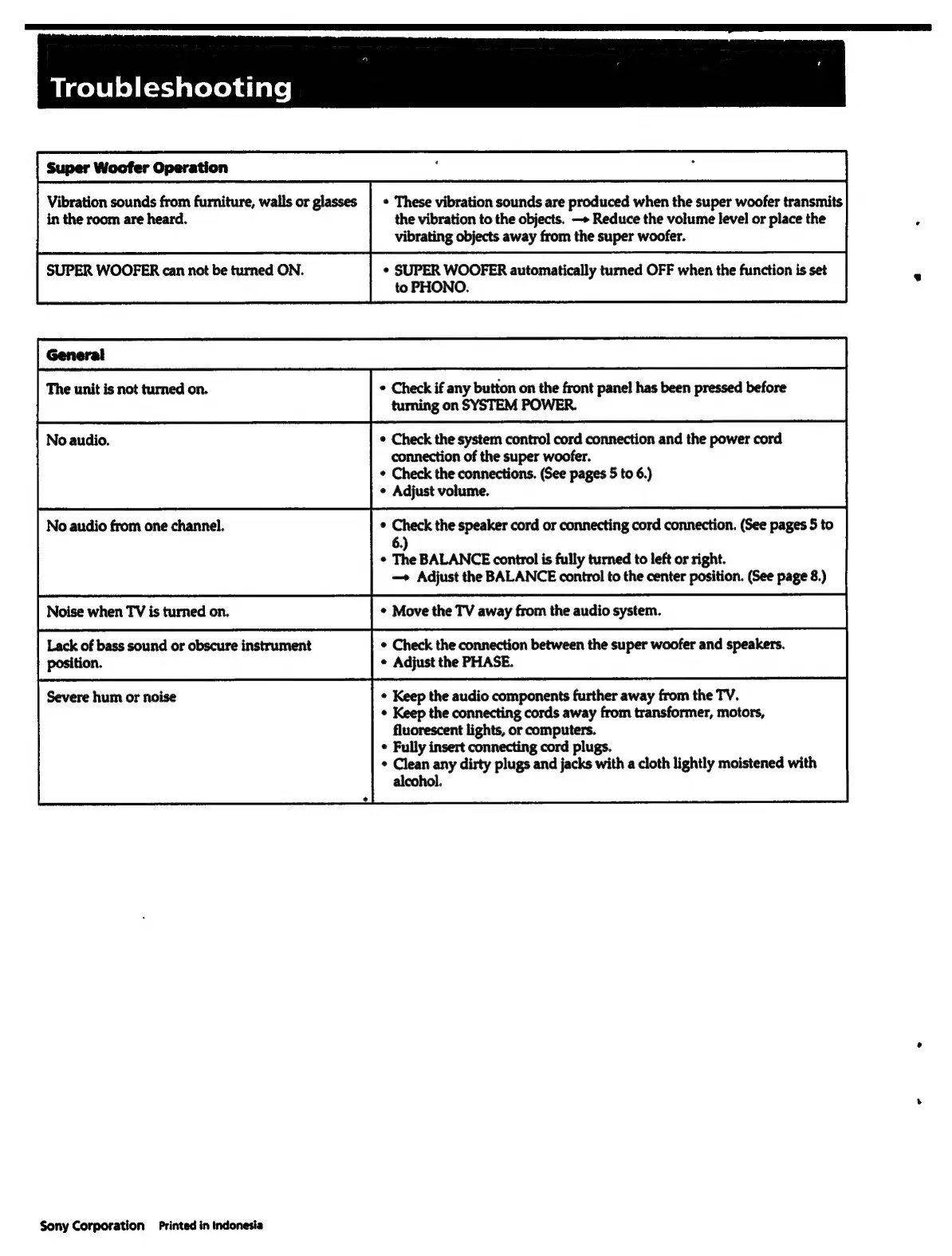
Super
Woofer
Operation
,
:
Vibration
sounds
from
furniture,
walls
or
glasses
|
*
These
vibration
sounds
are
produced
when
the
super
woofer
transmits
in
the
room
are
heard.
the
vibration
to
the
objects.
—»
Reduce
the
volume
level
or
place
the
vibrating
objects
away
from
the
super
woofer.
SUPER
WOOFER
can
not
be
turned
ON.
¢
SUPER
WOOFER
automatically
turned
OFF
when
the
function
is
set
to
PHONO.
The
unit
is
not
turned
on.
°
Check
if
any
button
on
the
front
pane!
has
been
pressed
before
turning
on
SYSTEM
POWER.
eee
nes
connection
of
the
super
woofer.
No
audio
from
one
channel.
*
Check
the
connections.
(See
pages
5
to
6.)
¢
Adjust
volume.
¢
Check
the
speaker
cord
or
connecting
cord
connection.
(See
pages
5
to
6.)
¢
The
BALANCE
control
is
fully
turned
to
left
or
right.
—»
Adjust
the
BALANCE
control
to
the
center
position.
(See
page
8.)
Noise
when
TV
is
turned
on.
¢
Move
the
TV
away
from
the
audio
system.
Lack
of
bass
sound
or
obscure
instrument
*
Check
the
connection
between
the
super
woofer
and
speakers.
position.
¢
Adjust
the
PHASE.
Severe
hum
or
noise
¢
Keep
the
audio
components
further
away
from
the
TV.
¢
Keep
the
connecting
cords
away
from
transformer,
motors,
fluorescent
lights,
or
computers.
¢
Fully
insert
connecting
cord
plugs.
*
Clean
any
dirty
plugs
and
jacks
with
a
cloth
lightly
moistened
with
alcohol.
Sony
Corporation
Printed
in
Indonesia

Related product manuals