HCD-DJ2i
23
CD ERROR CODE MODE
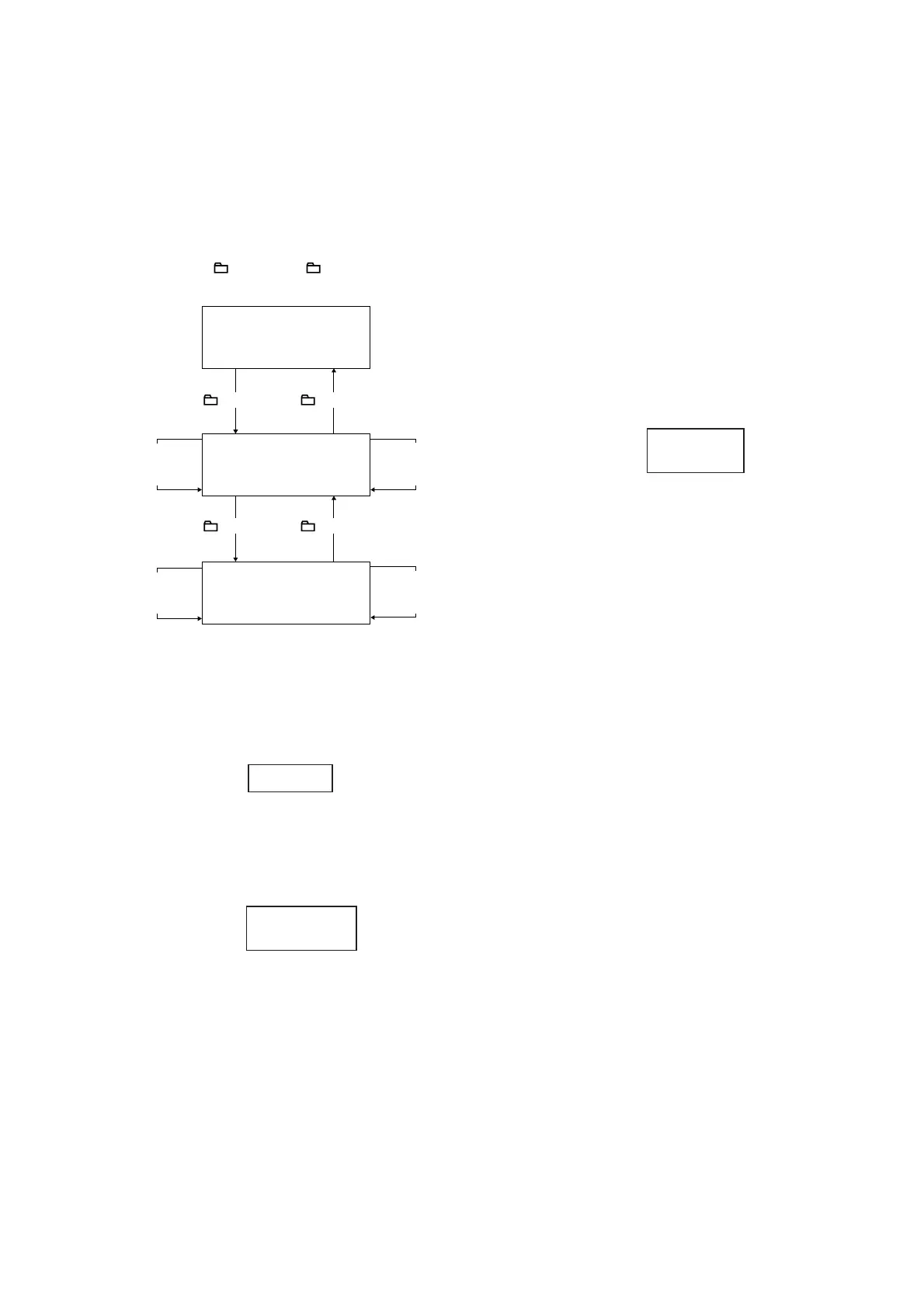
1. Display the CD error code when an error occurred.
2. Procedure:
1. Press [CD] button, [BEAT PATTERN] button and [l]
on CHANNEL A button simultaneously to enter the error
code display mode.
2. The fl uorescent indicator tube displays the number of
total error.
3. Each time [ +] button or [ –] button is pressed,
display change as below.
Display of
Total Error
Display of
Mechanical
Errors
MTUNE –
(CHANNEL B)
button
MTUNE –
(CHANNEL B)
button
-TUNE +
(CHANNEL B)
button
-TUNE +
(CHANNEL B)
button
+ button – button
Display of
No Disc
Errors
+ button – button
4. To clear the error record, operate the cold reset. (Refer to
the “MC COLD RESET”)
5. To release from this mode, press the [?/1] button or
disconnect the power plug to turn the power OFF.
3. Display of total error
Em**Ed**
Em**: The number of times for CDM (mechanical) errors.
Ed**: The number of times for BD error (after chucking the disc).
• Display of CDM (mechanical) errors. It is show with “M” and
11 digit number.
M * $$%%&&0 –
000
M * : The number of history error for mechanical.
(“0” is latest one)
(Press [L TUNE +] on CHANNEL B button to display next
error)
$$: Mechanical errors occur in the operation
FF: Mechanical error during normal operation
Other: Mechanical error during initializing operation
%%: The process when trouble occurs
01: Process ejecting DISC
02: Process waiting for inserting DISC
03: Process sending request to insert a disc to upper layer
04: Process sending request to eject a disc to upper layer
05: Process pulling a DISC in
06: Chucking process
07: Re-chucking process
08: Process cancelling chucking
&&: The operation when trouble occurs
00: Waiting for operation
10 /11/ 12/13: During eject operation
20: While pulling a disc in
30: While cancelling chucking
40/ 41/ 42/ 43: During eject operation due to error
0000: Not used (value is fi xed to 0000)
• Display of BD errors. It is shown with “D” and 11 digits
number.
D*$$%%&&# -
#00
D *: The number of error history (“0” is latest one)
(Press [L TUNE +] on CHANNEL B button to display
next error)
$$: The detail of trouble
01: Can not focus
02: GFS error
03: start-up time over
04: Continuously out of focus
05: Q code is not input for certain time
06: Tracking on is impossible
07: Blank disc
%%: The process when trouble occurs
01: While SHIP process is performed
02: While POWER OFF is processed
03: While INITIALIZE (POWER ON) is processed
04: While oscillation stops
05: From stopping oscillation to start oscillation
06: During stop
07: During STOP operation
08: While start-up is processed
09: While TOC reading is processed
0a: During search operation
0b: During PLAY operation
0c: During pause operation
0d: During PLAY manual search operation
0e: During PAUSE manual search operation
&&: Processing operation when trouble occurs. Show each
STEP mentioned in %% digits
##: Disc sped when trouble occurs
01: x1 speed
02: x2 speed (for models which support x2 speed)
04: x4 speed
00: Not used (value is fi xed to 00)




 To Next Page