30
HCD-M10
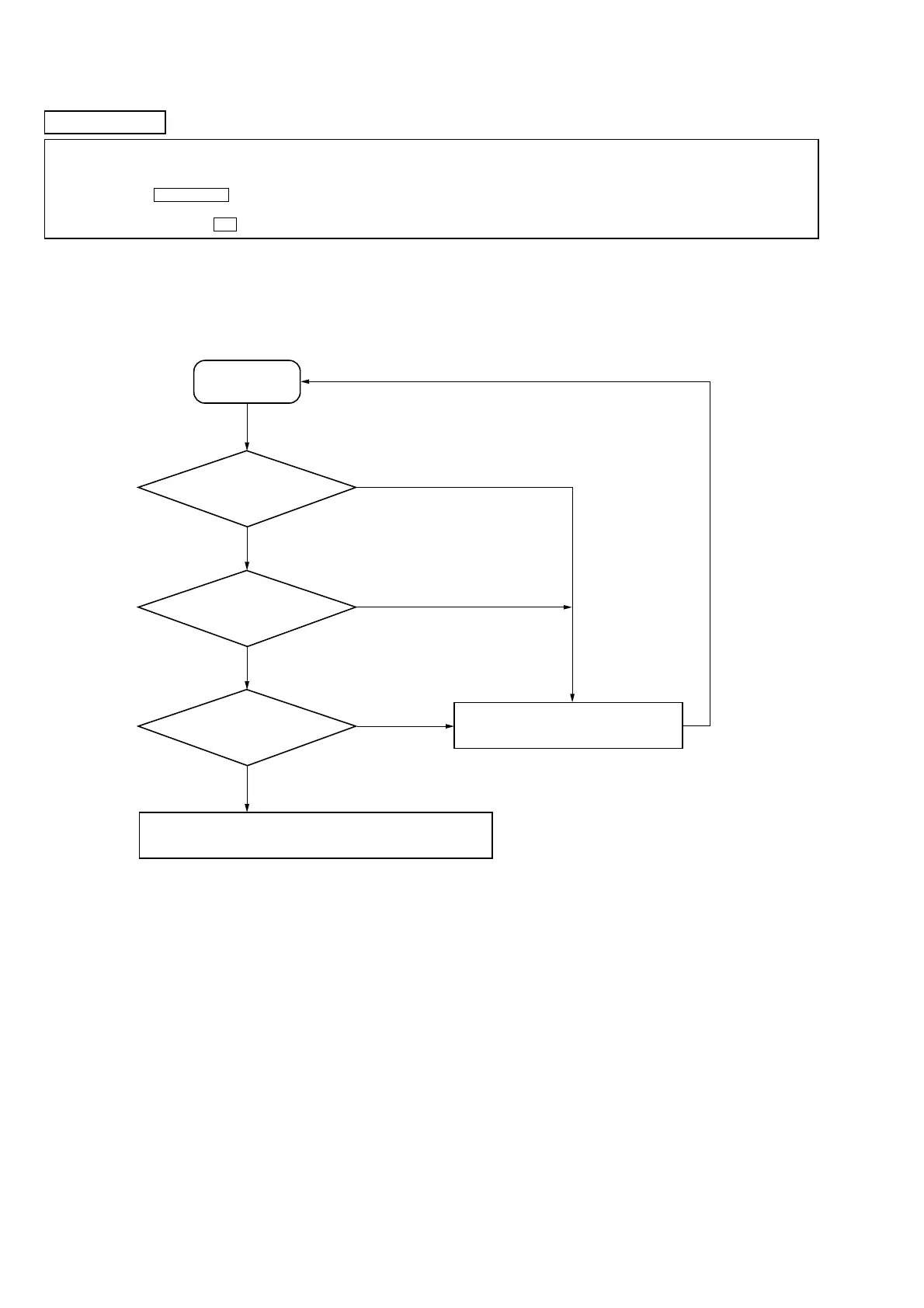
Other faults are suspected.
Check the mechanism parts (spindle motor, sled motor, etc.).
Start
NG
NG
NG
OK
OK
OK
Laser Power Check
6-2.
(See page 33)
6-3.
(See page 33)
6-4.
(See page 34)
Iop Compare
Auto Check
Replace optical pick-up or MDM-7B4M
MD SECTION
Note 1:About “R”
As this unit has only a few buttons, some operations require the use of remote commander (RM-SM100E/provided with unit) buttons. These
operations are indicated as “R” in this manual.
Example: MENU/NO “R” ...Press the [MENU/NO] button of the remote commander.
Note 2:Incorrect operations may be performed if the MD test mode is not entered properly.
In this case, press the ?/1 button to turn the power off, and retry to enter the MD test mode.
1. PARTS REPLACEMENT AND ADJUSTMENT
If malfunctions caused by optical pick-up such as sound skipping are suspected, follow the following check.
Check before replacement







 To Next Page