19
HCD-VX222
VIDEO SECTION
Frequency Adjustment
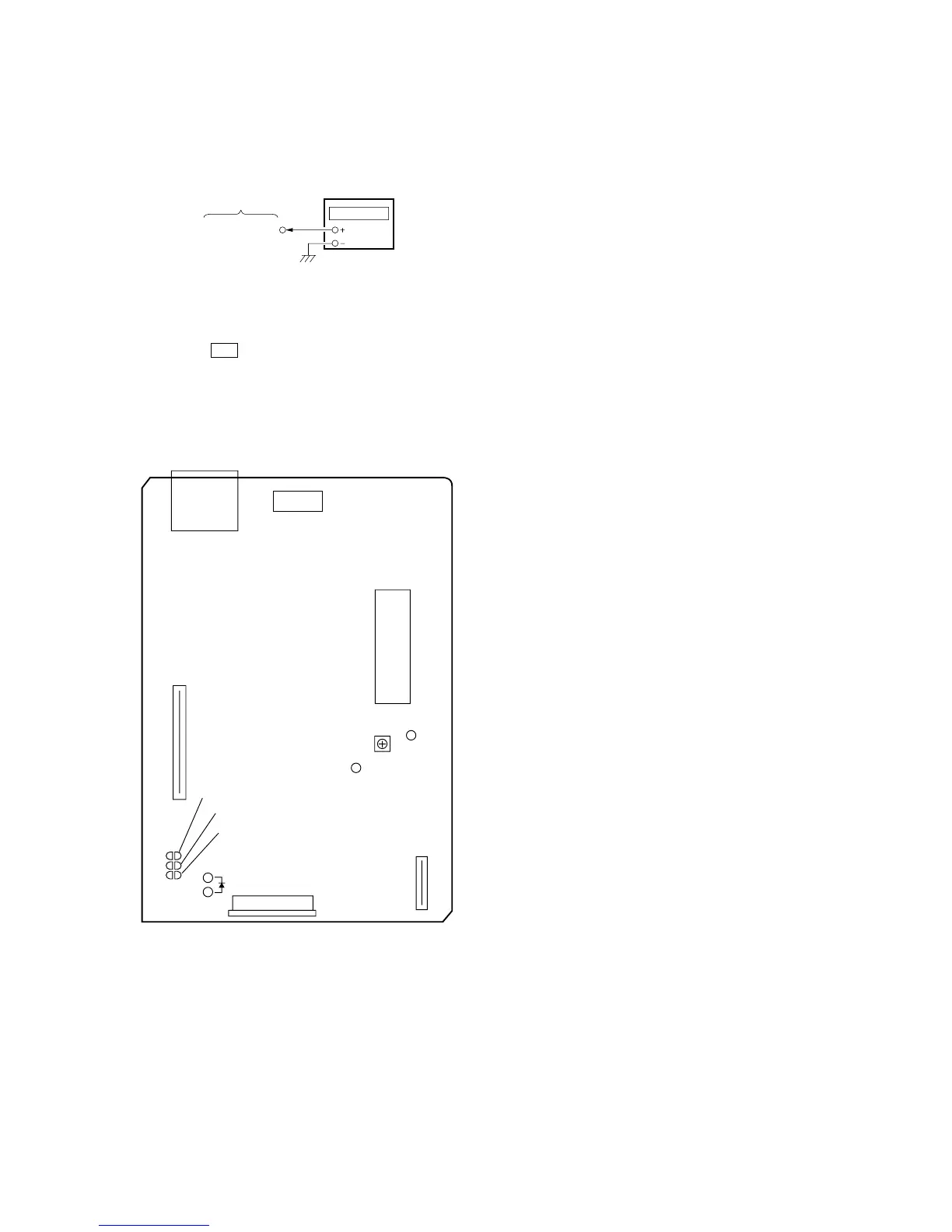
Connection:
Procedure:
1. Connect the frequency counter to check point of the VIDEO
board.
2. Turned power switch on.
3. Press the CD button to select the CD.
4. Adjust CT503 on the VIDEO board so that the frequency counter
reading 27.0 MHz ± 80 Hz at stop status.
Adjustment Location:
[VIDEO BOARD] (Component Side)
VIDEO board
(27 MHz)
frequency counte


 To Next Page