EasyManua.ls Logo

Sony HDC4800 - System Configuration

Sony HDC4800
58 pages
Print Icon
To Next Page IconTo Next Page
To Previous Page IconTo Previous Page
Loading...
4
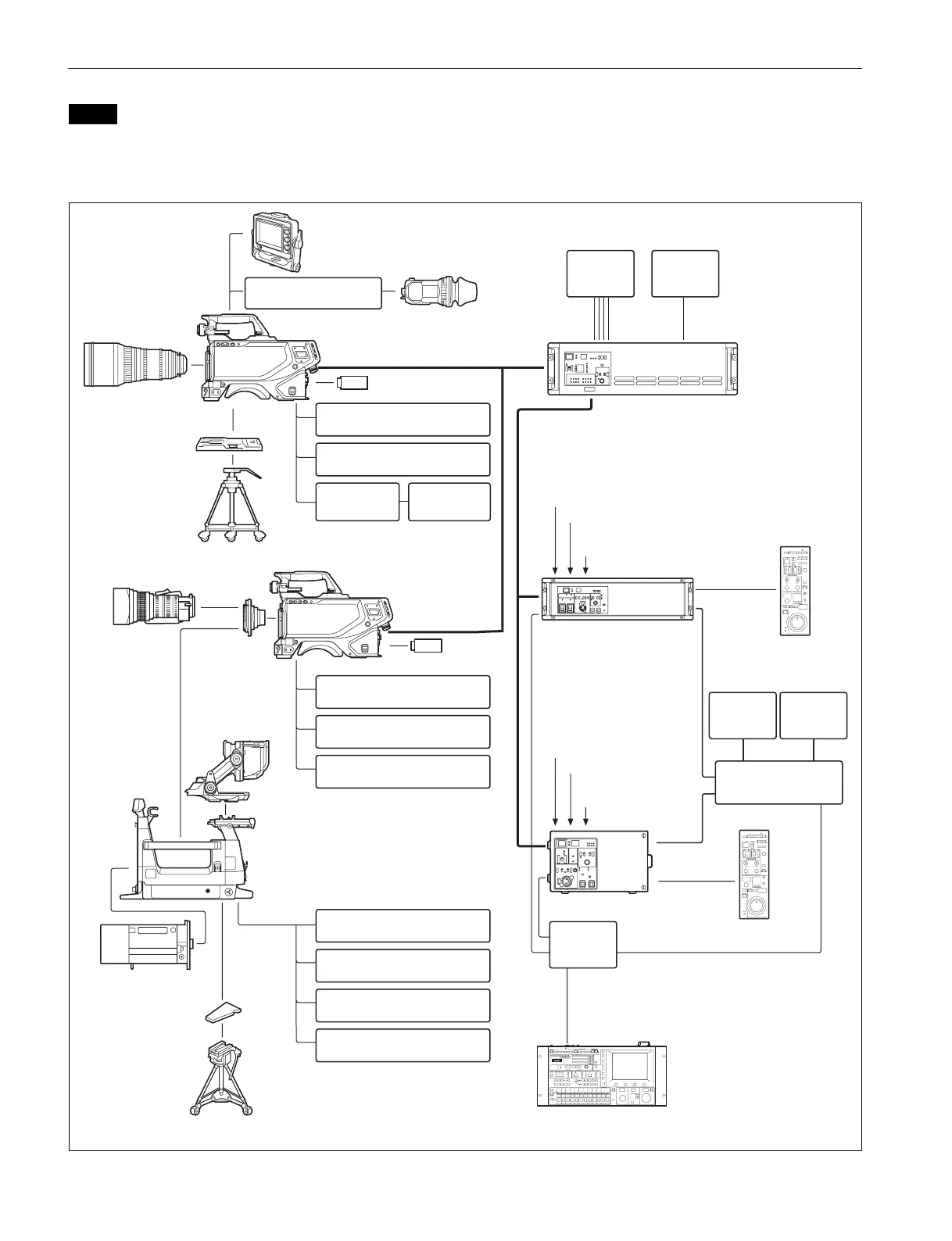
System Configuration
Production of some of the peripherals and related devices shown in the figures may have been discontinued.
For advice on choosing devices, please contact your Sony dealer or a Sony sales representative.
Connection example
Note
Lens (PL)
VCT-14 Tripod
Attachment
Tripod
USB drive
Lens mount
adaptor
a)
HDVF-EL70
Viewfinder
CAC-6 Return Video
Selector
Intercom headset
Microphone
HDLA1500-series Large
Lens Adaptor
Lens
(for studio camera)
HDVF-EL75/L750/L770
Viewfinder
BKW-401 Viewfinder
Rotation Bracket
HDC4800
Optical fiber cable
CAC-6 Return Video
Selector
Intercom headset
CAC-12
Microphone
Holder
Microphone
HDC4800
HDVF-20A
HDVF-200
HDVF-EL20
HDVF-EL30
Viewfinder
a) When operating in HD format at 8×/16× speed.
USB drive
CAC-6 Return Video
Selector
Intercom headset
Microphone
BKP-7911
Script Holder
V-wedge shoe
(supplied with tripod)
Tr i po d
HDCU2000 Camera
Control Unit
BNC
HDCU2500 Camera Control Unit
MSU-1000 series
Master Setup Unit
RCP-1000 series
Remote Control Panel
BNC
Video
monitor
Waveform
monitor
Video router
CCA-5
LAN cable
Optical fiber cable
Hub
RCP-1000 series Remote
Control Panel
CCA-5
Sync signal input
Return video input
Intercom
microphone input
BPU4800
Baseband Processor Unit
BNC×4
2K video
monitor
BNC
4K video
monitor
LAN cable
Sync signal input
Return video input
Intercom
microphone input
B4 lens

Related product manuals