54
HVR-A1E/A1P 2-639-668-11(1)
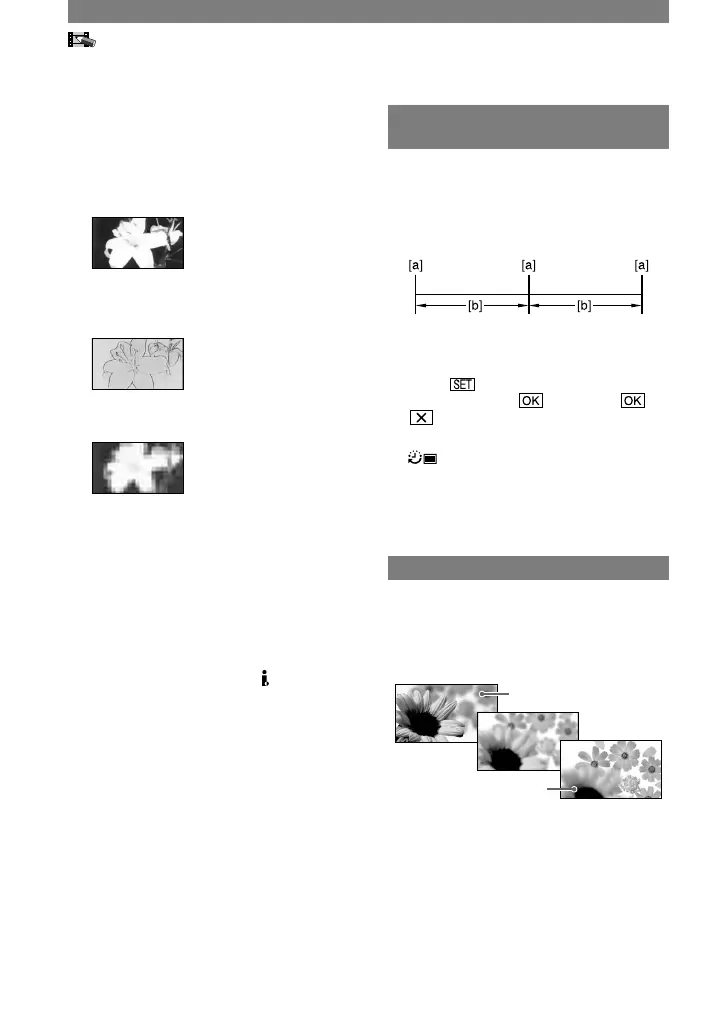
SEPIA
Pictures appear in sepia.
B&W
Pictures appear in black and white.
SOLARIZE
Pictures appear as an illustration with
strong contrast.
PASTEL
Pictures appear as a pale pastel drawing.*
MOSAIC
Pictures appear mosaic-patterned.*
* Available during recording only.
• While using the back light function, you cannot
select [SKNTON DETAIL]. And when you use
the back light function with [PICT.EFFECT]
set to [SKNTON DETAIL], the [SKNTON
DETAIL] will be canceled.
• You cannot add effects to externally input
pictures. The playback pictures edited with
picture effects are output via the HDV/DV
Interface (i.LINK) jack without effect control.
• You can also record pictures edited using
special effects on another tape (p. 68).
PICT.APPLI. menu (Continued)
INT.REC-STL
(Interval photo recording)
You can record still images on the
“Memory Stick Duo” at a selected interval.
This function is useful to observe the
movement of clouds or the changes in
daylight, etc.
[a]: Recording
[b]: Interval
Touch a desired interval time (1, 5
or 10 minutes) [ON]
.
Press PHOTO fully.
stops flashing and the interval still
image recording starts.
To cancel [INT.REC-STL], select [OFF]
in step
.
SHOT TRANS
You can register the settings of focus and
zoom and then change the recording setting
from the current one to the registered one,
resulting in a smooth transition of scenes
(Shot transition).
SHOT-A
SHOT-B
STORE
Set the zoom (p. 24) and focus (p. 25) at
the desired setting and press [STORE-A].
[SHOT-A] flashes and will be registered.
Register [STORE-B] as well.



 To Next Page