29
Recording/Playback
Images recorded with HD (high definition) image quality are played back with HD (high
definition) image quality. Images recorded with SD (standard definition) image quality are
played back with SD (standard definition) image quality.
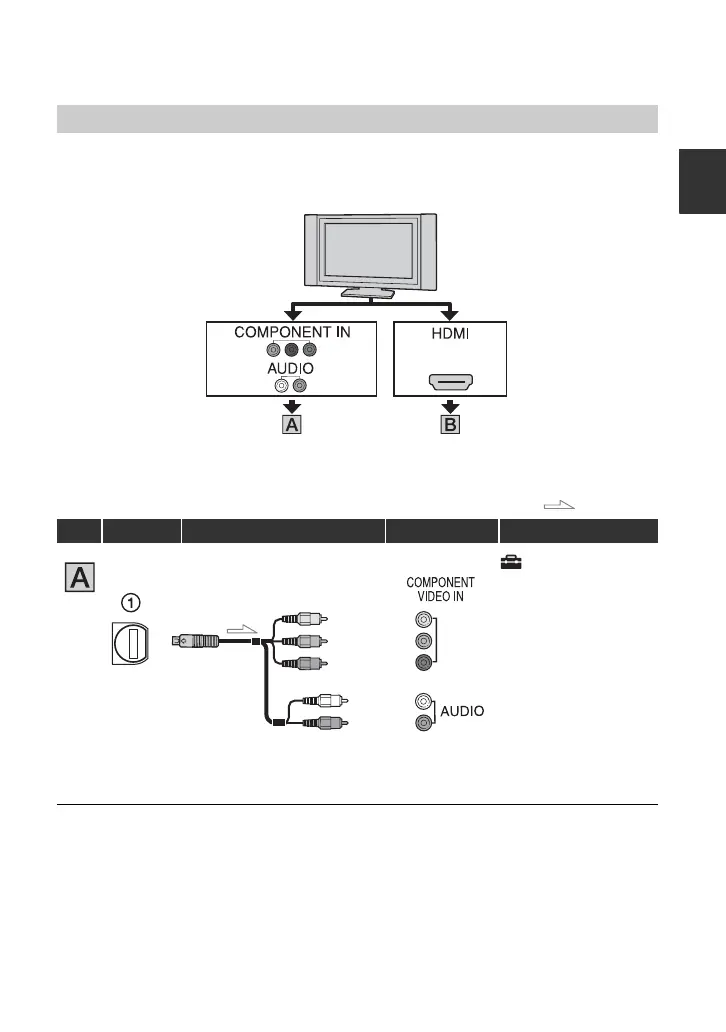
Connecting to a high definition TV
: Signal flow
Type Camcorder Cable TV HOME MENU setting
(SETTINGS) t
[OUTPUT SETTINGS]
t [COMPONENT] t
[1080i/480i] (p. 55)
• If you connect only component video, audio signals are not output. Connect the white and red plugs to
output audio signals.
t (p. 29) t (p. 30)
Component A/V cable
(supplied)
(Green) Y
(Blue) P
B
/C
B
(Red) P
R
/C
R
(Red)
(White)



 To Next Page
 Loading...










