88
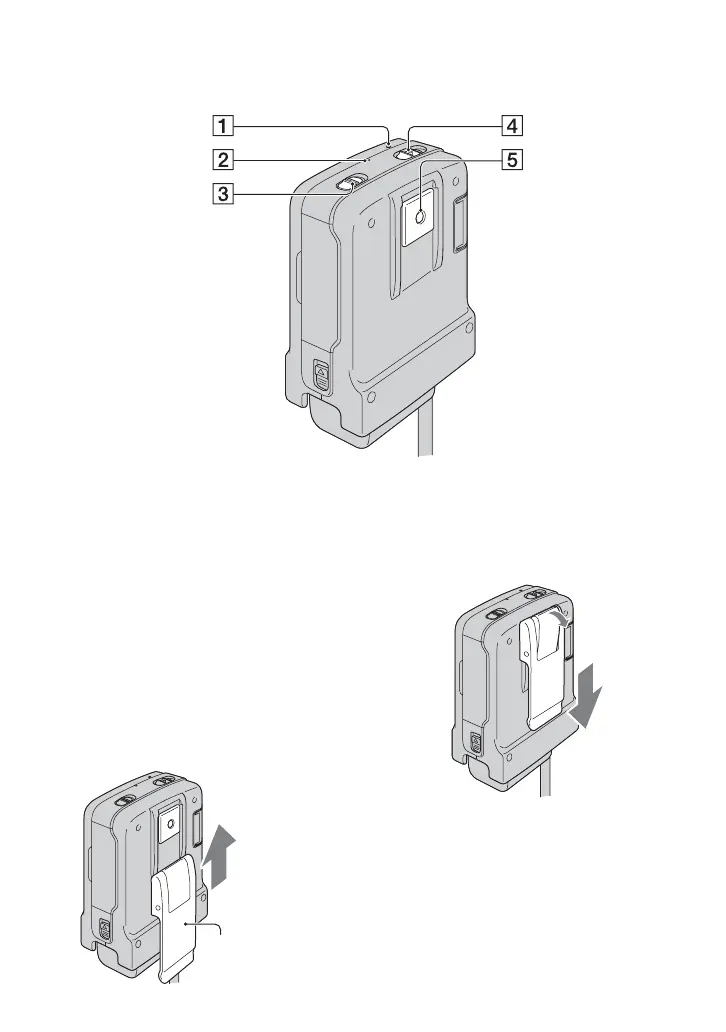
A RESET button
Initializes all the settings, including the
setting of the date and time.
B CHG (charge) lamp (9)
C HOLD. switch (20)
D POWER switch (12)
E Controller hook attachment/Tripod
receptacle
You cannot use a tripod when you
attach the controller hook.
To attach the controller hook
Slide the controller hook in the direction of
the arrow until it clicks.
To remove the controller hook
Raise the edge of the controller hook, then
slide it in the direction of the arrow to
remove the controller hook.
Controller hook



 To Next Page
 Loading...










