89
Quick Reference
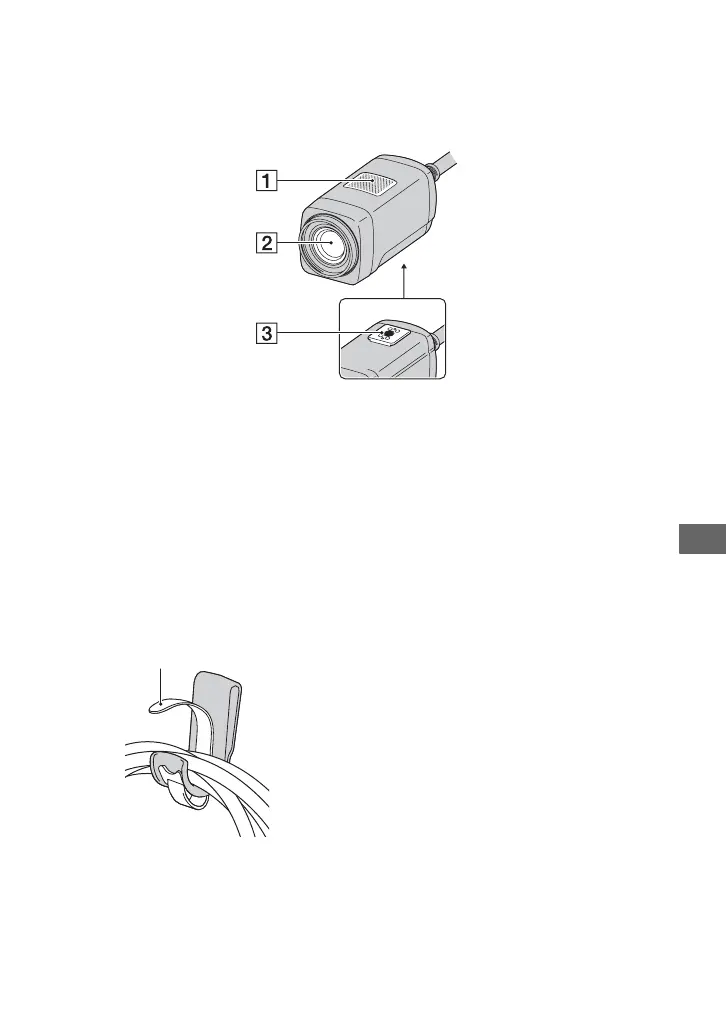
Camera
A Built-in microphone
B Lens (Carl Zeiss Lens) (4)
C Tripod receptacle
Attach the tripod (sold separately) to the
tripod receptacle using a tripod screw
(sold separately: the length of the screw
must be less than 5.5 mm (7/32 in.)).
To adhere the cable clamper
Raise the one-touch tape, then wind the
cable around the hook to adhere the one-
touch tape.
One-touch tape



 To Next Page
 Loading...










