EasyManua.ls Logo

Sony IT-ID80 - Basics; Making and Receiving Calls

Sony IT-ID80
55 pages
Print Icon
To Next Page IconTo Next Page
To Previous Page IconTo Previous Page
Loading...
Basics
Making/receiving
calls
Making
a
call
1
Pick
up
the
handset
or
press
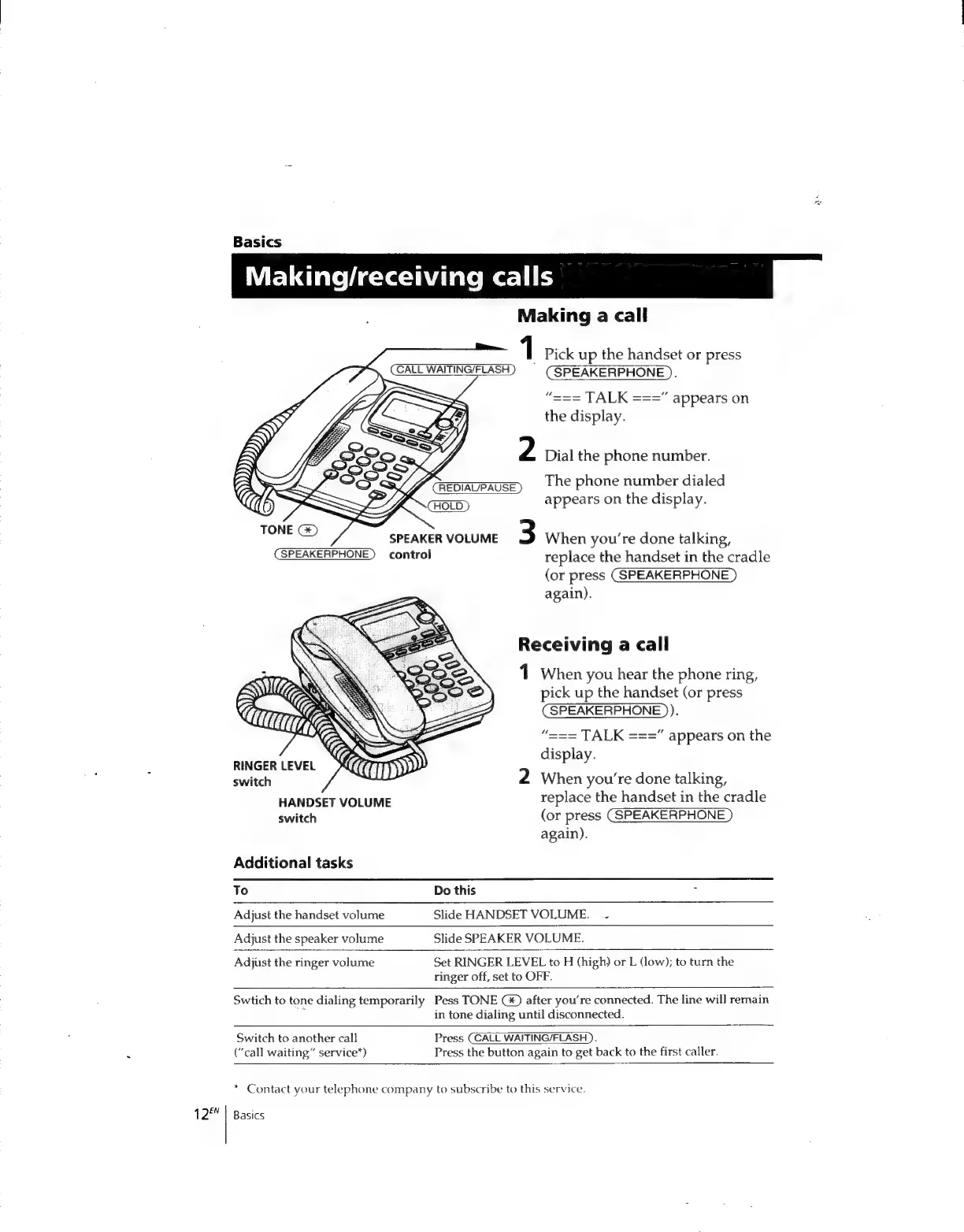
(CALL
WAITING/FLASH)
=
(SPEAKERPHONE).
“===
TALK
===”
appears
on
the
display.
Dial
the
phone
number.
The
phone
number
dialed
appears
on
the
display.
When
you’re
done
talking,
control
replace
the
handset
in
the
cradle
(or
press
(SPEAKERPHONE
again).
Receiving
a
call
1
When
you
hear
the
phone
ring,
pick
up
the
handset
(or
press
(SPEAKERPHONE
)).
“===
TALK
===”
appears
on
the
display.
RINGER
LEVEL
switch
2
When
you're
done
talking,
HANDSET
VOLUME
replace
the
handset
in
the
cradle
switch
(or
press
(SPEAKERPHONE
again).
Additional
tasks
To
Do
this
Adjust
the
handset
volume
Slide
HANDSET
VOLUME.
-
Adjust
the
speaker
volume
Slide
SPEAKER
VOLUME.
Adjust
the
ringer
volume
Set
RINGER
LEVEL
to
H
(high)
or
L
(low);
to
turn
the
ringer
off,
set
to
OFF.
Swtich
to
tone
dialing
temporarily
Pess
TONE
after
you're
connected.
The
line
wil]
remain
in
tone
dialing
until
disconnected.
Switch
to
another
call
Press
CCALL
WAITING/FLASH
).
(“call
waiting”
service”)
Press
the
button
again
to
get
back
to
the
first
caller.
*
Contact
your
telephone
company
to
subscribe
to
this
service.
12™
|
Basics

Related product manuals