EasyManua.ls Logo

Sony IT-ID80 - Area Code Entry and Management

Sony IT-ID80
55 pages
Print Icon
To Next Page IconTo Next Page
To Previous Page IconTo Previous Page
Loading...
|
of
Entering
your
area
code
When
you
use
this
phone
for
the
first
time,
or
move
to
an
area
that
has
a
different
area
code,
you
must
enter
your
area
code.
This
is
necessary
because
the
phone
must
distinguish
local
or
long
distance
calls
to
properly
dial
calls
from
the
Caller
ID
list.
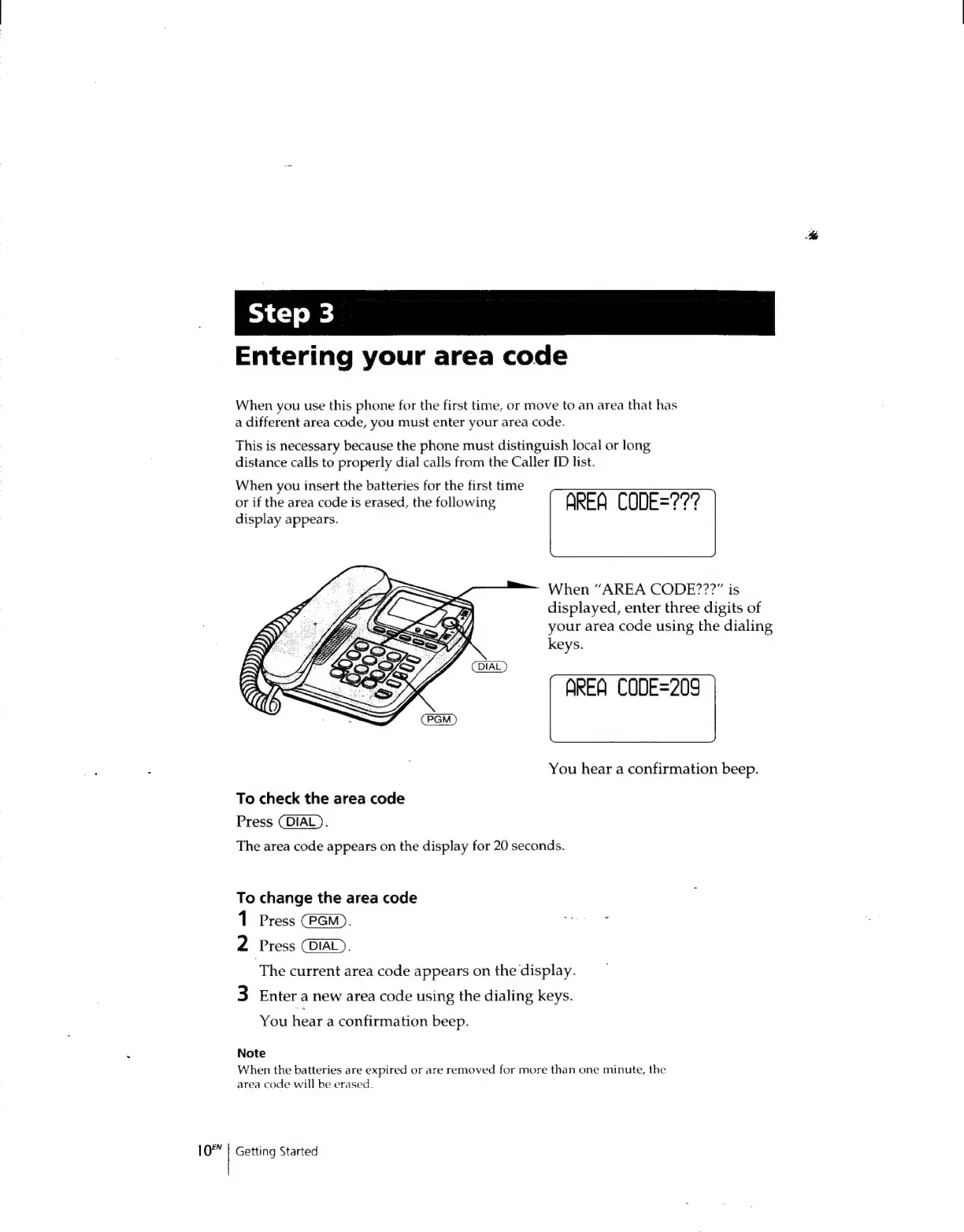
When
you
insert
the
batteries
for
the
first
time
or
if
the
area
code
is
erased,
the
following
AREA
CODE=?77?
display
appears.
When
“AREA
CODE???”
is
displayed,
enter
three
digits
of
your
area
code
using
the
dialing
keys.
AREA
CODE=209
You
hear
a
confirmation
beep.
To
check
the
area
code
Press
(DIAL).
The
area
code
appears
on
the
display
for
20
seconds.
To
change
the
area
code
1
Press
(PGM).
“i
2
Press
COIAL).
‘The
current
area
code
appears
on
the
display.
3
Enter
a
new
area
code
using
the
dialing
keys.
You
hear
a
confirmation
beep.
Note
When
the
batteries
are
expired
or
are
removed
for
more
than
one
minute,
the
area
code
will
be
erased.
Getting
Started

Related product manuals