EasyManua.ls Logo

Sony IT-ID80 - Storing Caller ID Numbers into Memory Dialing

Sony IT-ID80
55 pages
Print Icon
To Next Page IconTo Next Page
To Previous Page IconTo Previous Page
Loading...
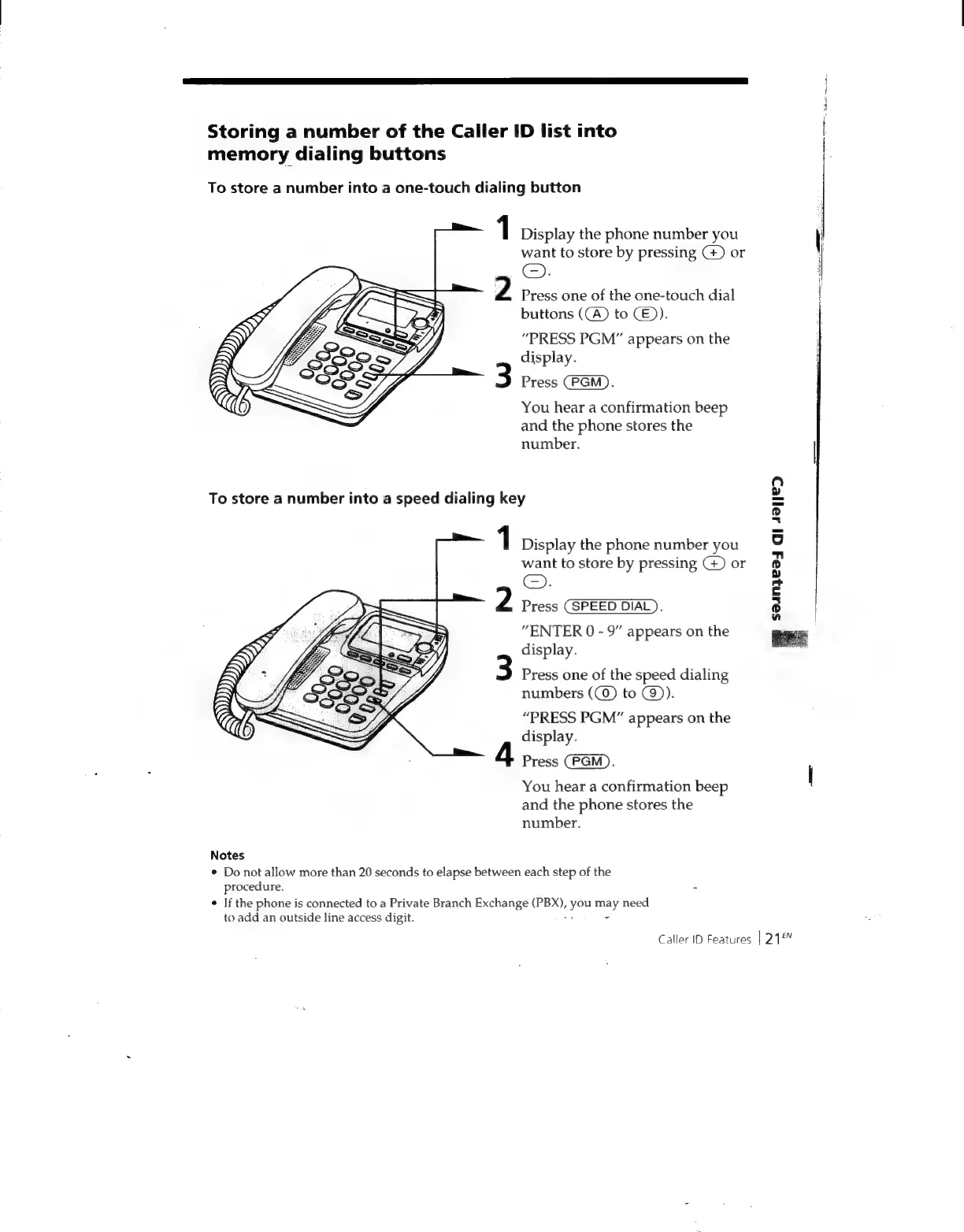
Storing
a
number
of
the
Caller
ID
list
into
memory
dialing
buttons
To
store
a
number
into
a
one-touch
dialing
button
1
Display
the
phone
number
you
want
to
store
by
pressing
(+)
or
©.
2
Press
one
of
the
one-touch
dial
buttons
((A)
to
CE).
“PRESS
PGM”
appears
on
the
display.
3
Press
CPGM).
You
hear
a
confirmation
beep
and
the
phone
stores
the
number.
To
store
a
number
into
a
speed
dialing
key
1
Display
the
phone
number
you
want
to
store
by
pressing
G)
or
2
Press
(SPEED
DIAL).
"ENTER
0
-
9”
appears
on
the
display.
Press
one
of
the
speed
dialing
numbers
(()
to
@)).
“PRESS
PGM”
appears
on
the
display.
4
Press
(CPGM).
You
hear
a
confirmation
beep
and
the
phone
stores
the
number.
Notes
¢
Do
not
allow
more
than
20
seconds
to
elapse
between
each
step
of
the
procedure.
¢
If
the
phone
is
connected
to
a
Private
Branch
Exchange
(PBX),
you
may
need
to
add
an
outside
line
access
digit.
vs
2
%
$ain}ea4
GI
421/e>D
Caller
ID
Features
|
218

Related product manuals