EasyManua.ls Logo

Sony IT-ID80 - Page 9

Sony IT-ID80
55 pages
Print Icon
To Next Page IconTo Next Page
To Previous Page IconTo Previous Page
Loading...
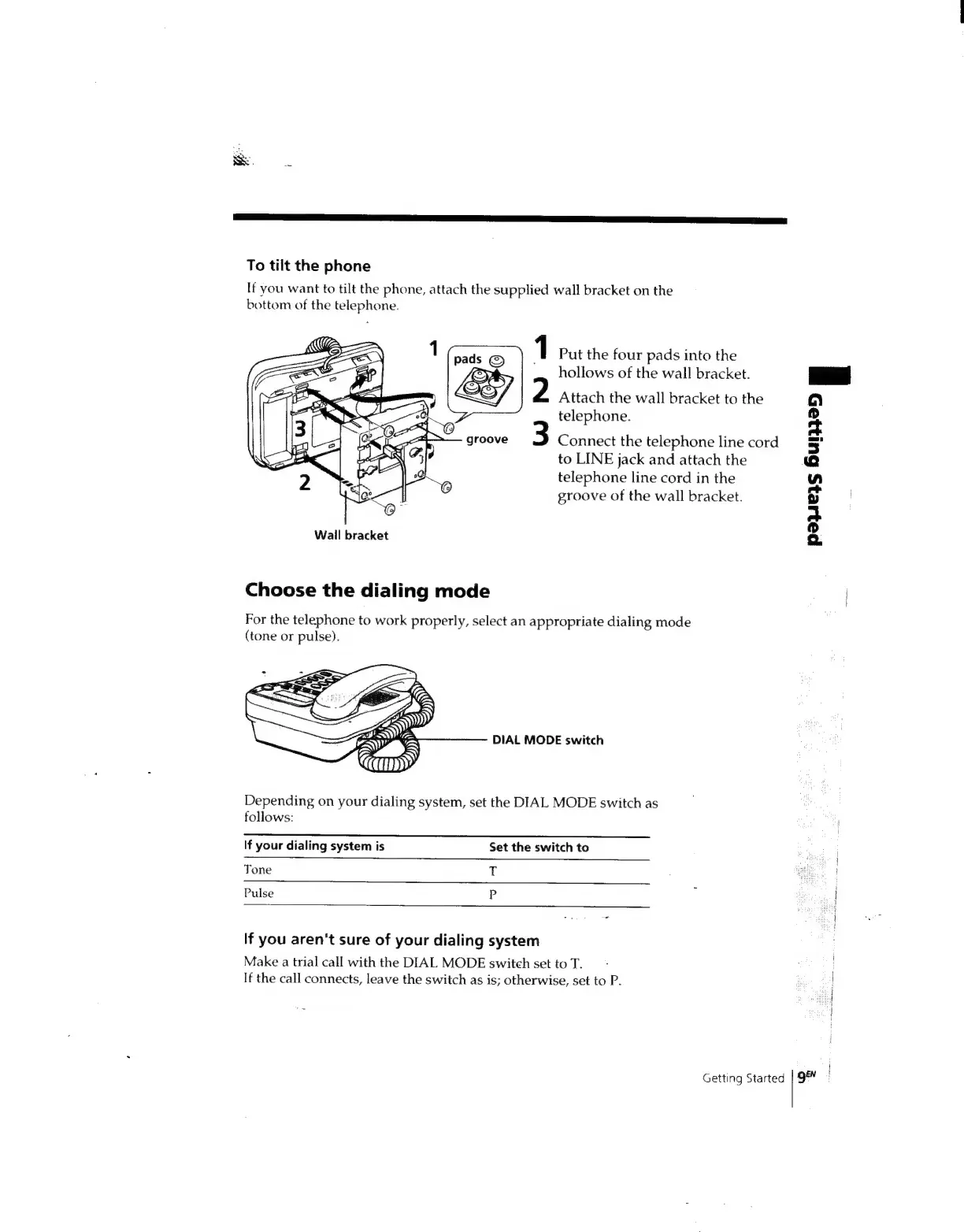
To
tilt
the
phone
If
you
want
to
tilt
the
phone,
attach
the
supplied
wall
bracket
on
the
bottom
of
the
telephone.
1
Put
the
four
pads
into
the
hollows
of
the
wall
bracket.
Attach
the
wall
bracket
to
the
telephone.
groove
3
Connect
the
telephone
line
cord
to
LINE
jack
and
attach
the
telephone
line
cord
in
the
groove
of
the
wall
bracket.
Wall
bracket
Choose
the
dialing
mode
For
the
telephone
to
work
properly,
select
an
appropriate
dialing
mode
(tone
or
pulse).
DIAL
MODE
switch
Depending
on
your
dialing
system,
set
the
DIAL
MODE
switch
as
follows:
If
your
dialing
system
is
Set
the
switch
to
Tone
ii
Pulse
P
If
you
aren't
sure
of
your
dialing
system
Make
a
trial
call
with
the
DIAL
MODE
switch
set
to
T.
If
the
call
connects,
leave
the
switch
as
is;
otherwise,
set
to
P.
Getting
Started
pees
6un3e5
i
ge

Related product manuals