EasyManua.ls Logo

Sony IT-ID80 - Caller ID and Memory Function Troubleshooting

Sony IT-ID80
55 pages
Print Icon
To Next Page IconTo Next Page
To Previous Page IconTo Previous Page
Loading...
SS
III
I
I
SE
I
Yer
SS
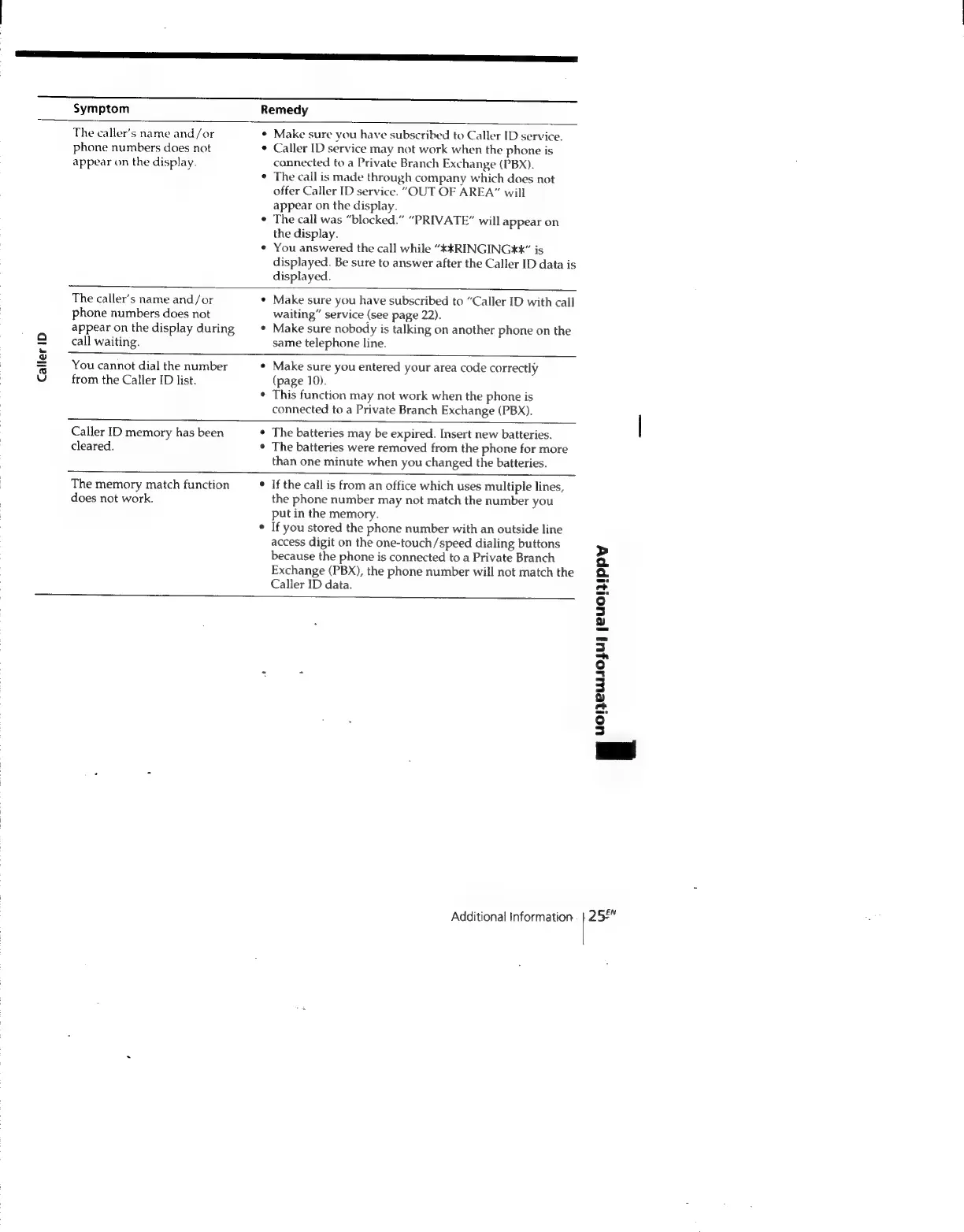
Symptom
Remedy
Caller
ID
The
caller’s
name
and/or
phone
numbers
does
not
appear
on
the
display.
¢
Make
sure
vou
have
subscribed
to
Caller
ID
service.
Caller
ID
service
may
not
work
when
the
phone
is
connected
to
a
Private
Branch
Exchange
(PBX).
The
call
is
made
through
company
which
does
not
offer
Caller
ID
service.
"OUT
OF
AREA”
will
appear
on
the
display.
The
call
was
“blocked.”
“PRIVATE”
will
appear
on
the
display.
You
answered
the
call
while
“KKRINGINGXX”
is
displayed.
Be
sure
to
answer
after
the
Caller
ID
data
is
displayed.
The
caller’s
name
and/or
phone
numbers
does
not
appear
on
the
display
during
call
waiting.
Make
sure
you
have
subscribed
to
“Caller
ID
with
call
waiting”
service
(see
page
22).
Make
sure
nobody
is
talking
on
another
phone
on
the
same
telephone
line.
You
cannot
dial
the
number
from
the
Caller
ID
list.
Make
sure
you
entered
your
area
code
correctly
(page
10).
This
function
may
not
work
when
the
phone
is
connected
to
a
Private
Branch
Exchange
(PBX).
Caller
ID
memory
has
been
cleared.
¢
The
batteries
may
be
expired.
Insert
new
batteries.
*
The
batteries
were
removed
from
the
phone
for
more
than
one
minute
when
you
changed
the
batteries.
The
memory
match
function
does
not
work.
If
the
call
is
from
an
office
which
uses
multiple
lines,
the
phone
number
may
not
match
the
number
you
put
in
the
memory.
If
you
stored
the
phone
number
with
an
outside
line
access
digit
on
the
one-touch/speed
dialing
buttons
because
the
phone
is
connected
to
a
Private
Branch
Exchange
(PBX),
the
phone
number
will
not
match
the
Caller
ID
data.
Oe
SSSSSSSSSSSSSSSSSSSSSSssFsFFFsFhFhFhFeFesesesese
Additional
Information
|
uoleuUlOjU]
/eUOTIPpYy
252"

Related product manuals