Getting Started
27
US
Getting Started
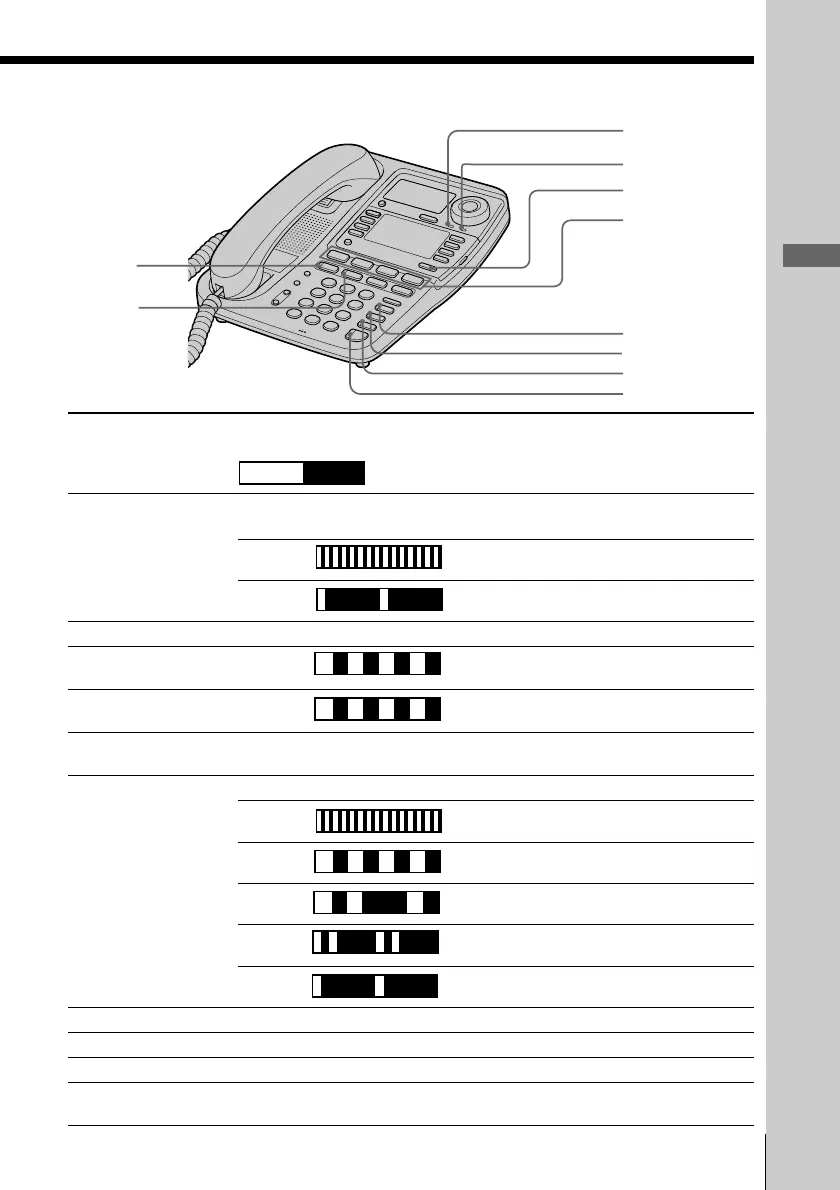
Lamp indications
Lamp/button Lighting pattern Status
Lights up OFF
ek INTERCOM Lights up Calling extension from your phone or
conversation available.
Flashes Receiving an intercom call.
Flashes Other phone using extension.
el CONF Lights up This function is activated.
r; NEW CALL Flashes There is new data in the Caller ID list.
ra MESSAGES Flashes There are voice mail messages.
rs LOWER Lights up Selecting the second memory of the
one-touch dial button.
rd LINE 1 to 4 Lights up You are using this line.
Flashes Receiving a call.
Flashes Call being held on your phone line or
transferred call being made.
Flashes Call being held on other phone line.
Flashes Receiving a transferred call.
Flashes Line is used by other phone.
rf BUSY REDIAL Lights up This function is activated.
rg MUTING Lights up This function is activated.
rh DO NOT DISTURB Lights up This function is activated.
rj SPEAKERPHONE Lights up Talking through the speakerphone or
(HEADSET) headset, paging or busy redialing.
rs
rf
rg
rh
rj
r;
ra
ek
el
rd



 To Next Page