EasyManua.ls Logo

Sony LBT-D117CD - Programmed Playback; Designing Playback Order

Sony LBT-D117CD
31 pages
Print Icon
To Next Page IconTo Next Page
To Previous Page IconTo Previous Page
Loading...
You
can
make
a
program
by
designating
up
to
24
selections
in
the
order
you
want
them
to
be
played.
At
the
same
time,
you
can
adjust
the
total
playing
time
of
the
program.
The
unit
will
play
the
disc
according
to
your
program.
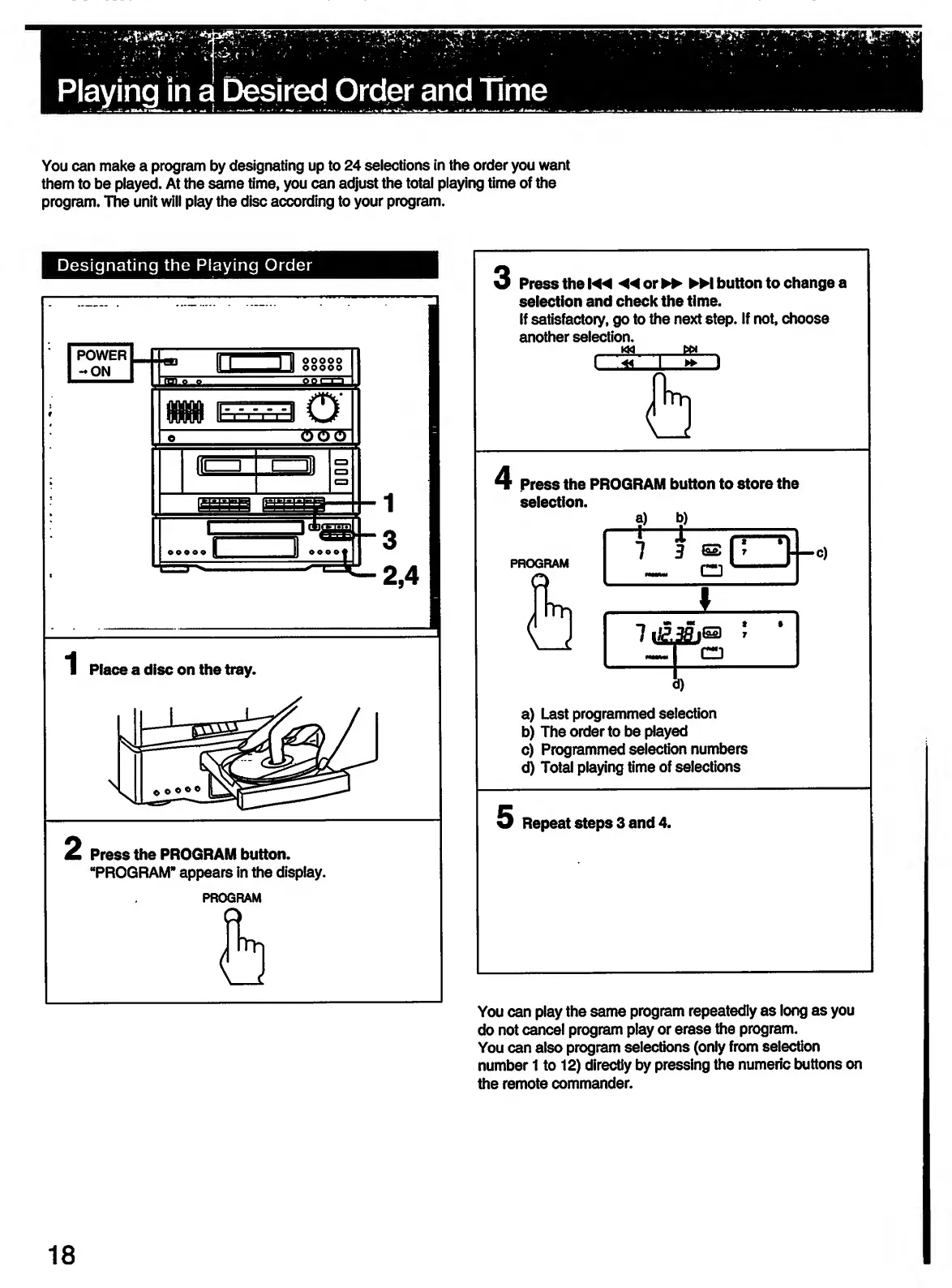
Designating
the
Playing
Order
2
Press
the
PROGRAM
button.
“PROGRAM*
appears
in
the
display.
PROGRAM
3
Press
the
◄◄
or
►►
button
to
change
i
selection
and
check
the
time.
If
satisfactory,
go
to
the
next
step.
If
not,
choose
another
selection.
4
Press
the
PROGRAM
button
to
store
the
selection.
?)
*?)
PROGRAM
—t—
7
X
—j
3
@
CD
:
1
i_
*
*
38
CD
»
1
T
a)
Last
programmed
selection
b)
The
order
to
be
played
c)
Programmed
selection
numbers
d)
Total
playing
time
of
selections
You
can
play
the
same
program
repeatedly
as
long
as
you
do
not
cancel
program
play
or
erase
the
program.
You
can
also
program
selections
(only
from
selection
number
1
to
12)
directly
by
pressing
the
numeric
buttons
on
the
remote
commander.
18

Related product manuals