EasyManua.ls Logo

Sony LBT-D117CD - Dubbing Tapes; Dubbing Process

Sony LBT-D117CD
31 pages
Print Icon
To Next Page IconTo Next Page
To Previous Page IconTo Previous Page
Loading...
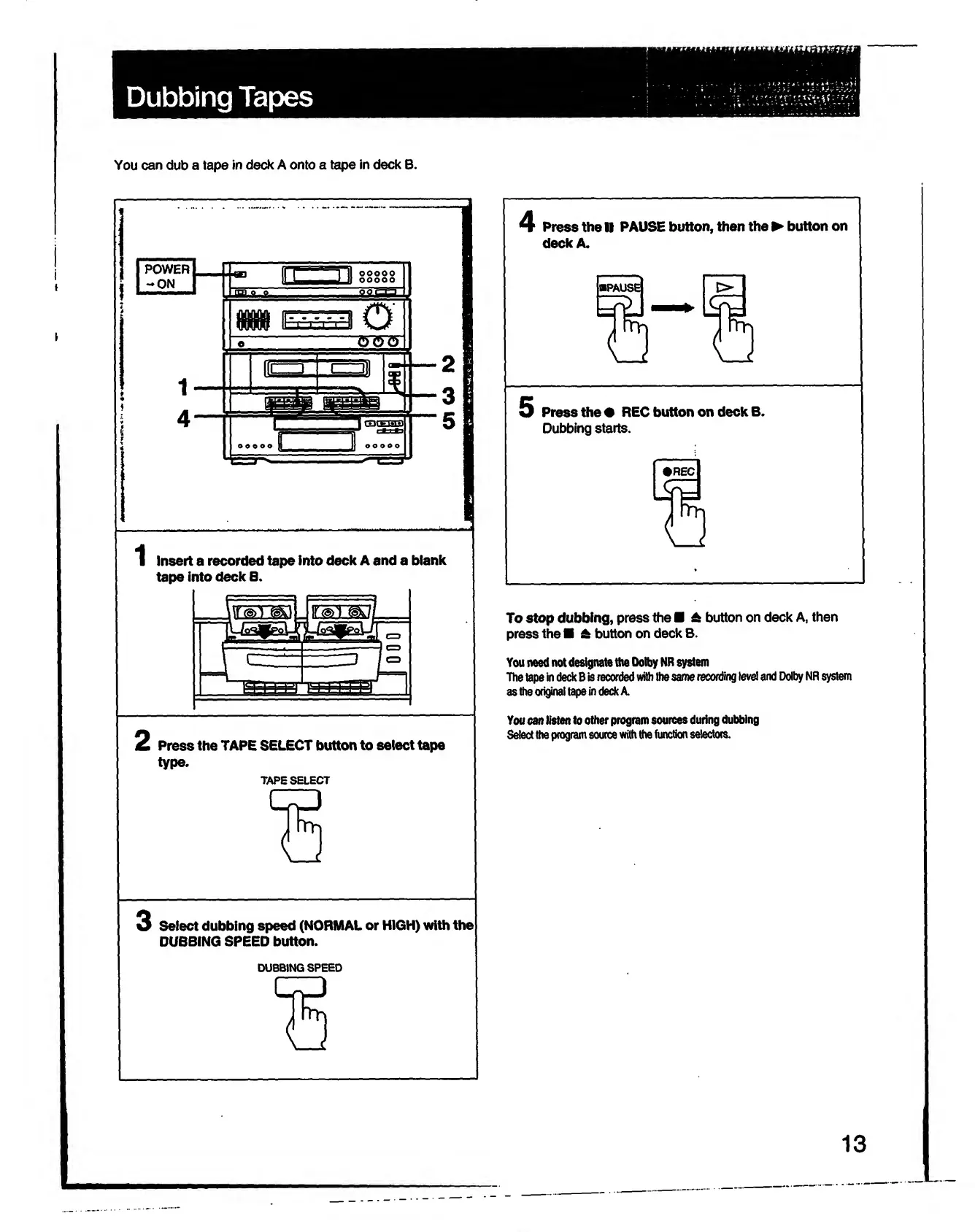
Dubbing
Tapes
You
can
dub
a
tape
in
deck
A
onto
a
tape
in
deck
B.
1
Insert
a
recorded
tape
into
deck
A
and
a
blank
tape
into
deck
B.
2
Press
the
TAPE
SELECT
button
to
select
tape
type.
TAPE
SELECT
4
Press
the
K
PAUSE
button,
then
the
button
on
deck
A.
5
Press
the
REC
button
on
deck
B.
Dubbing
starts.
To
stop
dubbing,
press
the
A
button
on
deck
A,
then
press
the
A
button
on
deck
B.
You
need
not
designate
the
Dolby
NR
system
The
tape
in
deck
B
is
recorded
with
the
same
recording
level
and
Dolby
NR
system
as
the
original
tape
in
deck
A
You
can
listen
to
other
program
sources
during
dubbing
Select
the
program
source
with
the
function
selectors.
3
Select
dubbing
speed
(NORMAL
or
HIGH)
with
the
DUBBING
SPEED
button.
DUBBING
SPEED
13

Related product manuals