EasyManua.ls Logo

Sony LBT-D117CD - Sound Adjustments; Sound Quality and Bass; Surround Effect and Balance

Sony LBT-D117CD
31 pages
Print Icon
To Next Page IconTo Next Page
To Previous Page IconTo Previous Page
Loading...
Adjusting
the
Sound
Quality
0
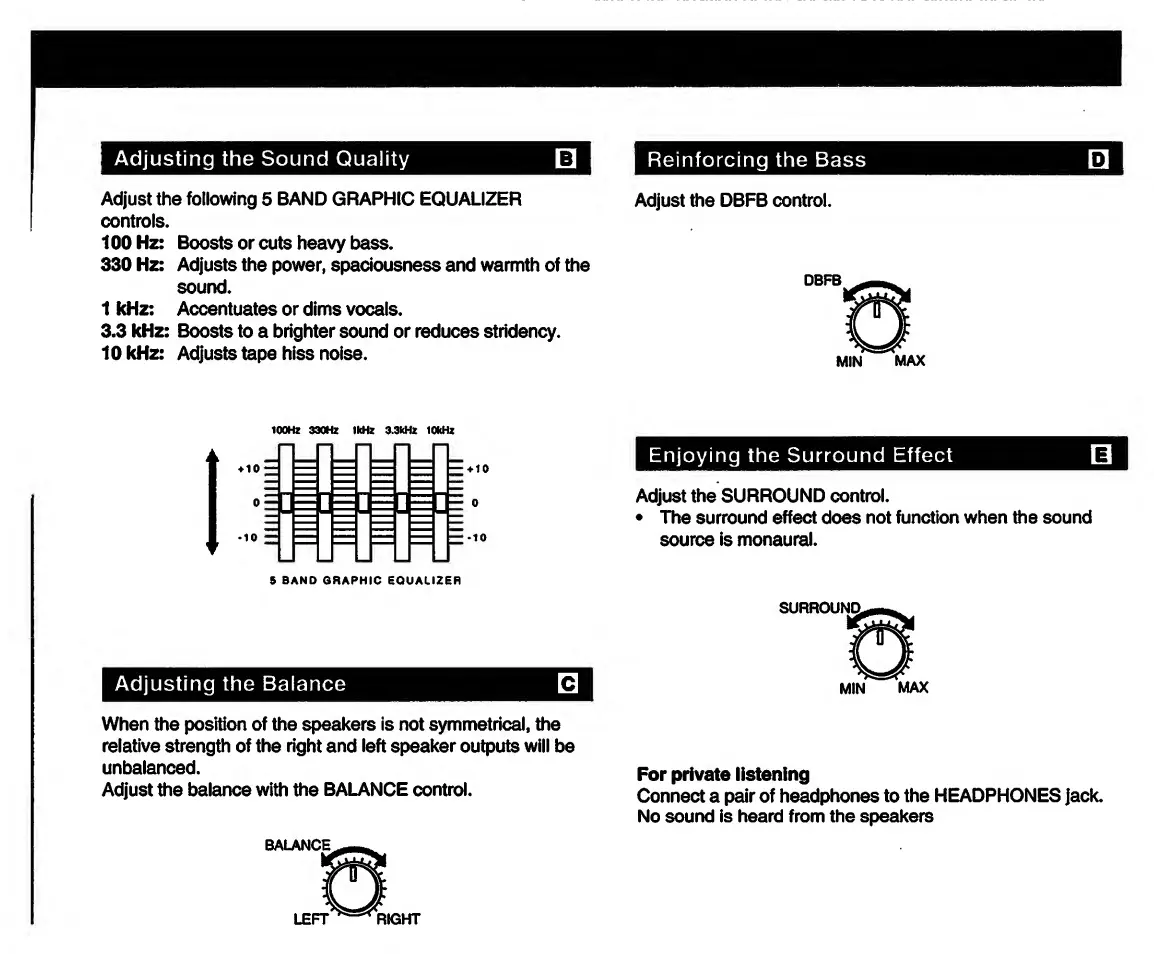
Adjust
the
following
5
BAND
GRAPHIC
EQUALIZER
controls.
100
Hz:
Boosts
or
cuts
heavy
bass.
330
Hz:
Adjusts
the
power,
spaciousness
and
warmth
of
the
sound.
1
kHz:
Accentuates
or
dims
vocals.
3.3
kHz:
Boosts
to
a
brighter
sound
or
reduces
stridency.
10
kHz:
Adjusts
tape
hiss
noise.
100Hz
330Hz
1kHz
3.3kHz
10kHz
Adjusting
the
Balance
0
When
the
position
of
the
speakers
is
not
symmetrical,
the
relative
strength
of
the
right
and
left
speaker
outputs
will
be
unbalanced.
Adjust
the
balance
with
the
BALANCE
control.
Reinforcing
the
Bass
0
Adjust
the
DBFB
control.
DBFS
MIN
MAX
Enjoying
the
Surround
Effect
0
Adjust
the
SURROUND
control.
The
surround
effect
does
not
function
when
the
sound
source
is
monaural.
MIN
max
For
private
listening
Connect
a
pair
of
headphones
to
the
HEADPHONES
jack.
No
sound
is
heard
from
the
speakers

Related product manuals