Preparations Prior to Access from a Remote Location
10
Step 2 Setting Up Your Computer
Pre-release version
Preparations Prior to Access
from a Remote Location
Step 2 Setting Up Your Computer
If you are using a personal firewall on your computer (contained in Windows XP
or on products like Norton Internet Security), or if you are using a home router,
you will need to configure your computer to use NetAV. Follow the instructions
below to complete this configuration.
Step 3 Setting Up the NetAV Function
Perform this step using the LF-X1 or LF-X5.
This step summarizes how to configure the base station settings to use the NetAV
function. For details, refer to the LF-X1/LF-X5 operating instructions.
1
Refer to “Setting Up NetAV” in the “What’s NetAV” section of the LF-X1/
LF-X5 operating instructions to perform the setup.
2
Specify an IP address and the other information of the base station with the
LF-X1 or LF-X5 monitor.
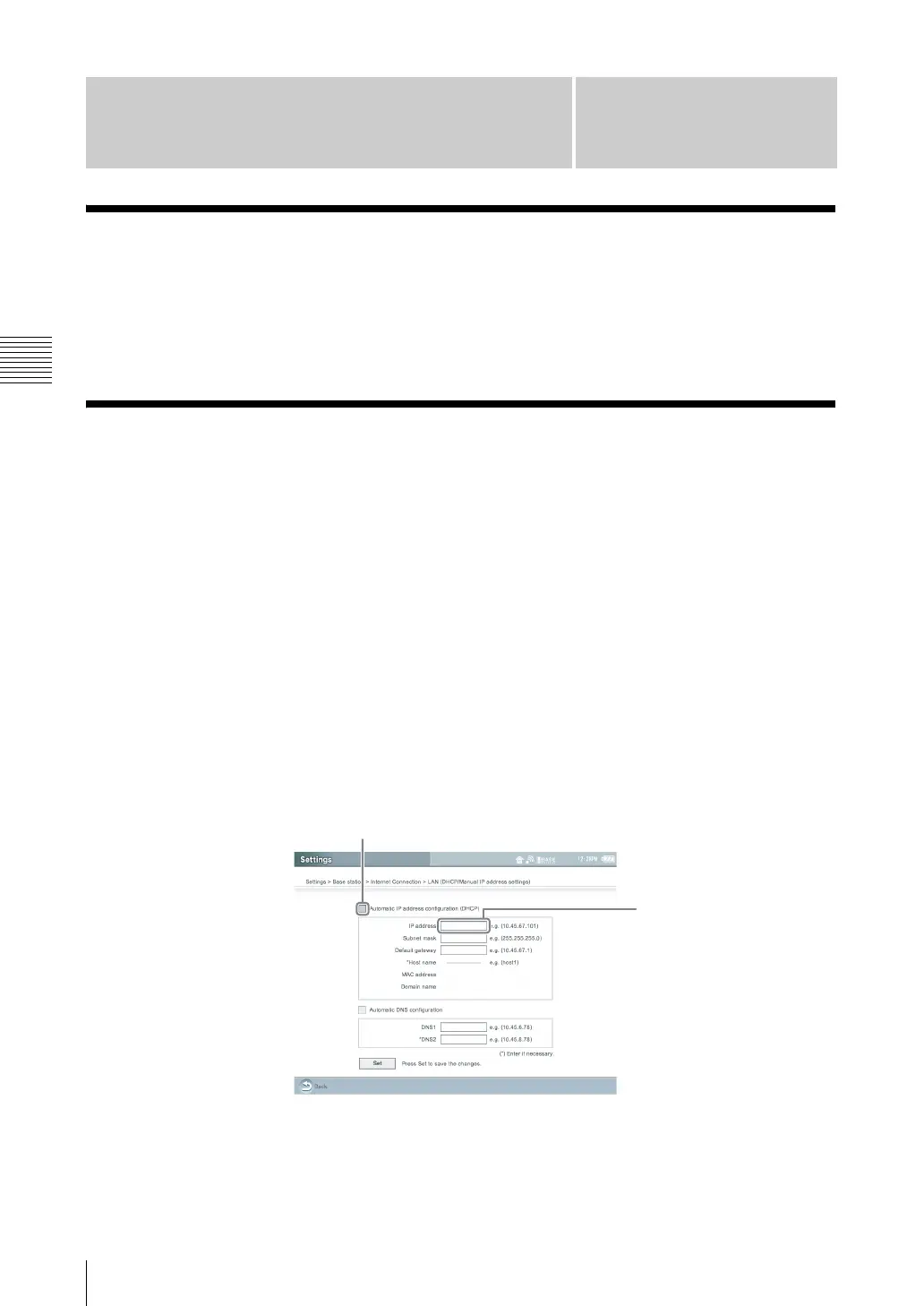
To use the NetAV function, you need to specify a static IP address in the
[LAN (DHCP/Manual IP address settings)] screen.
Select [Settings], [Base station], [Internet Connection], [LAN (DHCP/
Manual IP address settings)], and then [Settings].
.
(1) Make sure [Automatic IP address configuration (DHCP)] check box is
selected and jot down the information in all of the fields*.
* If the [Automatic IP address configuration (DHCP)] check box is not selected, select the
check box and click [Set]. The information in the fields appears in several seconds.
Specify a static
IP address
Clear the
check box



 To Next Page