Watching Video Remotely
30
Using the On-screen Remote Control
Pre-release version
Using the On-screen Remote Control
After the on-screen remote control is configured (1 page 20), you can control
the TV or video displays.
Click [Remote] at the left bottom of the window.
The remote control appears.
Selecting a Secondary Audio Program (SAP)
The secondary audio program (SAP) mode is available for television broadcasts
that include multiple audio tracks.
When a TV program with multiple audio tracks is tuned in, select [SAP]
repeatedly at the bottom of the window to switch among audio tracks. Each time
the [SAP] button is clicked, [STEREO] or [SAP] appears on the window.
z Tip
To select an SAP option for external equipment, use the remote supplied with the
connected equipment.
Changing the Streaming Rate
You can change the TV or video streaming rate according to your communication
environment.
1
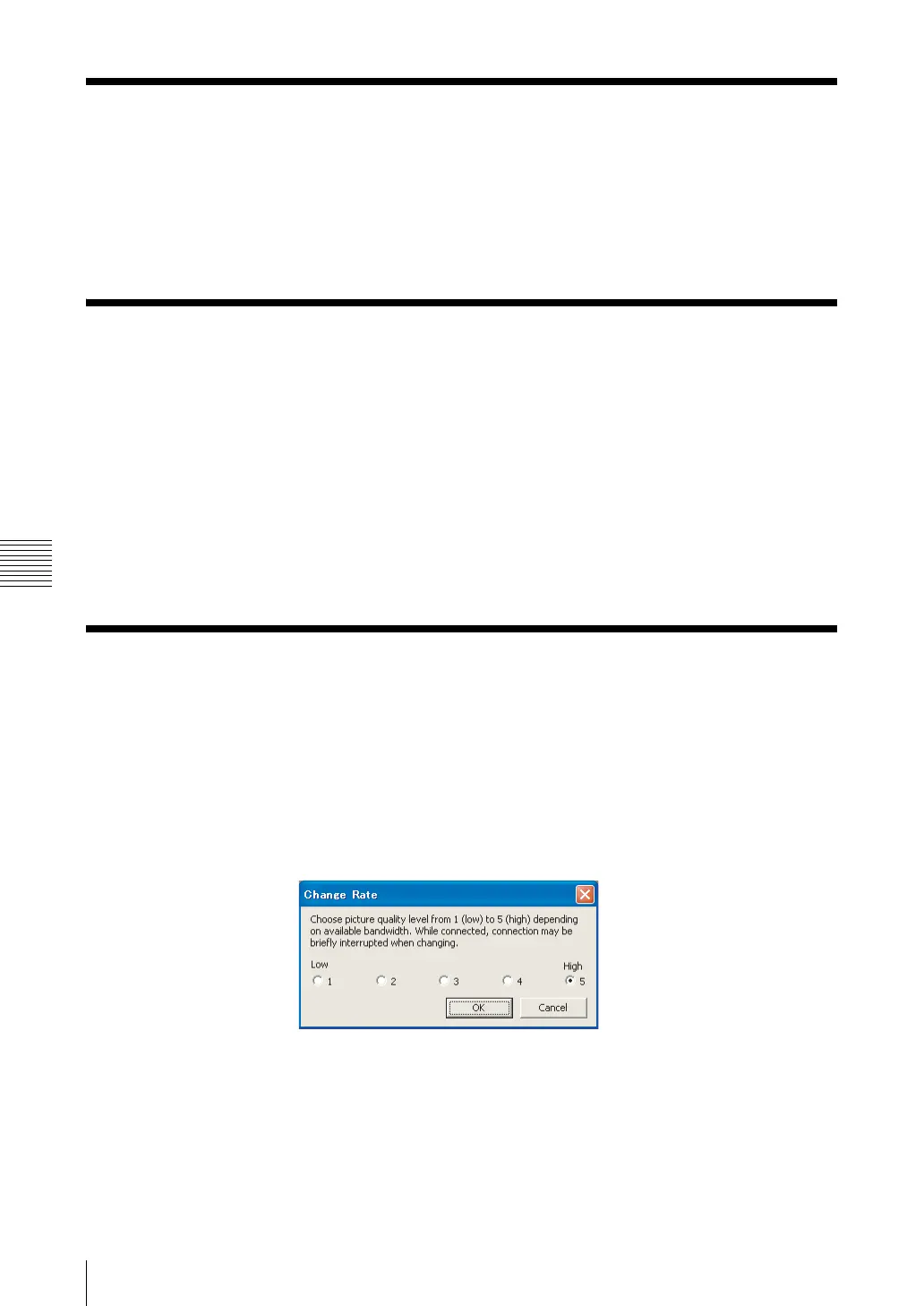
Click [Rate] at the bottom of the window.
The [Change Rate] screen appears.
2
Select the desired rate, and then click [OK].
The NetAV connection will be interrupted for a moment when you change
from the lowest connection bit rate to another bit rate or vice versa.



 To Next Page