Watching Video at Home with the NetAV Function
31
Watching Video at Home with the NetAV Function
Pre-release version
Watching Video at Home
with the NetAV Function
Watching Video at Home with the NetAV Function
If you install the LocationFree Player to the home computer, you can watch video
in your room from the base station in the living room via home network.
The settings of the computer is up to its operating system and your network
environment. Refer to the instruction manual with your computer for more
details.
Wired LAN Setup
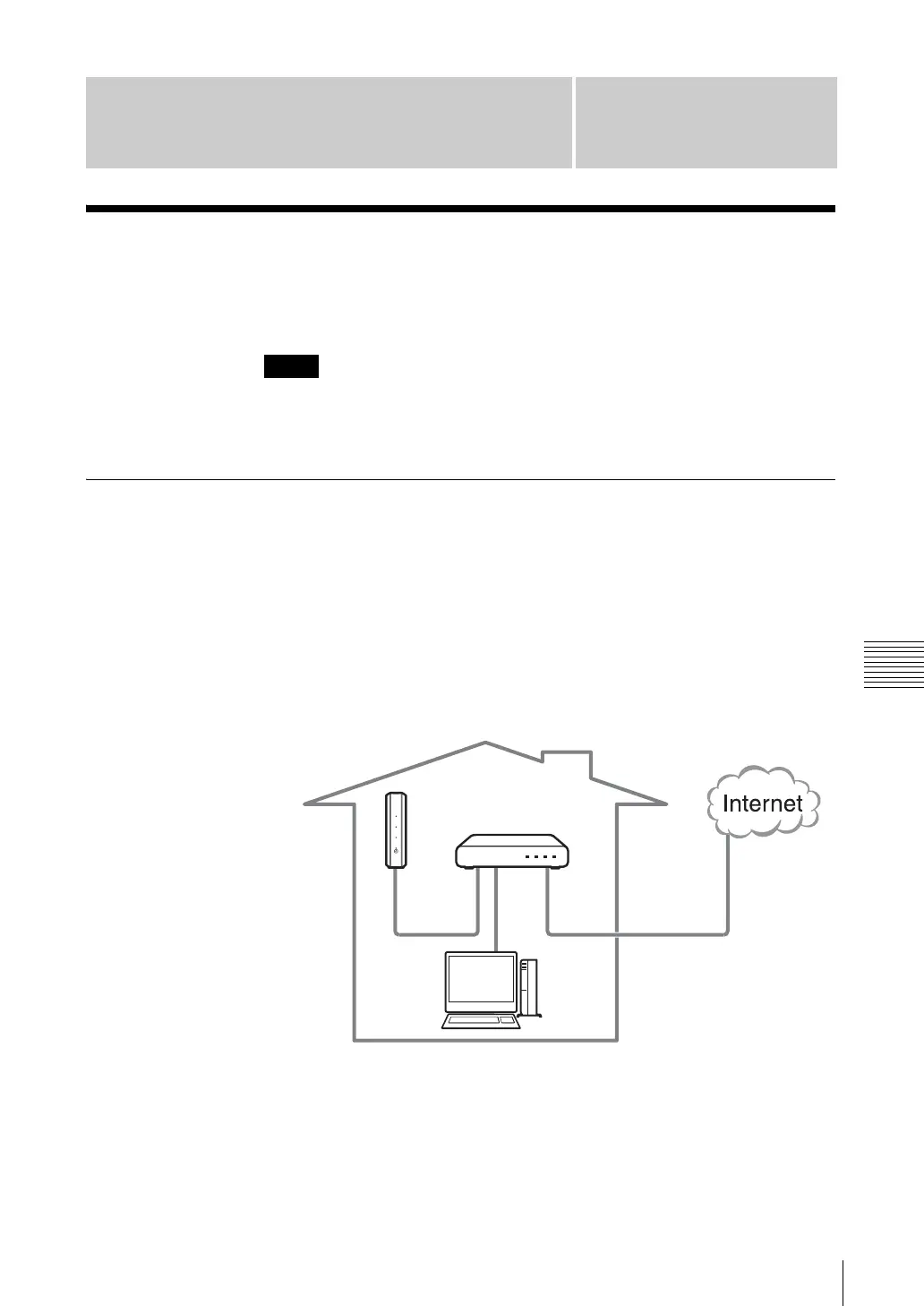
You can watch video on your computer with NetAV function via wired LAN at
home.
z Tip
You need a router for this usage.
1
Connect the computer, base station and router with LAN cables (not
supplied) as shown below.
2
With your LocationFree TV (LF-X1 or LF-X5), select [Settings] - [Base
station] - [Internet Connection] - [LAN (DHCP/Manual IP address Settings],
and Jot down the IP address of the base station.
3
Register your computer to the base station. (1 page 13)
Note
Router
Base station
LAN
port 1
LAN
port 2
WAN
port



 To Next Page