Remote Location Setup
19
Step 7 Connecting Your Computer to the Internet
Pre-release version
Remote Location Setup
Step 7 Connecting Your Computer to the Internet
Connect your computer to the Internet through a wireless or wired LAN
connection. For details about how to connect to the Internet, refer to your
computer and the Internet provider’s documentation.
Step 8 Establishing a Connection with the Base
Station from Your Computer
Start LocationFree Player, and then establish a connection with the base station.
If you remove the 3ivx after installing LocationFree Player, when you start
LocationFree Player a DirectShow initialization error occurs. If this happens,
uninstall LocationFree Player and then reinstall it.
1
Double-click (LocationFree Player) on your desktop.
You can also point to [All programs] ([Programs] in Windows 2000), [Sony
LocationFree Player], and then click [LocationFree Player] on the [Start]
menu.
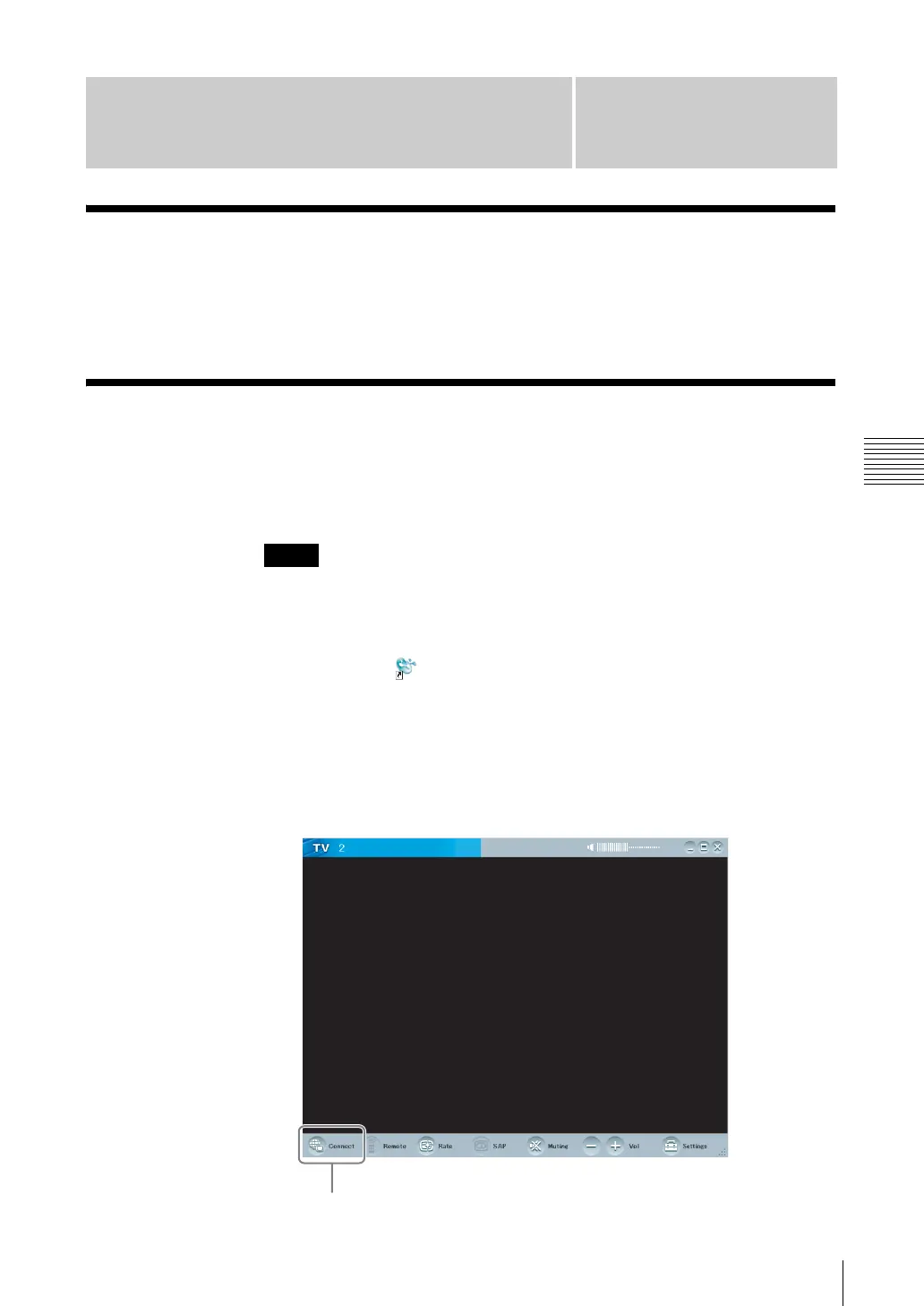
LocationFree Player starts.
.
2
Click [Connect] at the left bottom of the window.
Note
Connect



 To Next Page