Watching Video at Home with the NetAV Function
32
Watching Video at Home with the NetAV Function
Pre-release version
Wireless LAN Setup
You can watch video on your computer with NetAV function via wireless LAN
at home. The base station should be used as a wireless access point.
1
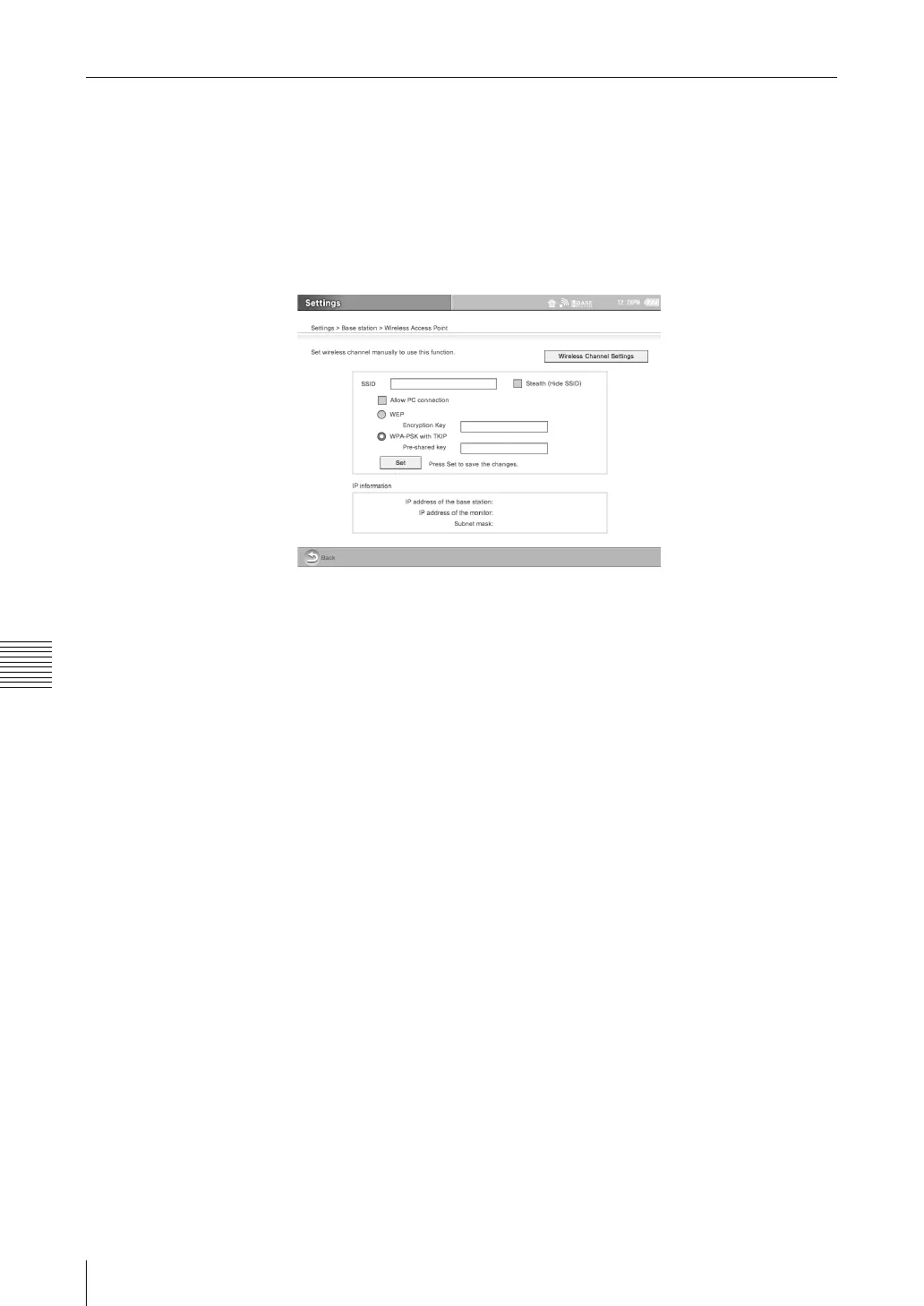
With your LocationFree TV, select [Settings] - [Base station] - [Wireless
Access Point], and configure it as described below.
Refer to the LF-X1/LF-X5 operating instructions. For more details about
setting of wireless LAN.
.
(1) Select [Allow PC connection] check box.
(2) Clear [Stealth (Hide SSID)] check box.
z Tips
• You can use this even if you do not clear the [Stealth (Hide SSID)]
check box.
• If you select the check box, you have to input the SSID and you cannot
confirm the base station radio wave status.
(3) Jot down IP address on the [IP address of the base station].
(4) Click [Set].
2
Register your computer to the base station. (1 page 13)



 To Next Page