10
Location and Function of Parts
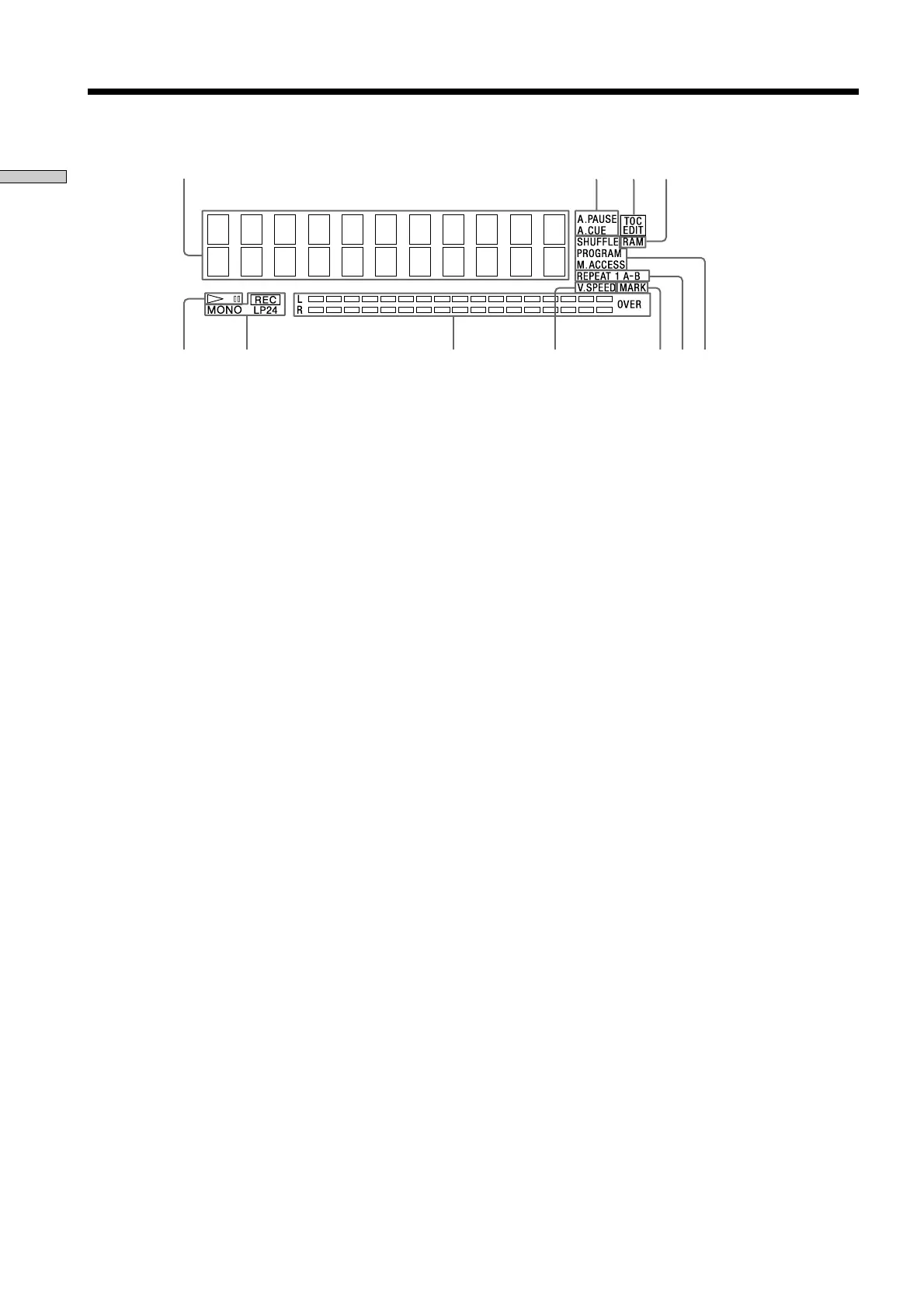
Display Window Discriptions
2 341
5
8 9q;qa6 7
1 Disc, track, and time display
Displays MD information, the set contents of “Edit
Menu” or “Setup Menu,” and time information.
2 AUTO PAUSE and AUTO CUE display
Lights up when AUTO PAUSE or AUTO CUE is
selected.
3 TOC EDIT display
Displays “TOC” when record contents or edit contents
are not recorded on MD. Flashes “TOC” when they are
recorded on MD.
“TOC” is displayed during edit operation.
4 RAM display
Lights up in RAM edit mode in which temporary
editing is performed for sending without recording
editing results.
5 7 (play/pause) display
Displays during play or pause.
6 Record and record mode display
REC display
Lights up during recording or pausing.
Record mode display
Lights up “MONO” for monaural recording, “LP2” for
double-length stereo recording, and “LP4” for 4-time
length stereo recording in record mode or mode when
the playing track is recorded.
7 Level meter display
Displays the loudness of the sound of play or
recording.
8 VARI SPEED display
Lights up when the VARI SPEED function is selected.
9 MARK display
Lights up when the position (MARK) of a located point
is selected.
0 REPEAT display
Displays “REPEAT” when all track repeat is selected,
“REPEAT1” when one track repeat is selected, and
“REPEAT A-B” when A-B repeat is selected.
!¡ Play mode display
Displays “SHUFFLE” when shuffle play is selected,
“PROGRAM” when program play is selected, and
“M.ACCESS” when multi-access play is selected.



 To Next Page