14
Getting Started
After Unpacking
Check the supplied accessories.
• Remote commander (remote) RM-DR1E (1)
• AA-size (R6) batteries (2)
• Connecting cable (control S cable) (1)
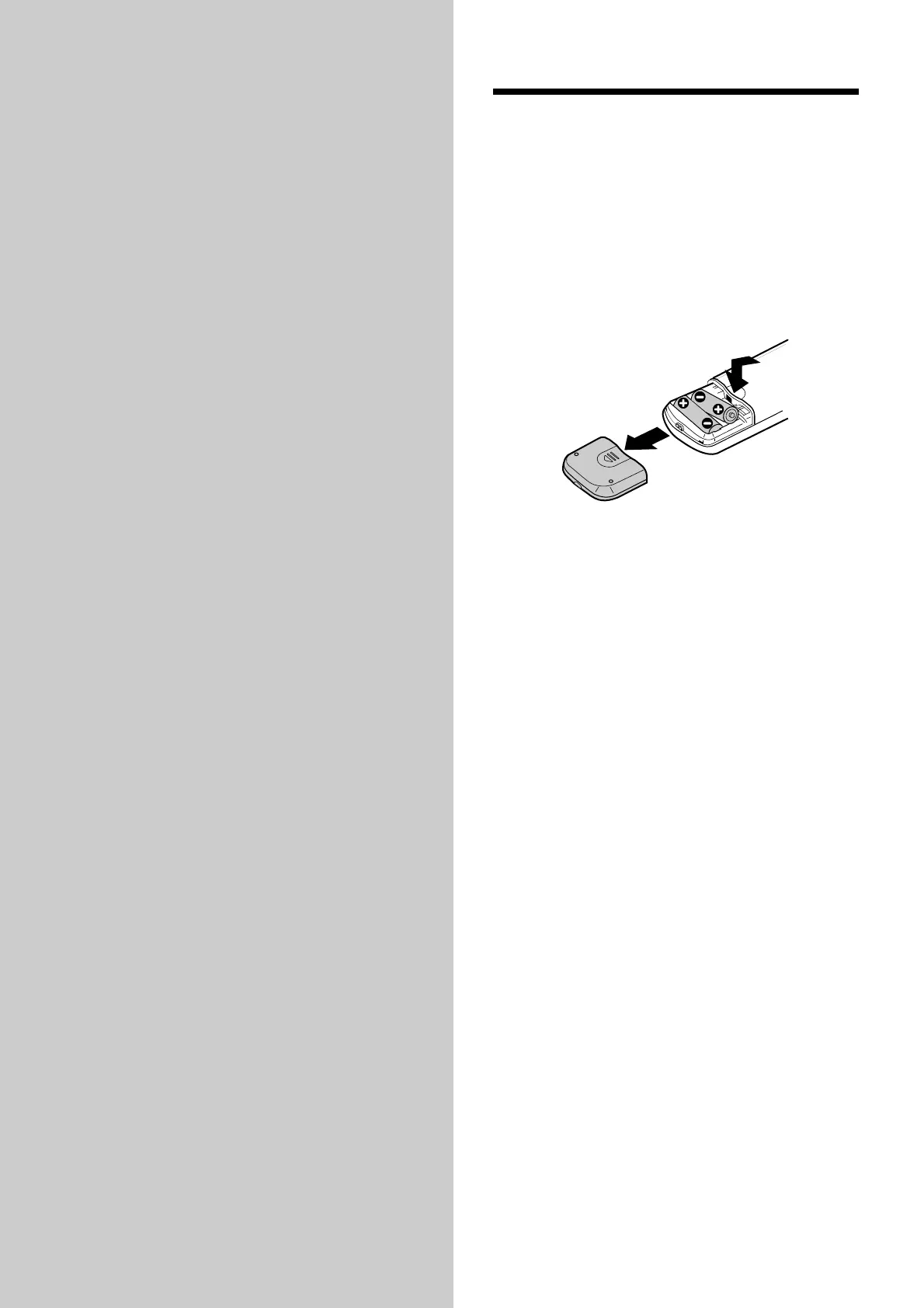
Inserting batteries into the remote
Insert two AA-size (R6) batteries with the 3 and #
properly oriented to the markings into the battery
compartment.
z When to replace the batteries
Under normal conditions, the batteries should last for
about six months. When the remote no longer operates
the recorder, replace both batteries with new ones.
Notes
• If you use the batteries incorrectly, they may leak liquid
or be blown up. Be sure to obey the following points:
- Do not mistake 3 and # terminals.
- Do not use a new battery with an old one or batteries of
different types together.
- Do not recharge the batteries.
- If you don’t use the remote for an extended period of
time, remove the batteries.
- If the batteries are leaking, wipe to clean the battery
compartment before replacing with new ones.
• Do not expose the remote sensor to direct sunlight or
lighting apparatus. Doing so may cause a malfunction.



 To Next Page