63
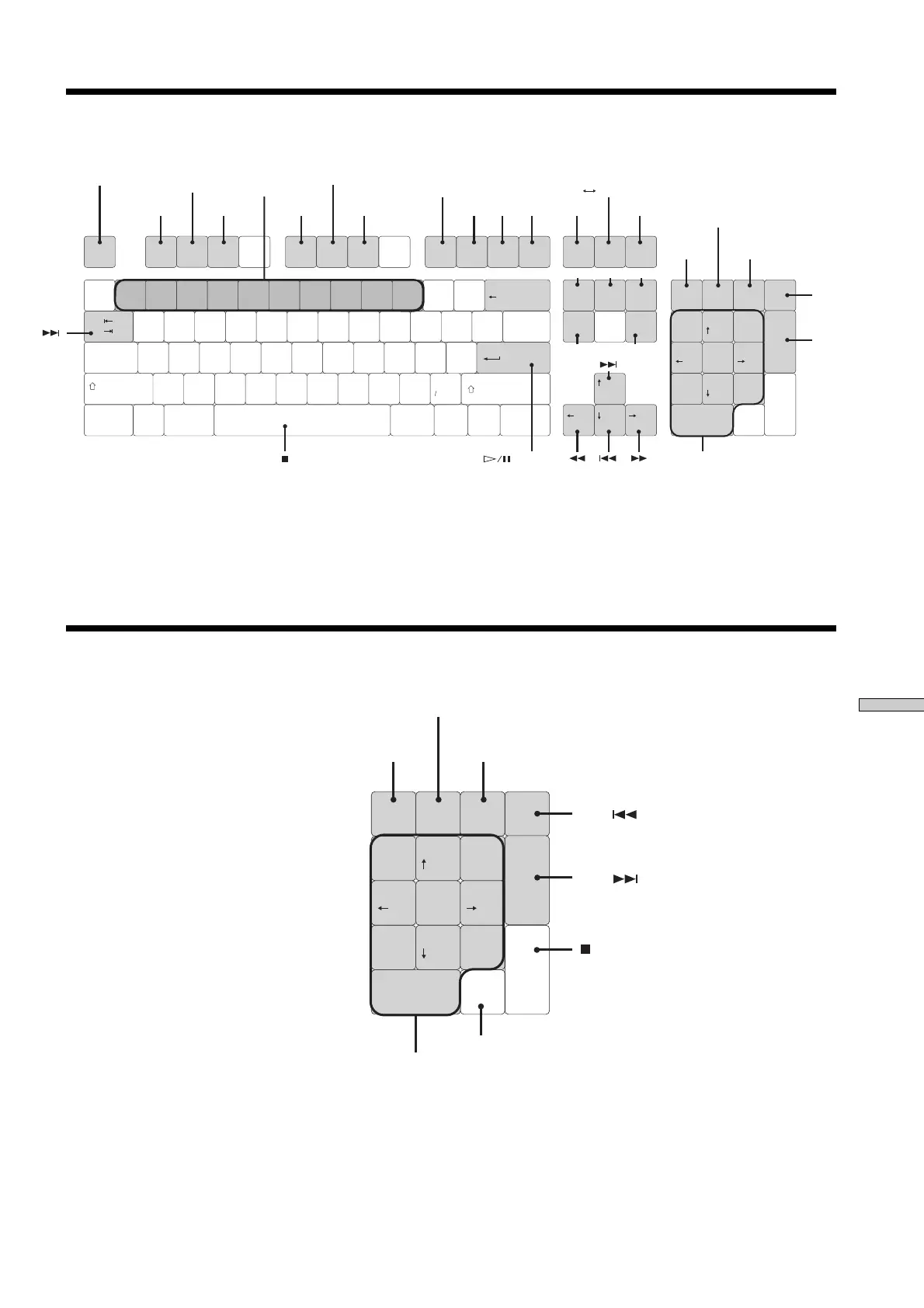
Operating the MD Recorder Using a Keyboard
Keyboard Operations (English Keyboard Layout)
Backspace
ASDFGHJ
K
L
:
"
!
1234567890
-
^
,
@# $ % & '
(
)
=
+
|
QWERTY'U
I
OP
{
}
]
';
[
Ta b
Caps Lock
ZXCVBNM
<
>
.
?
Shift
Ctrl CtrlAlt Alt
Shift
Enter
~
`
|
\
Esc F1 F2 F3 F4 F5 F6 F7 F8 F9 F10 F11 F12
Insert
Ins
Del
PgDn
PgUp
Enter
Home
/*–
+
Home
Page
Up
Num
Lock
789
456
1
0
23
Delete End
End
Page
Down
Print
Screen
Scroll
Lock
Pause
MENU/NO
A.CUE
A.PAUSE
PLAY MODE
Press the same number
as for the track number
to be played
For track numbers greater than 11
Naming a
track or MD
Divide a track
**
Press the same number as
for the track number to be played
press
0
for 10
Move a track
**
or YES
*
Erase a
track
***
Combine
tracks
**
TIMEVARI SPEED DISPLAY/CHAR
FADER UNDO EJECT REPEAT
MARK
CLEAR VARISREED-
VARISREED+
LOCATE
MUSIC SCAN
A B REPEAT
SCROLL
* .: [Shift] + [Tab]
Recz: [Shift]+[Enter]
MUSIC SYNC: [Ctrl]+[Enter]
** Effective only during track playback (or while choosing a track)
*** All tracks are erased at once when stopped.
While track is playing back (or during track selection), tracks are erased
one by one.
Keyboard Operations (10-Keyboard Layout)
Ins
Del
PgDn
PgUp
Enter
/*–
+
Home
Num
Lock
789
456
1
0
23
End
Press the same number as
for the track number to be played
(press [0] for 10)
Enter for track numbers over 11
YES
AMS( )
MENU/NO
AMS PUSH
(MARK/ENTER)
AMS( )



 To Next Page