19
Preparation
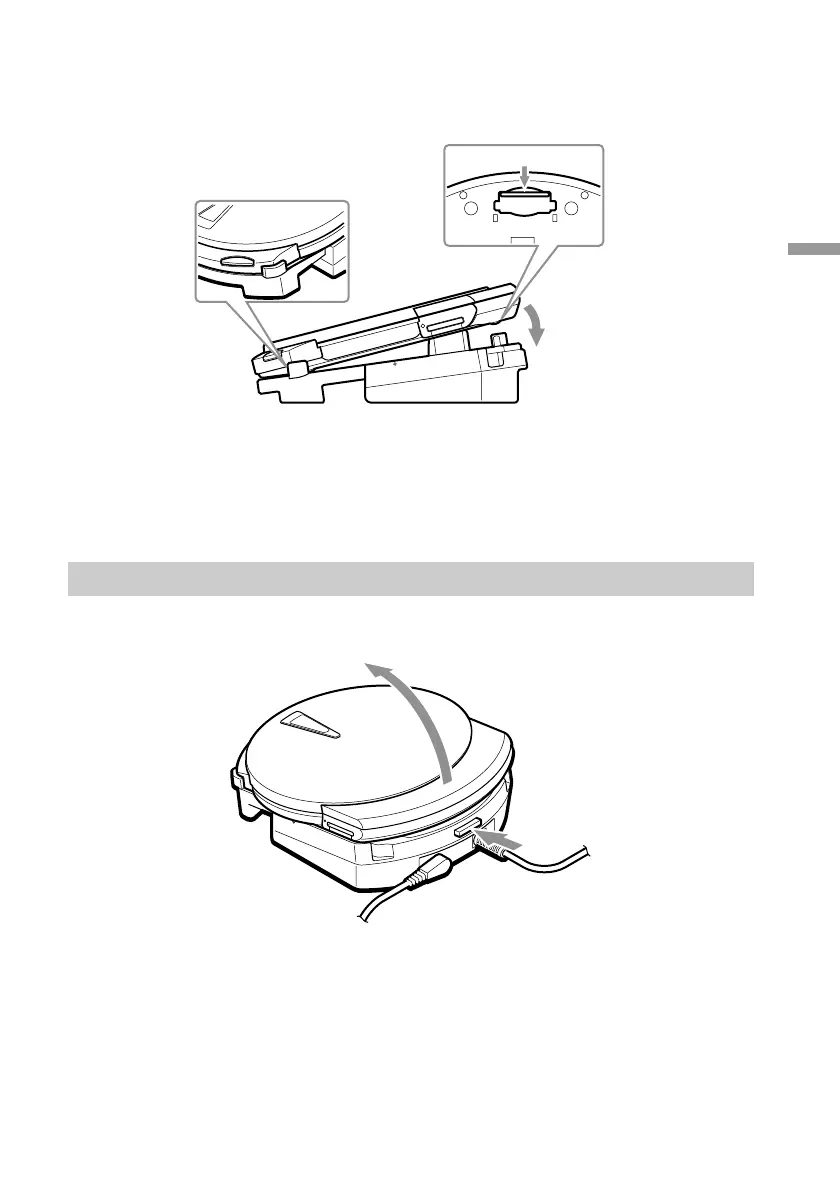
3 Setting the drive on the cradle
Set the drive on the cradle as follows.
When you set the drive on the cradle as illustrated here, the drive comes on and
the CHARGE/BUSY indicator lights green.
You can now use the drive with your computer.
Removing the drive from the cradle
Press the cradle’s release button, then remove the drive from the cradle.
1
3 Push the drive down.
Bottom
1 Slide the
connector cover.
2 Align the front of the drive
with the extension.



 To Next Page