42
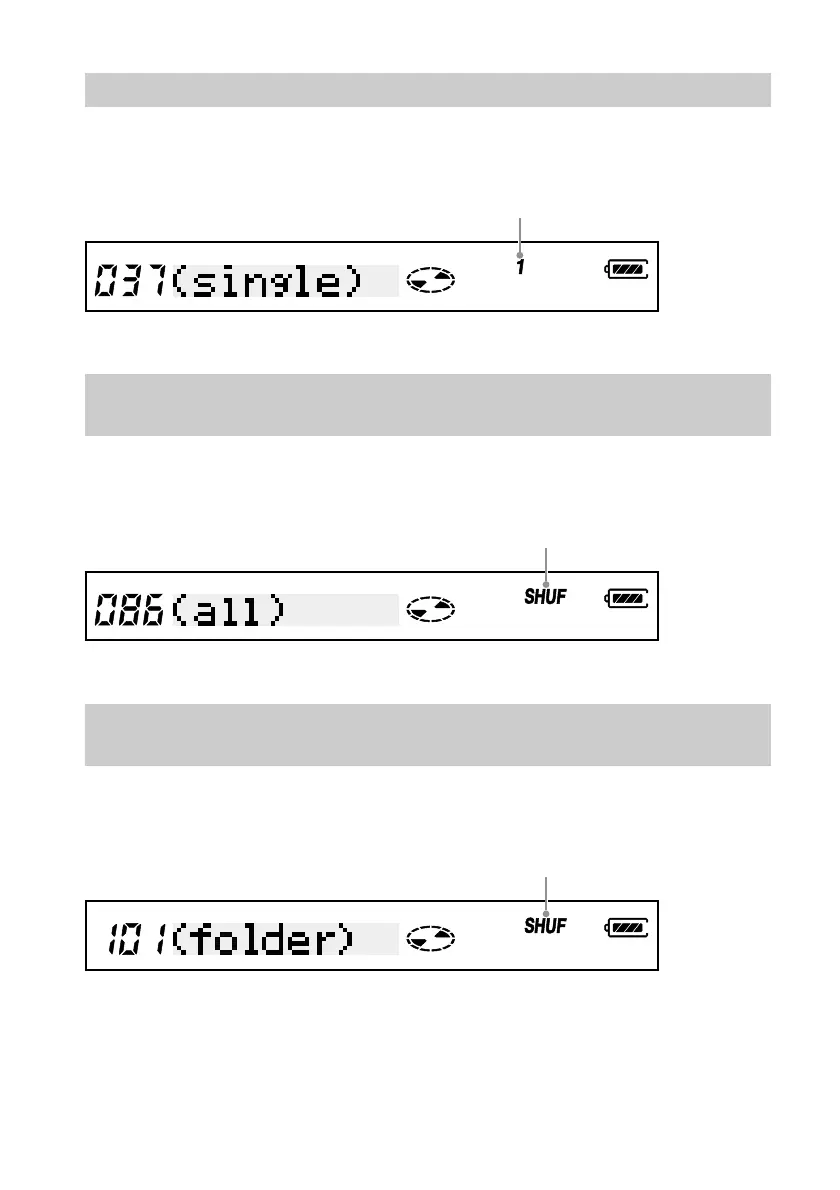
Listening to one track only (Single playback)
Press the PLAY MODE button repeatedly until “(single)” appears on the remote
control display.
Listening to all the track in random order (Shuffle
playback)
Press the PLAY MODE button repeatedly until “(all)” and “SHUF” appear on the
remote control display.
Listening to all the track in a folder in random order
(Folder shuffle)
Press the PLAY MODE button repeatedly until “(folder)” and “SHUF” appear on the
remote control display.
Single playback indicator
Shuffle playback indicator
Shuffle playback indicator



 To Next Page