30
Starting playback and adjusting the volume
You can listen to music on a disc or “Memory Stick” with headphones. You can also
use the drive on internal power (for details, see “Power” (page 34)).
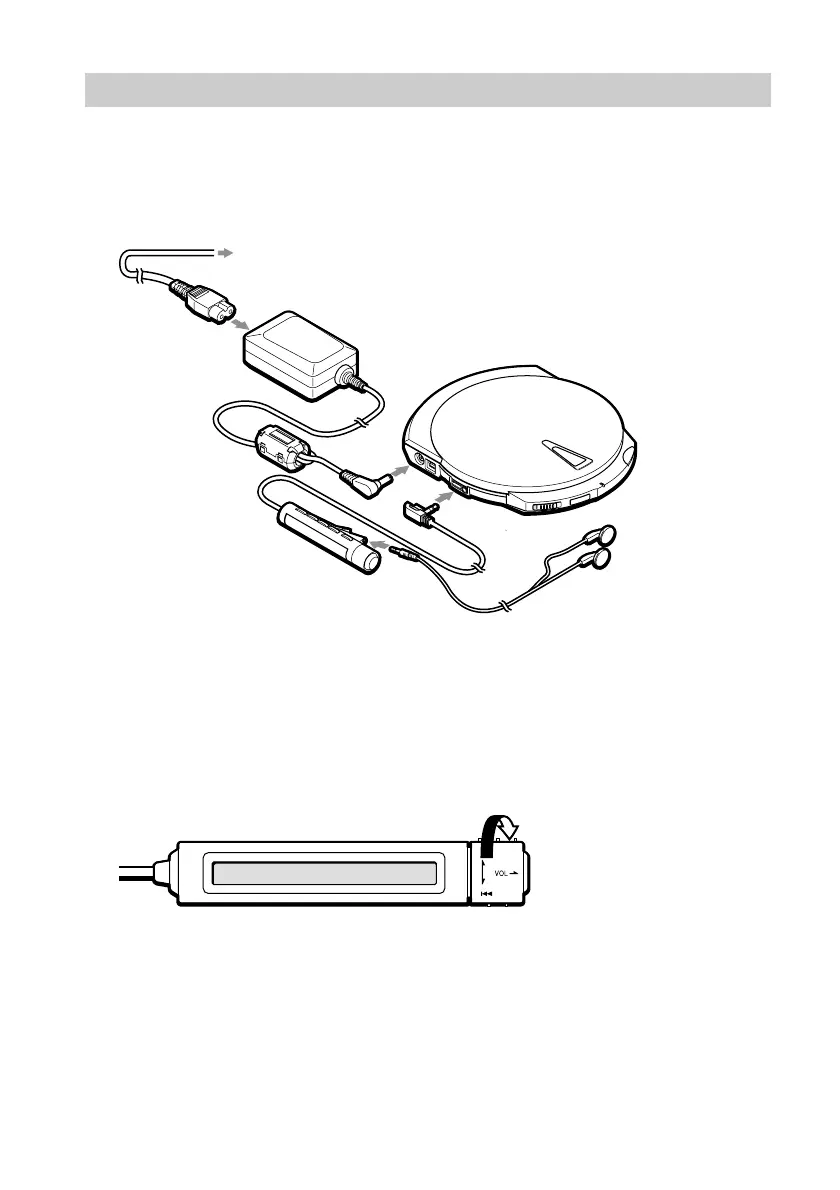
1 Connect the remote control and headphones.
2 Insert the disc or “Memory Stick” into the drive.
You can insert any CD, or “Memory Stick”/disc containing MP3 files into the
drive.
3 Turn the control knob on the remote control.
Playback starts.
z
• For details about compatible discs and files, see “Compatible discs and files” (page 33). For details about
how to select files, see “Listening to Music Files” (page 38).
• If you disconnect the remote control during playback, playback stops.
To power outlet
Power cord
AC power adapter
Remote control
Headphones



 To Next Page