26
Using “Memory Stick”
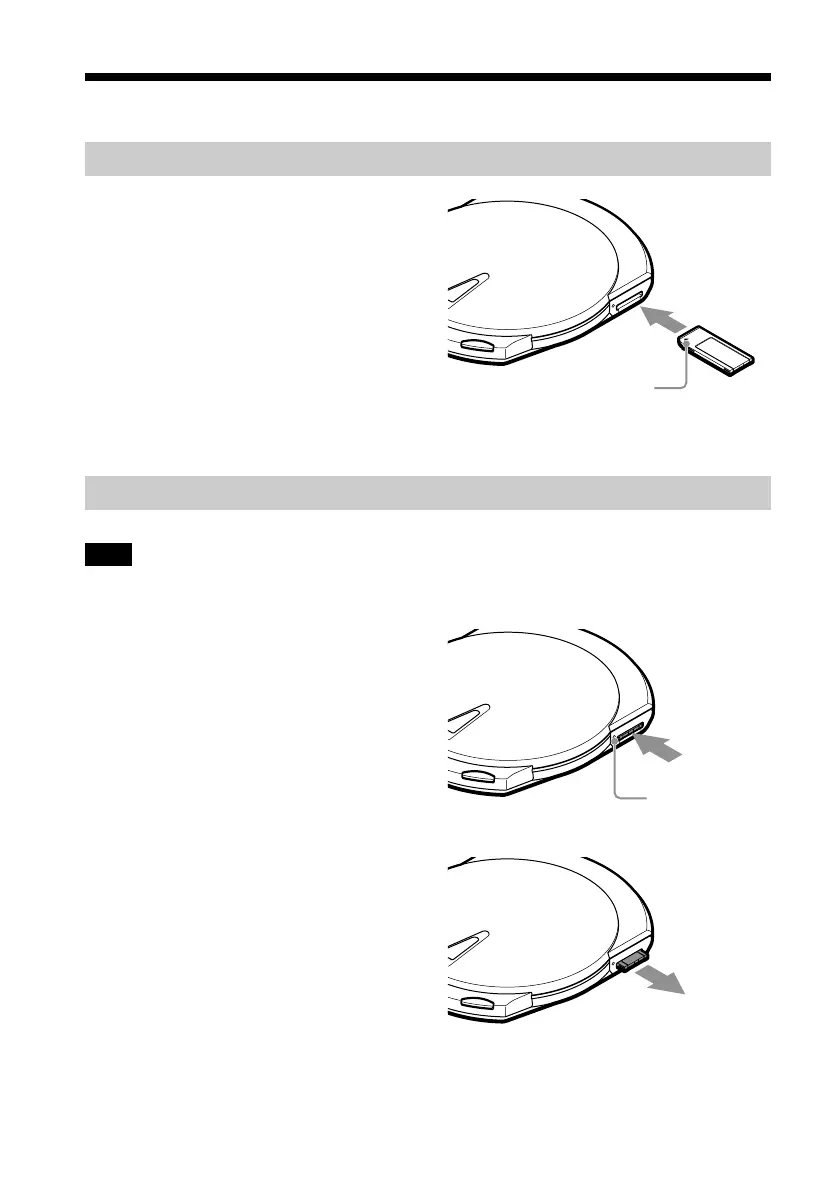
Inserting a “Memory Stick” into the drive
1 Push the “Memory Stick” into the
“Memory Stick” slot until it is fully
inserted.
Ejecting a “Memory Stick” from the drive
Note
Do not attempt to eject a “Memory Stick” from the drive when the “Memory Stick” busy indicator is
orange (data on the “Memory Stick” is being accessed).
1 Push the “Memory Stick”.
2 Move your hand away and remove
the “Memory Stick”.
When you move your hand away,
“Memory Stick” partially comes
out so that you can remove it.
Insert the “Memory Stick” in
the direction of the v until
you hear a click.
“Memory Stick”
busy indicator
z
With Macintosh computers, even if you eject the “Memory Stick” from the drive, the icon corresponding
to the “Memory Stick” drive remains on your desktop. Move it to the [Trash].



 To Next Page