21
Preparation
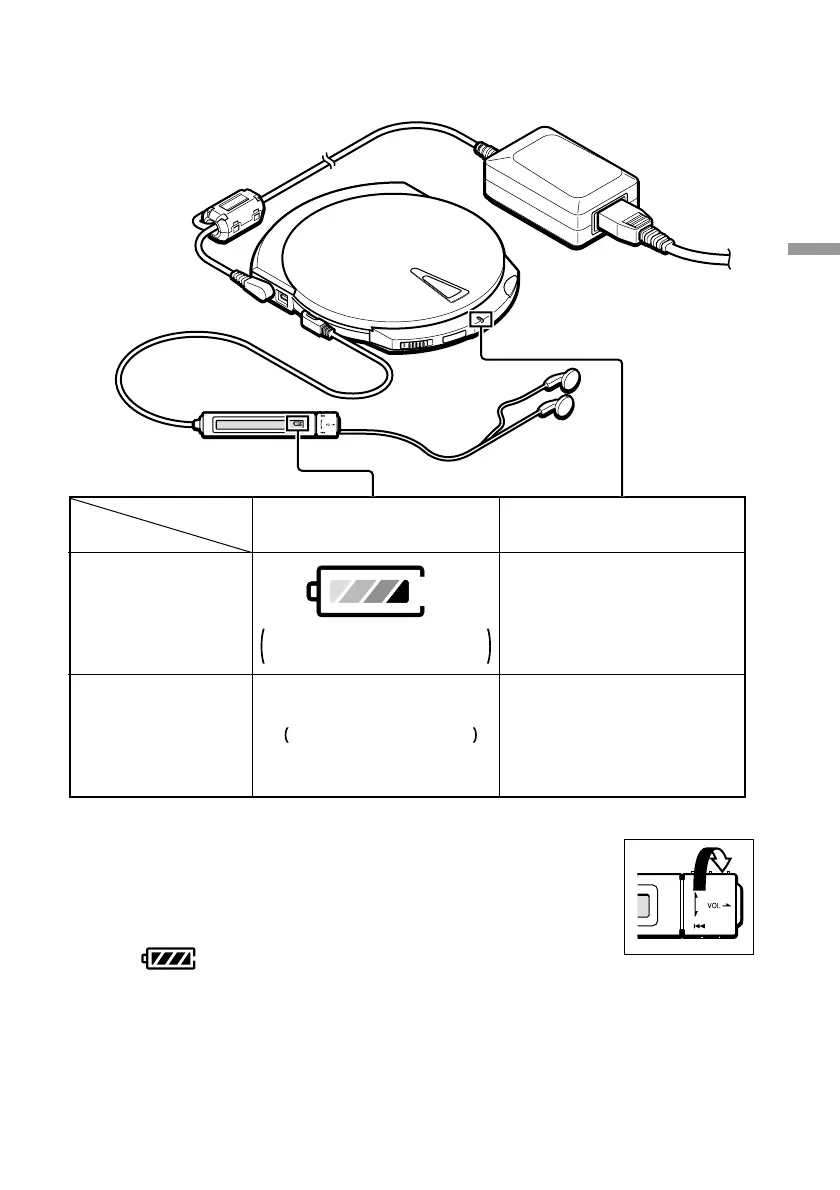
Confirming the charge status
Connected to
your computer
Not connected to
your computer
The indicator lights red.
The indicator goes off.
Charging
Upon reaching
full charge
The indicator disappears.
The charge indicator is
animated to simulate charging.
Verifying the internal battery charge
When you disconnect the AC power adapter from the drive and turn
the control knob (right), the current internal battery charge appears
on the remote control display. When the internal battery is fully
charged, appears on the display.



 To Next Page