Connecting a Power Source
25
Connecting a Power Source
You can use either AC power or a rechargeable battery pack as a power source.
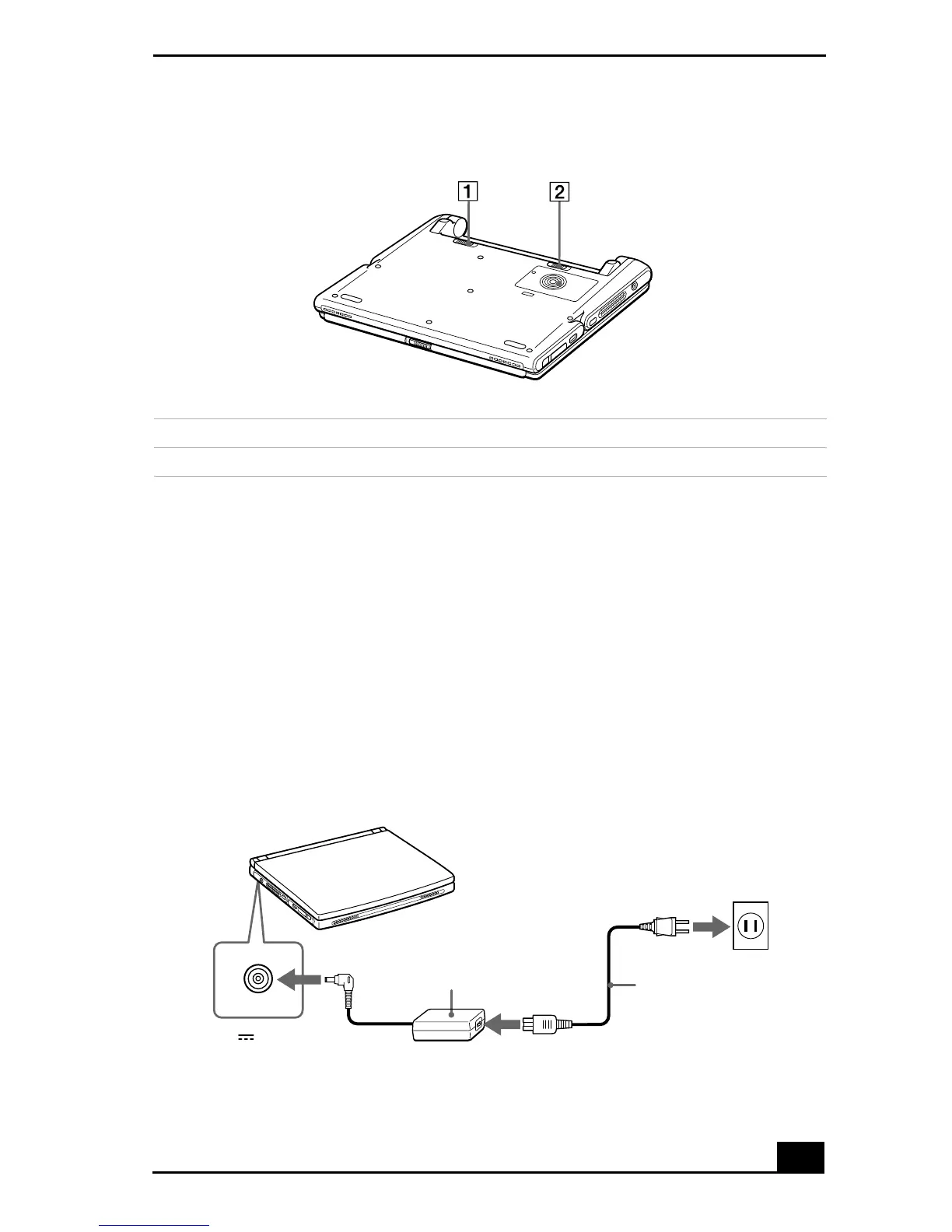
Using the AC Adapter
1
Plug the cable attached to the AC adapter (PCGA-AC16V1) into the DC In
connector on the notebook.
2
Plug one end of the power cord into the AC adapter.
3
Plug the other end of the power cord into an AC outlet.
Bottom
1 Battery lock lever
2 Battery release lever
Connecting AC Adapter
Notebook
DC In
AC adapter
(supplied)
Power cord
(supplied)
The icon indicates the
location of the DC In connector
on the left side of your notebook.









 To Next Page