VAIO® Notebook User Guide
26
Using Battery Power
You can use a battery pack as a source of power. The PCGA-BP2S battery pack
that comes with your notebook is not fully charged at the time of purchase.
Follow the steps below to insert and charge the battery pack.
To Insert the Battery Pack
You can insert or remove the battery pack without turning off the notebook when
your notebook is connected to the AC adapter. Before inserting or removing a
battery pack, close the cover.
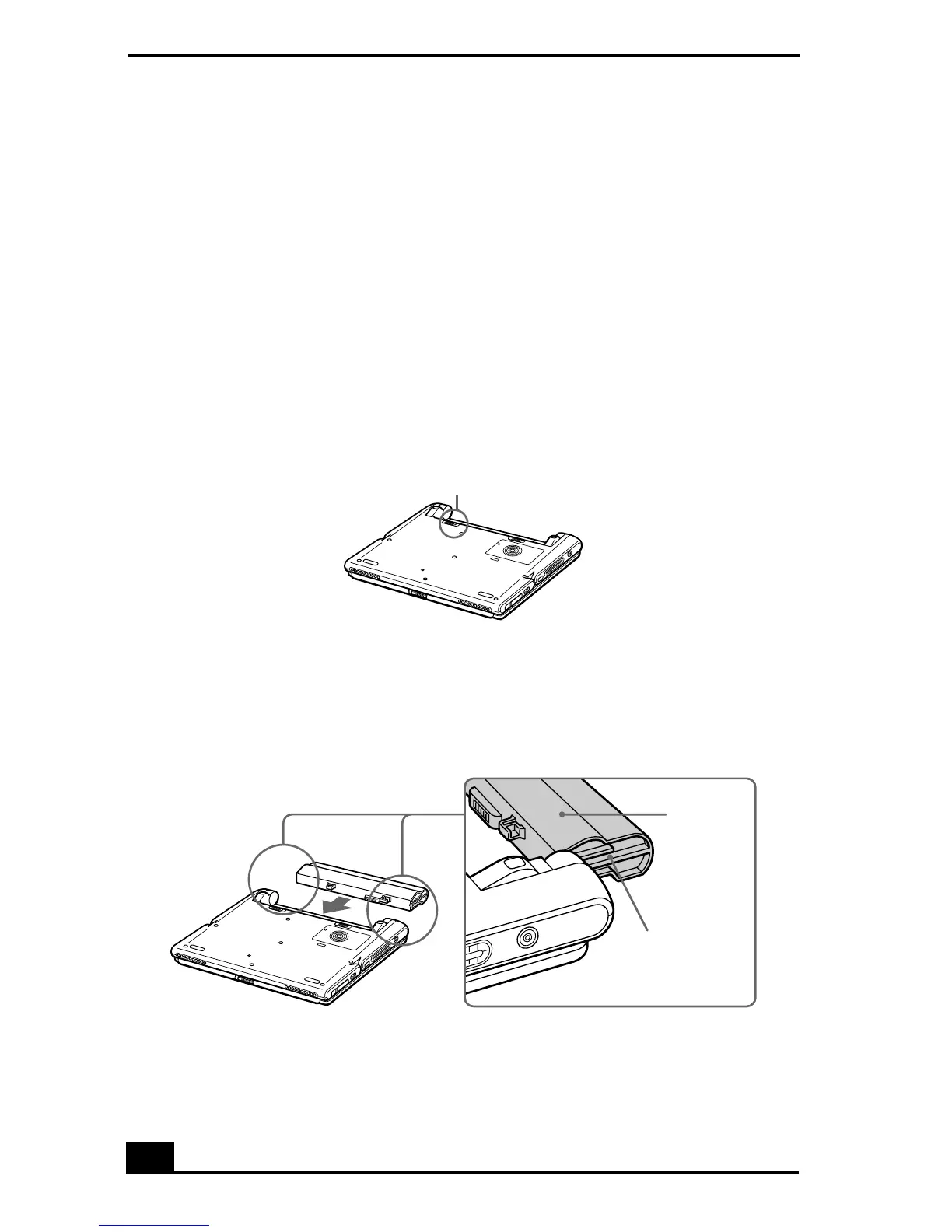
1
Move the lock lever on the bottom of the notebook to the
UNLOCK
position.
2
Align the grooves and tabs on the battery with the tabs and notches on the
back of the notebook, and then slide the battery toward the notebook until it
clicks into place.
3
Slide the lock lever into the
LOCK
position to secure the battery on the
notebook.
Lock Lever
Inserting Battery Pack
Lock lever
Grooves
Battery










 To Next Page