VAIO® Notebook User Guide
40
Using a Floppy Disk Drive (optional)
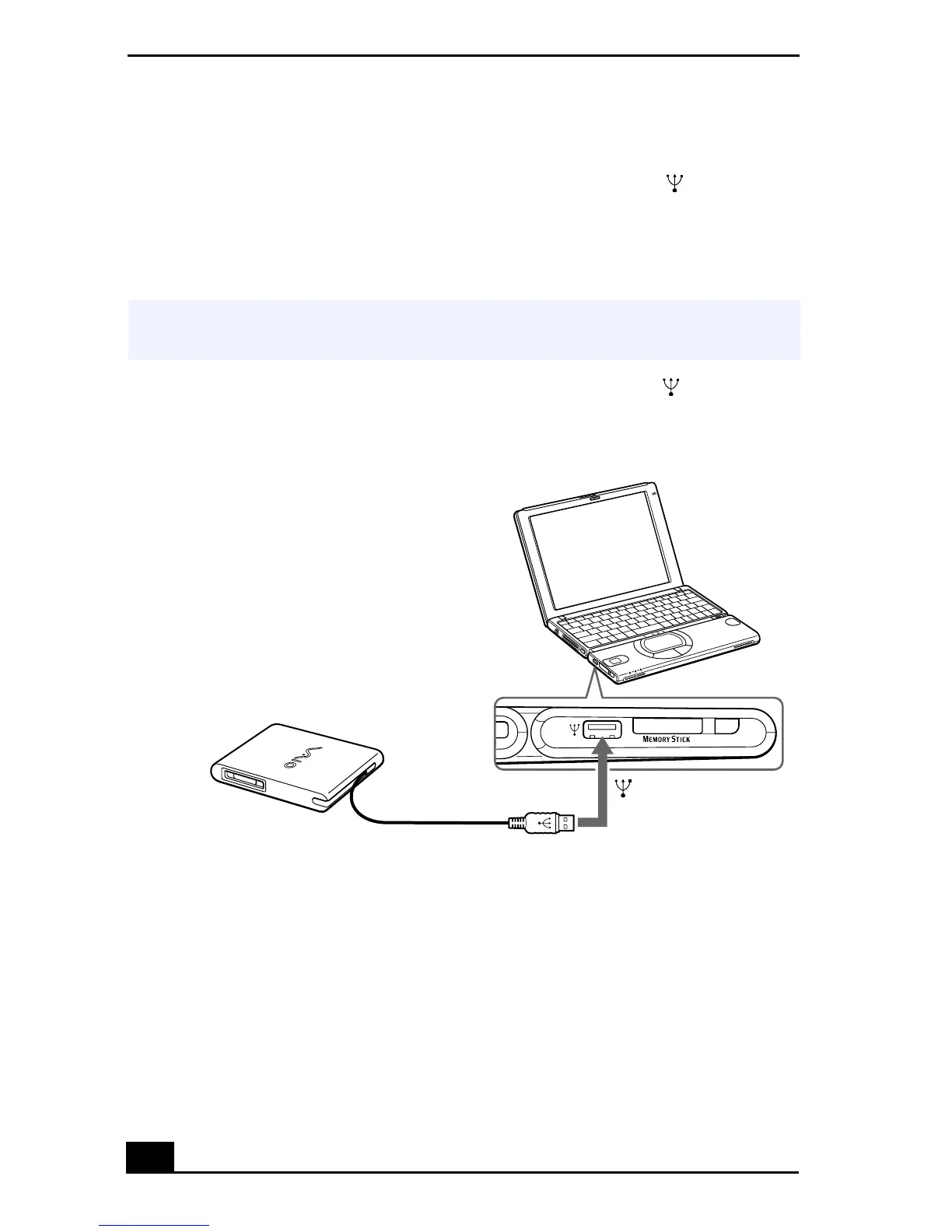
You can connect a Sony floppy disk drive (PCGA-UFD5) to the (USB)
connector on your computer:
To Connect a Floppy Disk Drive
Plug the USB cable from the optional floppy disk drive into the (USB)
connector on the computer. The VAIO logo on the disk drive should be facing up.
✍
You do not need to shut down the computer before connecting or disconnecting a
floppy disk drive.
Connecting a Floppy Disk Drive
Floppy disk drive
(optional)
Attached USB cable
USB connector









 To Next Page