Connecting an External Display
75
Connecting an External Display
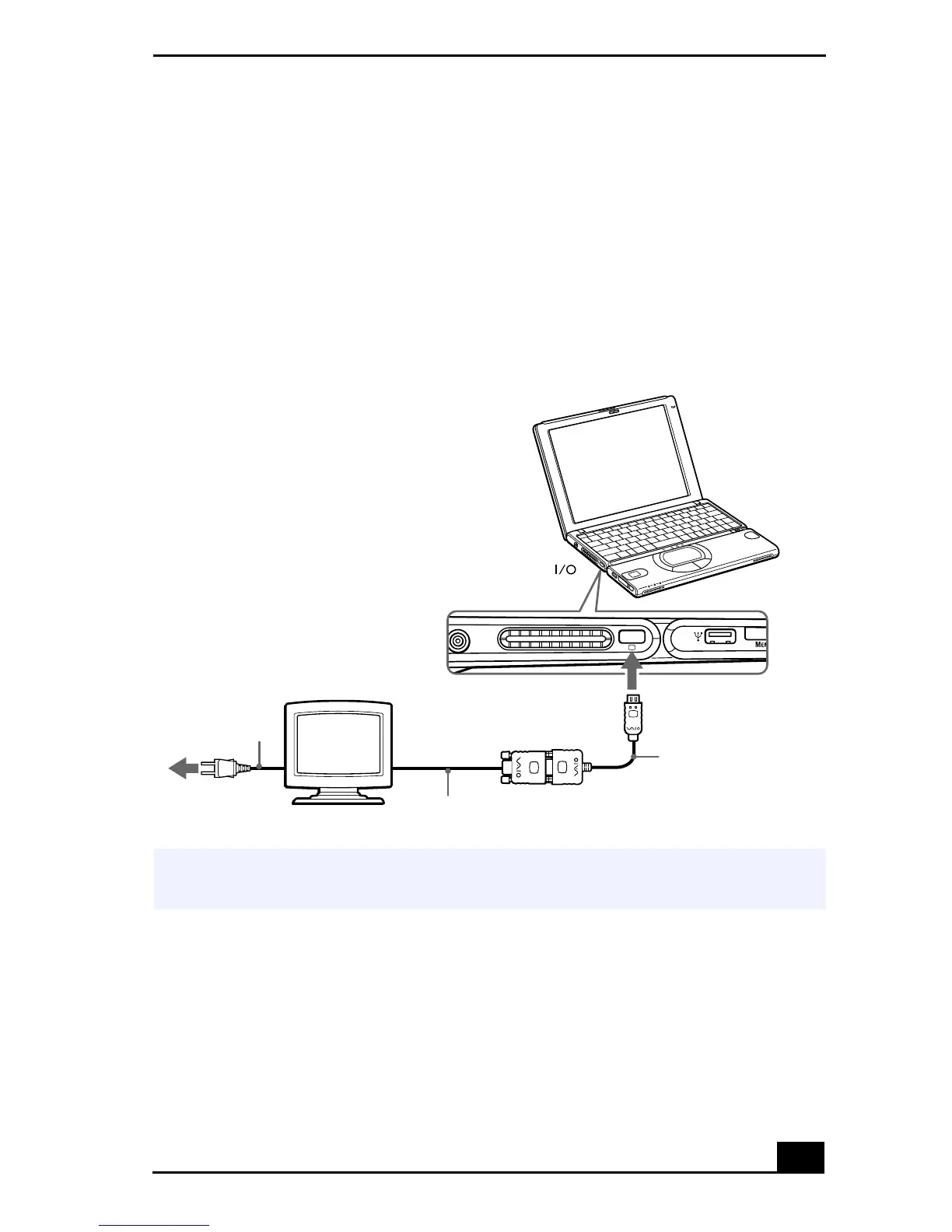
You can connect your notebook to a monitor or projector.
To Connect a Monitor
Use the VGA Adapter Port on the left side of the notebook. Plug the display
adapter (supplied) into this port. If necessary, plug one end of the display’s power
cord into the display, and the other end into an AC outlet.
To Connect a Projector
You can use a projector, such as the Sony LCD Projector, as an external display.
Connecting a Monitor
✍
See the manual that came with your monitor for more information on installation and
use.
to
Notebook display
Power cord
Display cable (optional)
VGA Display adapter (supplied)









 To Next Page